
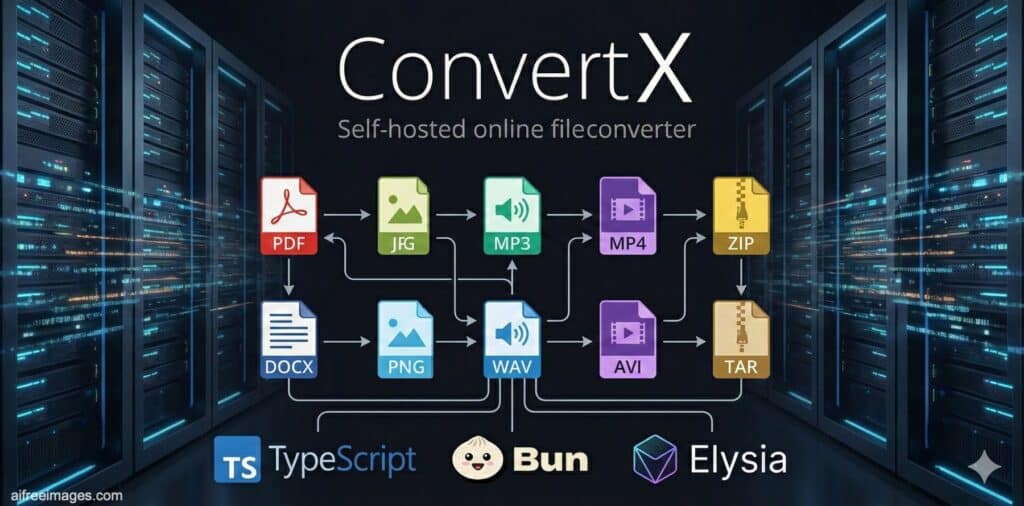
File conversion is one of those everyday tasks that rarely gets the attention it deserves—until it becomes a problem. A designer needs to batch-export vector assets, a team wants to standardize documents into PDF, a creator has to re-encode video quickly, or an IT department needs to convert files without sending sensitive data to external services.
That’s the niche ConvertX is targeting: a self-hosted, browser-based file converter that can be deployed on your own server and—according to the project—supports more than 1,000 formats. Built with TypeScript, Bun, and Elysia, ConvertX is positioned as a practical alternative to “upload it to some website” workflows that can be slow, limited, or risky when files contain confidential information.
A web app that wraps proven conversion engines
ConvertX’s biggest strength is that it doesn’t try to invent new conversion algorithms. Instead, it acts like an orchestrator: a single web interface that routes each job to the right tool under the hood.
The project lists a wide range of integrated converters, which helps explain the “1,000+ formats” claim. It brings together familiar names that many professionals already trust:
- FFmpeg for video and audio
- ImageMagick / GraphicsMagick for image processing
- LibreOffice for document conversions
- Calibre for e-book formats
- Pandoc for structured document transformations
- Inkscape for vector workflows
- Assimp for 3D asset conversions
- Plus more specialized utilities like libjxl (JPEG XL), libheif (HEIF), Potrace, and others
This approach matters because it keeps expectations grounded: success depends on the underlying engine’s capabilities, not on marketing promises. ConvertX’s job is to provide a consistent UI, job management, and an easy way to run multiple conversions without juggling command-line tools.
Features built for real use, not just demos
ConvertX reads like it was designed for repeated, practical use rather than a one-off conversion:
- Batch processing (convert multiple files in one go)
- Password protection
- Multiple user accounts
Those basics make it viable for shared environments: a small studio, a self-hosted homelab, a team server, or even an internal tool inside a company network.
Deployment with Docker: fast to launch, easy to get wrong
ConvertX is clearly optimized for containerized deployment. The project provides both docker run and docker-compose examples, with a persistent volume mounted to keep data and history.
But it also includes an unusually blunt warning that deserves attention: don’t leave it unconfigured and exposed, because the first account can be registered by whoever gets there first. In other words, “it runs in minutes” is true—but “it’s safe by default on the public internet” is not the assumption you should make.
There’s also a practical login note that hints at how the app expects to be used: if you’re not accessing it via localhost or HTTPS, you may need to explicitly allow HTTP connections. The project frames this as something to enable only when appropriate—typically local or controlled environments.
The environment variables that matter in production
ConvertX exposes a set of environment variables that make the difference between a handy tool and a resource-draining liability. A few stand out:
- JWT_SECRET: recommended to set, used to sign authentication tokens
- ACCOUNT_REGISTRATION: controls whether new users can register
- ALLOW_UNAUTHENTICATED: enables conversions without logging in (generally only appropriate for local use)
- AUTO_DELETE_EVERY_N_HOURS: deletes older files on a schedule (default is 24 hours; can be disabled)
- MAX_CONVERT_PROCESS: caps concurrent conversion processes (critical to prevent CPU spikes)
- WEBROOT: serves the app under a subpath (useful behind a reverse proxy)
- FFMPEG_ARGS: allows tuning FFmpeg behavior (performance/quality presets, etc.)
- HIDE_HISTORY: hides conversion history for more privacy-oriented setups
This list signals something important: conversion can be compute-heavy, and in the real world you need guardrails. If ConvertX is used by multiple people—or worse, exposed publicly—concurrency limits and cleanup policies aren’t optional. They’re survival.
Why ConvertX resonates in 2025: control, privacy, and repeatability
ConvertX isn’t competing with traditional desktop converters. It’s competing with a habit: sending files to unknown web services because it’s “quick.”
Self-hosted conversion becomes attractive when:
- Data can’t leave your environment (contracts, invoices, internal decks, media assets)
- You convert frequently and want predictable behavior
- You need batch workflows without manual tool switching
- You prefer a web UI but still want full ownership of the stack
- You want to standardize formats across a team with a shared internal tool
It also fits the modern infrastructure mindset: Docker-first deployments, lightweight services, and the ability to run tools “close” to where files already live (NAS, internal storage, private cloud).
Licensing and project signals
ConvertX is released under the AGPL-3.0 license. For individuals and internal use, that’s often straightforward. For organizations that plan to modify and offer the service externally, it’s worth reviewing what AGPL implies for distribution and service deployment.
The project is widely visible in the open-source ecosystem, and external aggregators highlight metrics like repository popularity and recent releases—signals that, at minimum, the tool has captured real attention among self-hosting users.
Bottom line
ConvertX is not a flashy AI product and doesn’t try to be. It’s an infrastructure utility—quietly useful, sometimes mission-critical, and increasingly valuable in a world where file conversion is constant but privacy expectations are rising.
For anyone building a self-hosted toolkit—whether for a homelab or a business—ConvertX is the kind of tool that pays for itself the first time you avoid sending a sensitive file to a third-party converter.
FAQs
Is ConvertX safe to expose on the public internet?
It can be, but it shouldn’t be left open by default. Best practice is to run it behind HTTPS, disable public registration unless needed, set a strong JWT secret, and limit concurrent conversions.
How do you prevent ConvertX from filling up your disk?
Use the automatic cleanup option (AUTO_DELETE_EVERY_N_HOURS) and store persistent data on a volume with monitoring. In high-volume setups, scheduled cleanup is essential.
Can ConvertX handle video and document conversions in one place?
That’s one of its main selling points: it integrates multiple engines (like FFmpeg for video and LibreOffice/Pandoc for documents) under a single interface.
What should you tune first for performance on a small server?
Start with MAX_CONVERT_PROCESS (to cap concurrency) and consider setting FFmpeg arguments for faster presets when quality tradeoffs are acceptable.