
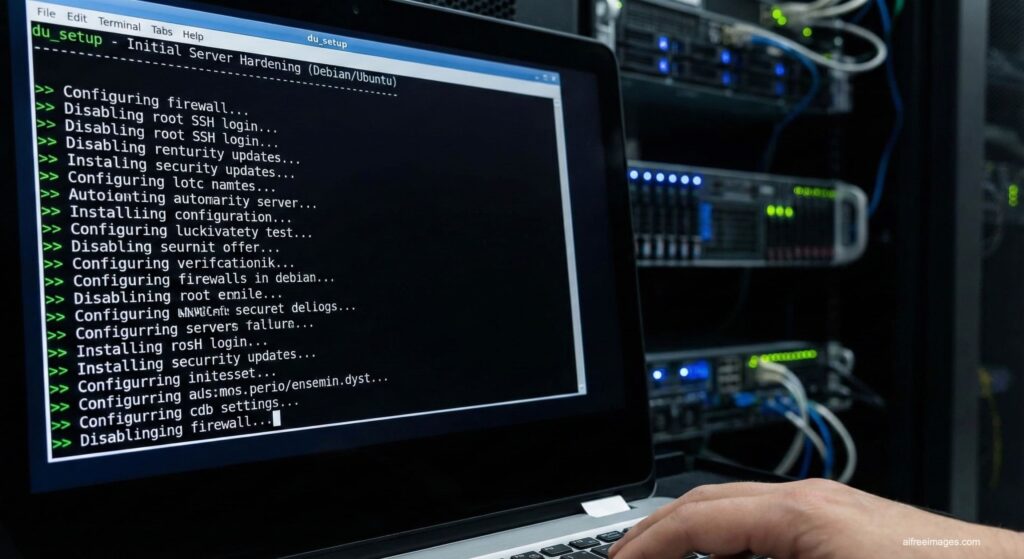
For many projects, the most delicate moment in a server’s life is day one. A freshly installed Debian or Ubuntu system arrives “clean,” but also exposed: unnecessary services running, open ports, default users, and a fairly permissive SSH configuration. In that context, it’s easy to make manual mistakes and leave gaps that, over time, become entry points for attackers.
That is precisely the problem du_setup aims to solve: an open-source Bash script designed to automate the initial setup and security hardening of Debian and Ubuntu servers. The project, hosted on GitHub, is currently at v0.78.4 and presents itself as an idempotent, safe tool suitable for production environments.
A “secure bootstrap” for Debian and Ubuntu servers
du_setup has a clear goal: to provide a secure baseline of configuration and hardening on top of which administrators can then deploy services, applications, and containers.
The script is compatible with:
- Debian 12 and 13
- Ubuntu 20.04, 22.04, and 24.04 (with experimental support for 24.10 and 25.04)
It is designed both for cloud instances (DigitalOcean, OVH, Hetzner, Oracle Cloud, Netcup, etc.) and for dedicated servers, as long as they are fresh installs or environments where you want to standardize provisioning.
Interactive execution or quiet mode
One of du_setup’s strengths is that it can be run in two ways:
- Interactive mode (recommended):
The script walks the user through key decisions step by step (admin user, SSH port, remote backups, Docker installation, Tailscale, etc.). It’s ideal for those who want to understand what’s being changed at each stage. - Quiet mode (
--quiet):
Designed for automated provisioning in CI/CD pipelines, infrastructure-as-code workflows, or cloud templates. In this case, du_setup relies on preset values and minimizes prompts.
Installation is straightforward:
wget https://raw.githubusercontent.com/buildplan/du_setup/refs/heads/main/du_setup.sh
chmod +x du_setup.sh
sudo -E ./du_setup.sh
Code language: JavaScript (javascript)
Before running it in production, the authors recommend verifying the script’s integrity via SHA256, using the official .sha256 file available in the repository.
User management and SSH hardening
The first block focuses on user management and remote access, one of the most critical aspects of any server exposed to the Internet.
- Creation or reuse of an admin user with sudo privileges
- Optional setup of SSH keys for that user and enforcement of strong passwords
- Disabling direct SSH access for root, one of the most basic but effective security practices
- Configuration of a custom SSH port, which helps reduce noise from bots constantly attacking default port 22
- Application of a hardened SSH configuration file, with rollback support: if something goes wrong and access is lost, you can restore the previous configuration from the backups the script stores under
/root/setup_harden_backup_*
Firewall, Fail2Ban, and automatic updates
On the perimeter defense side, du_setup automates several tasks that many admins still perform manually on every new server:
- Enabling and configuring UFW (Uncomplicated Firewall) with a “deny incoming” default policy and allowing only the ports you need
- Installing and configuring Fail2Ban to monitor SSH and firewall logs, blocking suspicious IPs
- Enabling unattended-upgrades, the Debian/Ubuntu automatic security update system, to keep the server patched without constant manual intervention
It also checks that time sync is correctly configured via chrony, which is crucial for consistent logs, certificates, and security mechanisms.
Kernel hardening and system configuration
For admins who want to go further, the script offers the option to apply kernel hardening using sysctl parameters:
- Protection of hard and symbolic links
- Mitigation of common network attack patterns (such as abuse of SYN packets)
- Hardening of policies related to ptrace and other escalation vectors
These changes are stored in a dedicated file (/etc/sysctl.d/99-du-hardening.conf), making it easier to audit and tweak later. The script itself suggests commands to verify that these values are applied and active.
It can also create an optimized swap file for low-RAM systems, tuning parameters such as swappiness and vfs_cache_pressure.
Automated remote backups with rsync
One of the most practical features is the optional setup of remote backups using rsync over SSH:
- You can define a backup server (such as a Hetzner Storage Box, which typically uses port 23 for SSH) or any other SSH-accessible system
- It automates SSH key management, either using
sshpassor manual key exchange - It generates a backup script (
/root/run_backup.sh) and schedules it via cron, plus a customizable exclude file - It offers a backup test mode to verify everything works before enabling it in production
- It can integrate notifications via ntfy or Discord, which is useful to confirm backups are running correctly
Backup logs are stored in /var/log/backup_rsync.log, making it easier to monitor and troubleshoot issues.
Tailscale, Docker, and other optional tools
Beyond basic hardening, du_setup can also install additional software commonly used in modern environments:
- Tailscale:
A mesh-style VPN that connects servers and devices with minimal network complexity. The script can join the server to a standard Tailscale network (using a pre-auth key from the Tailscale admin console) or to a self-hosted control server. It also supports flags like--ssh,--advertise-exit-node,--accept-dns, and--accept-routes. - Docker and Docker Compose:
Installs Docker Engine and Docker Compose, and adds the admin user to thedockergroup. It also includes tools likedtopfor terminal-based container monitoring.
In addition, the script installs common admin utilities (htop, ncdu, iotop, nethogs, etc.), with the idea of leaving the server ready for day-to-day use right after the initial run.
Security audits with Lynis and debsecan
To complete the picture, du_setup can run optional security audits:
- Lynis, a well-known hardening tool that scans the system and produces a security score along with detailed hardening recommendations
- debsecan, which checks installed packages for known vulnerabilities (CVEs) based on the Debian/Ubuntu release
Results are saved under /var/log/setup_harden_security_audit_*.log and summarized in the final report generated by the script, giving admins a clear overview of the server’s state after the initial setup.
Cleaning up provider “bloat” and keeping backups of configs
With cloud environments in mind, du_setup includes a provider package cleanup mode:
- It can detect and remove monitoring agents, provisioning tools, and default users installed by cloud providers such as DigitalOcean, Hetzner, Vultr, etc.
- It offers a preview mode (
--cleanup-preview) to show what would be removed before making changes, and a--cleanup-onlymode for running just this phase on existing servers.
Throughout the process, the script follows a “safety-first” philosophy:
before changing critical files like sshd_config, it creates timestamped backups in /root/setup_harden_backup_*. Those backups allow you to quickly recover the previous state if something goes wrong.
A strong foundation for production (but not a replacement for good architecture)
In their documentation, the authors stress several important points:
- The script is designed for fresh systems, and should be tested in staging environments first
- It’s advisable to keep out-of-band console access (for example, via the cloud provider’s console) in case a misconfigured SSH setup locks you out
- After running du_setup, a reboot is required for kernel and service changes to fully take effect
du_setup is not meant to be a silver bullet that replaces proper security architecture and backup design, but it is a very useful shortcut to ensure every server starts from a solid, repeatable, and auditable baseline, reducing human error and saving time on each deployment.
For system administrators managing multiple Debian or Ubuntu machines, especially in cloud environments, this kind of automated hardening script is becoming a key piece when scaling infrastructure without sacrificing security.