
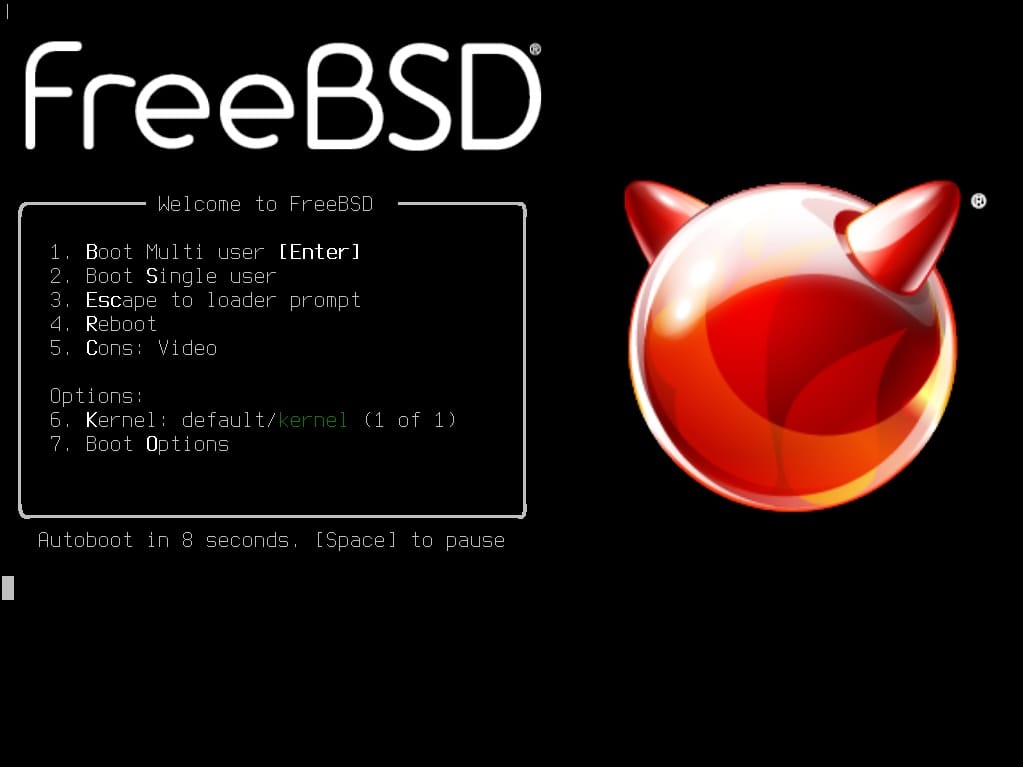
FreeBSD 15 is now here. The open source operating system that has long been the quiet, serious alternative to Windows, Linux and macOS takes an important step forward with a release focused on the cloud, a revamped update model and the beginning of the end for most 32-bit hardware.
This is not just another point release: it introduces a new way to manage the base system via packages, updates core components such as OpenZFS and OpenSSL, adds improvements for file monitoring and ships with ready-to-use images for the main public clouds.
An old familiar name that’s still very much alive
FreeBSD is the best-known member of the BSD family, Unix-like systems with a very permissive license that have quietly powered all kinds of commercial products. Big tech companies have used it for years: console makers such as Sony and Nintendo have built on FreeBSD in their systems, Apple pulls components into macOS, and many routers and network devices rely on its networking stack and tools.
Despite that “behind the scenes” role, FreeBSD also remains a solid choice as a server OS and, for advanced users, even as a desktop system. Technologies like jails, its powerful networking, or its long-standing integration of ZFS have made FreeBSD a reference point wherever stability and documentation matter more than hype.
With FreeBSD 15, the project is trying to balance tradition and future: the classic tools are still there, but the way they are installed, updated and deployed on bare metal, virtual machines and public cloud becomes much more modern.
The big change: the base system is now managed with pkg too
Until now, FreeBSD clearly separated two worlds:
- The base system, updated with dedicated tools like
freebsd-update. - The ports and packages ecosystem, managed with the
pkgpackage manager.
FreeBSD 15 officially introduces what’s known as pkgbase: the ability to install and manage the entire base system as a set of packages from a specific repository, using pkg alone. During installation, the bsdinstall wizard now offers two paths:
- Distribution Sets (traditional method)
The same approach used in previous FreeBSD releases. The system is installed using the classic “sets” and continues to be updated viafreebsd-update. This method will remain supported throughout the lifetime of FreeBSD 15, but is planned for removal in FreeBSD 16. - Packages / pkgbase (new method)
The base system is installed as packages from the “FreeBSD-base” repository and managed exclusively withpkg. This is now the default for virtual machine images and for images published in public clouds.
In practice, this brings FreeBSD closer to the experience of other modern operating systems: everything —base system and applications— can be updated in a unified way with the same package manager, simplifying automation, CI/CD and day-to-day maintenance in large server fleets.
Key technical improvements in FreeBSD 15
Beyond pkgbase, FreeBSD 15 delivers a list of changes that will be felt by both developers and system administrators.
Native inotify for easier software porting
The system now includes a native implementation of inotify, the file-monitoring API popularized by Linux. This makes life easier for people porting software between the two worlds: many applications that expect inotify support can now run with fewer patches, or sometimes without any changes at all.
Updated OpenZFS and modern cryptography
Storage and security also get important updates:
- OpenZFS support is upgraded, bringing performance and stability improvements that are especially relevant for servers relying heavily on snapshots, replication and high-I/O volumes.
- On the cryptography side, FreeBSD 15 ships with:
- OpenSSL 3.5.4 (LTS), with QUIC support and —crucially— with standardized post-quantum-resistant algorithms such as ML-KEM, ML-DSA and SLH-DSA.
- OpenSSH 10.0p2, which enables quantum-resistant key agreement by default.
These are important steps at a time when the industry is starting to prepare for a future in which quantum computers could threaten today’s cryptographic schemes.
Goodbye to most 32-bit hardware
In line with many modern Linux distributions and other operating systems, FreeBSD 15 drops support for most 32-bit hardware platforms.
Version 15.0-RELEASE focuses on 64-bit architectures such as amd64, aarch64, powerpc64, powerpc64le and riscv64, along with specific images for ARM boards like Raspberry Pi and several PINE64 and Rockchip devices. Concentrating on 64-bit allows the project to better focus development and testing resources, at the cost of leaving very old machines behind.
Ready for the cloud, VMs and containers
FreeBSD 15 arrives with a broad catalogue of images ready to deploy in different environments:
- Traditional ISO images (dvd1, disc1, bootonly) for bare-metal installs.
- “Memstick” and mini-memstick images for installing from USB flash drives.
- SD card images for ARM, with full systems that can boot from cards as small as 5 GB.
- Virtual machine images in QCOW2, VHD, VMDK and RAW formats, aimed at hypervisors like KVM, Hyper-V or VMware.
- Cloud images for AWS, Google Cloud, Azure and Oracle Cloud, in both UFS and ZFS variants, with options preconfigured for
cloud-init.
On top of that, there are OCI container images, available both from the project’s own repositories and via Docker Hub and GitHub Container Registry. This makes it easier to integrate FreeBSD into modern workflows for development, automated testing and service deployment.
A clearer support lifecycle
FreeBSD 15.0-RELEASE will be supported until September 30, 2026, while the 15.x branch as a whole is scheduled to receive updates until December 31, 2029, including security fixes and critical bug patches throughout its life.
For infrastructure teams and hosting providers, having a clearly defined support horizon is crucial when planning migrations, certifications and hardware refresh cycles.
Who does FreeBSD 15 make sense for today?
FreeBSD 15 is not trying to win over the average mainstream desktop user. Its natural home remains:
- Servers and data centers that prioritize stability, documentation and a coherent stack.
- Embedded and networking environments where FreeBSD’s TCP/IP stack, PF firewall and classic tools have been battle-tested for years.
- Developers and administrators looking for a consistent Unix-like system, with conservative policies and clear support timelines.
- Labs, virtualization platforms and private clouds, where the new VM images, pkgbase and ZFS support make it an attractive base to build services on.
With this release, the project is sending a clear message: FreeBSD is not a relic. It’s a system that adapts to the age of cloud computing and post-quantum security without walking away from its roots.
Frequently asked questions about FreeBSD 15
1. What exactly is pkgbase, and how does it change FreeBSD 15 updates?
pkgbase is the new way to install and manage the FreeBSD base system as a collection of packages using the pkg tool. Instead of relying on freebsd-update, you can apply security fixes and new base system versions just like you would update regular packages. In FreeBSD 15 both methods coexist, but the project plans for pkgbase to become the standard in future releases.
2. Can I upgrade my existing FreeBSD installation to 15 without a clean install?
Yes. As in previous versions, you can upgrade from a supported FreeBSD release to 15.0-RELEASE by following the official installation and upgrade documentation. The exact method (via freebsd-update or using pkgbase repositories) will depend on how your original system was installed.
3. Does FreeBSD still make sense in a Linux-dominated world?
FreeBSD retains a distinct niche thanks to its more unified development model (kernel, base tools and documentation under a single project), its permissive license and features such as jails, integrated ZFS support and a very mature networking stack. For many companies and device makers, that combination of stability and legal flexibility is still a strong differentiator.
4. Where can I download FreeBSD 15, and which image should I choose to get started?
FreeBSD 15.0-RELEASE images are available from the project’s official website. For a modern physical server, the usual choice is the dvd1 ISO or a memstick image. For quick lab testing, the pre-built VM images (QCOW2, VMDK, VHD) or the cloud images for AWS, Google Cloud, Azure or Oracle Cloud are often the most convenient starting point.