
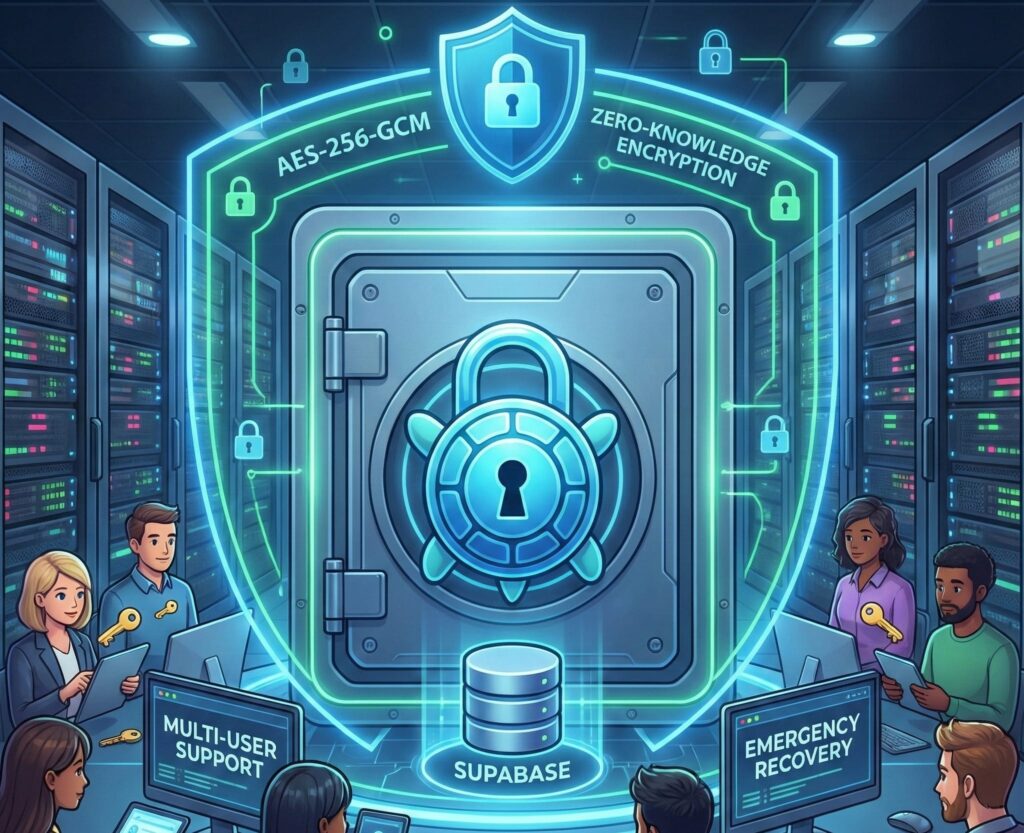
Saving an API key “just for a moment” in a notes app, forwarding a token over an internal chat, or dropping a password into a shared document is one of those habits many teams carry around… until something goes wrong. In a world where nearly every service—cloud platforms, developer tools, analytics, and even AI products—requires credentials, the challenge is no longer just “having passwords.” It’s managing secrets: API keys, access tokens, certificates, sensitive environment values, and login credentials that—if leaked—can lead to unauthorized access and unpredictable costs.
That’s where Keyper comes in. The open-source project positions itself as a self-hosted credential manager designed to handle modern secrets while keeping data under the user’s control. Its central pitch is a client-side encryption model (in the browser) using a zero-knowledge approach—meaning the server and database shouldn’t be able to read the stored content—while relying on Supabase as the backend. The repository is released under the Apache 2.0 license and is available as an npm package with a streamlined setup and quick-start flow.
Built for modern credentials, not just “passwords”
Keyper isn’t limited to the classic “username + password” template. Its scope includes storing and organizing:
- API keys for cloud services, developer platforms, and integrations
- Login credentials (username/password)
- Secrets (sensitive configuration values used by apps)
- Tokens (authentication and access tokens)
- Certificates and related keys (such as TLS material)
That focus maps closely to how many teams operate today: multiple services, automation, CI/CD pipelines, SaaS vendors, and an ever-growing pool of credentials that rotate, expire, or shift ownership internally.
Zero-knowledge in practice: what it claims—and what it requires
“Zero-knowledge” has become a popular label, but Keyper ties it to a specific design: encryption happens on the client, not the server. According to its documentation, data is encrypted with AES-256-GCM, and the master secret is derived using Argon2id (with PBKDF2 as a fallback for compatibility), aiming to raise the bar against brute-force attacks and align with modern cryptographic expectations.
It also adds a day-to-day safeguard: an auto-lock after 15 minutes of inactivity (with activity detection), intended to reduce the risk of leaving a vault open on a shared machine or an abandoned session.
Still, zero-knowledge isn’t magic. The real-world security depends on how the master secret is handled, the health of the endpoint device (malware, risky extensions, keyloggers), the database configuration, and the organization’s threat model. The upside is clear—your database shouldn’t hold secrets in plaintext—but the user and their environment remain a critical part of the system.
Multi-user support and database isolation: Supabase and RLS
Keyper uses Supabase (PostgreSQL + Auth) and relies on Row Level Security (RLS)—access control enforced at the database row level. The goal is that even in a shared instance, each user only sees their own “vault.” The documentation also highlights operational best practices, such as refreshing the app when switching users to avoid cryptographic state conflicts.
This pairing—client-side encryption plus database-level isolation—targets a common need: teams that want multiple users on the same platform while keeping access boundaries clearly defined.
Emergency recovery: resets without admin “backdoors”
One of the hardest problems for any secret vault is the obvious one: what happens if the master passphrase is lost? Keyper describes an approach where users can perform an emergency passphrase reset via a bcrypt-based mechanism, while explicitly claiming there are no administrative backdoors that can decrypt stored content. It also mentions backward compatibility with a legacy DEK-based design for existing users, suggesting a transition path that doesn’t break older vaults.
In practice, this tries to balance two requirements that often clash: strong cryptography and operational recoverability. As always, the details matter—who can access the database, what safeguards exist in Supabase, and how project-level credentials are protected.
Quick install and an “app-like” experience: CLI + PWA
Keyper emphasizes straightforward deployment: Node.js 18+ and a Supabase project (its docs suggest the free tier can work). Setup starts with npm: a global install and a default launch port of 4173, with the option to use a custom port (such as 3000).
Initial configuration involves connecting to Supabase using the project URL and the anon/public key (with a clear warning not to use the service_role key), then running a SQL script to create tables and security policies.
On top of that, Keyper ships as a Progressive Web App (PWA), allowing users to install it “like an app” on desktop or mobile from the browser for a more native-feeling workflow.
A hosted demo that won’t store your secrets—but still calls for judgment
Keyper also offers a hosted demo where users plug in their own Supabase credentials to test the experience. The project claims encryption still happens in the browser and that Supabase credentials are stored locally in the browser for that session rather than being sent to the demo host.
It’s a practical way to evaluate the UI and workflow—but it naturally comes with a common-sense takeaway: test using a controlled Supabase project and appropriately scoped keys, not production secrets.
The bigger picture: why tools like this are gaining traction
Keyper is part of a broader shift toward self-hosting critical components, including secret storage, to maintain control, traceability, and autonomy. The pitch is compelling: strong encryption, auditable code, data ownership, and a database the organization administers.
But self-hosting also means responsibility: patching, backups, access control on Supabase, key management, and internal procedures. In other words, it’s not just about installing—it’s about operating.
Keyper aims to reduce friction with a fast setup, modern UI (React + TypeScript), and a security posture that—on paper—matches what many teams expect from a secret vault today: authenticated encryption, memory-hard key derivation, multi-user isolation, auto-locking, and an emergency recovery path.
FAQs
How do you set up a self-hosted credential manager with Supabase to store API keys and tokens?
A typical Keyper setup involves deploying the app, creating a Supabase project, configuring the project URL and anon/public key, running the SQL script for tables and policies, and then storing secrets encrypted from the browser.
What’s the difference between a password manager and a secrets manager for development teams?
Password managers focus on human logins. Secrets managers typically handle API keys, tokens, certificates, and sensitive configuration values that power services, pipelines, and deployments. Keyper’s categories, tags, priorities, and expiration tracking are aimed at that workflow.
What does “zero-knowledge” mean in a credential vault—and what are the limitations?
In this model, the server stores encrypted data and decryption happens on the client. The limitations are often on the endpoint (your device/browser) and master secret handling: if the device is compromised, encryption won’t protect an active session.
Is it a good idea to use a hosted demo to manage production secrets?
It can be fine for testing the interface and setup flow, but for high-impact secrets it’s safer to use your own instance and least-privilege Supabase credentials in a controlled environment.