
Backups stopped being “just copy everything to another disk” a long time ago. Between VPS, public clouds, control panels, critical databases and ever-tighter security requirements, system administrators need something more robust than a nightly rsync and crossed fingers.
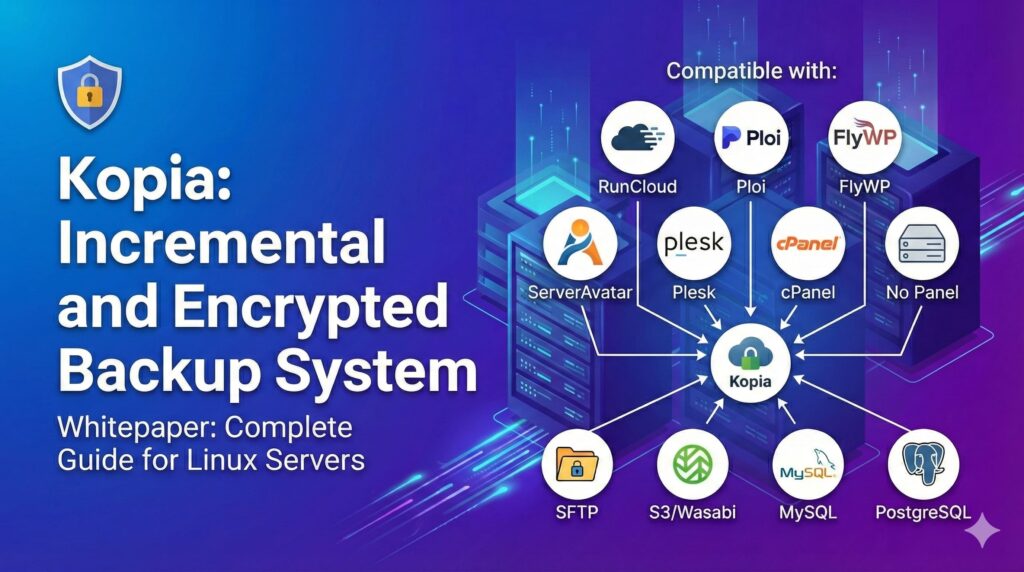
That’s where Kopia comes in: an incremental, encrypted, deduplicated backup system designed to work just as well on a bare Linux server as it does alongside panels like Plesk, cPanel, RunCloud, Ploi, FlyWP or ServerAvatar.
At administraciondesistemas.com we’ve put together a full whitepaper in English on Kopia and its use on Linux servers. This article is a high-level summary. If you want the full details (commands, scripts, checklists), you can subscribe and receive the complete whitepaper by email.
What is Kopia and why should sysadmins care?
Kopia is an open source backup solution that combines:
- Block-level deduplication
Only the changed chunks are stored between snapshots, reducing long-term disk usage and bandwidth. - End-to-end encryption (AES-256-GCM)
Data is encrypted before it leaves the server, which is crucial for security policies and regulatory compliance. - Configurable compression
You can choose the compression algorithm (zstd, gzip, s2, etc.) and exclude file types that are already compressed. - Multiple storage backends
Local filesystem, SFTP, S3/Wasabi, Backblaze B2, Azure, Google Cloud, WebDAV and more. - CLI and GUI
A powerful command-line interface for servers and KopiaUI for workstations or admins who prefer a graphical view.
The whitepaper targets admins managing anything from a single VPS to multi-server infrastructures with mixed stacks and panels. The goal: incremental, encrypted, verifiable and restorable backups without unnecessary complexity.
What the Kopia whitepaper covers (in short)
1. Installation and core concepts
The guide walks through installing Kopia on:
- Linux distros (Ubuntu/Debian, RHEL/Rocky/Alma, Fedora)
- Windows and macOS (including KopiaUI via
wingetandbrew)
And it clarifies the basic building blocks:
- Repository – where backup data lives (local, SFTP, S3, etc.).
- Snapshots – point-in-time copies of a directory, with deduplication.
- Repository password – absolutely critical; lose it and the data is unrecoverable.
2. Remote backups with SFTP and S3 (Wasabi)
Two very common production scenarios are covered in detail:
- SFTP – ideal for a storage server, a dedicated backup box or any host with SSH:
- Creating dedicated SSH keys.
- Handling
known_hostscorrectly (Kopia is strict here). - Organizing repositories per server using the hostname to keep things tidy.
- S3/Wasabi – for highly durable cloud backups:
- Bucket and access key creation.
- Region-specific endpoints (Frankfurt, London, US, APAC, etc.).
- Using prefixes so each server has its own logical space.
The whitepaper includes ready-to-adapt examples so you’re not starting from scratch.
3. Automatic retention policies
One of Kopia’s strengths versus simpler tools is its built-in retention engine:
- Keep N latest snapshots.
- Keep N daily, weekly, monthly and yearly snapshots.
- Define global policies and override them per path (e.g., stricter retention for databases, lighter for logs).
Examples in the whitepaper include setups like:
- 10 latest snapshots, 7 daily, 4 weekly, 12 monthly, 2 yearly.
- Stricter retention on
/var/backups/databases, looser on/var/log.
4. Smart exclusions (especially for WordPress and web stacks)
Backing up an entire filesystem tree blindly is a great way to burn storage on useless data:
- Cache directories (
node_modules,.cache,vendor, etc.). - Temporary files and logs.
- WordPress plugin caches and backup folders (
wp-content/cache/,litespeed/,updraft/, migration plugin backups, etc.).
The guide proposes a curated exclusion list, inspired by .gitignore style patterns, to:
- Shrink backup size.
- Speed up snapshot creation.
- Avoid storing data that can be regenerated.
5. Compression: zstd, performance, and when not to compress
The whitepaper dedicates a full section to compression and how it impacts backup performance:
- zstd is recommended as the default for most environments (excellent balance of ratio and speed).
- Higher zstd levels make sense for highly compressible data such as logs, text, configuration, SQL dumps.
- It’s a waste of CPU to recompress media and already-compressed formats (images, video, audio, ZIP/7z, PDF, DOCX, etc.).
You’ll find example configurations for:
- Setting zstd as the global compressor.
- Marking certain extensions as “never compress”.
6. Database backups: MySQL and PostgreSQL done properly
In production, filesystem snapshots are not enough for databases; you need consistent dumps.
The whitepaper describes a standard pattern:
- Create a read-only MySQL user with just the required permissions (SELECT, SHOW VIEW, LOCK TABLES, etc.).
- Use scripts to:
- Dump all databases (excluding system schemas like
information_schemaandmysql). - Compress each dump file individually (
.sql.gzfor MySQL,.dumpfor PostgreSQL).
- Dump all databases (excluding system schemas like
- Store these dumps in paths such as
/var/backups/databases/mysqland/var/backups/databases/postgresql, which are then included in Kopia snapshots.
The result: reliable backups at both filesystem and database level.
7. Automation with cron and systemd
The whitepaper proposes a main backup script that:
- Runs the database dump scripts.
- Triggers Kopia snapshots for key paths (
/home,/etc,/var/backups/databases, etc.). - Logs everything under
/var/log/kopia.
There are two main scheduling options:
- cron – for admins who prefer the classic UNIX way (e.g. every 6 hours + weekly verification).
- systemd timer – for those using systemd as their central job management layer.
8. Restore workflows and recovery tests
Everyone knows they should test restores. Not everyone does.
The guide insists on making recovery tests part of the routine and explains how to:
- List and inspect snapshots from the CLI.
- Restore full snapshots or specific directories to a temporary path.
- Use FUSE (
kopia mount) to browse snapshots as a filesystem. - Restore databases from their dumps using
mysqlorpsql.
9. Kopia’s web UI and server mode
On top of the CLI, Kopia provides:
- An integrated web server (
kopia server start --ui) for browser-based management. - The ability to run it as a
systemdservice, bound only to127.0.0.1and exposed securely via a reverse proxy (nginx, Caddy) with TLS.
KopiaUI is particularly useful for desktops, laptops and development machines that need a more user-friendly interface.
10. Troubleshooting and final checklist
The whitepaper closes with:
- Common issues and fixes (SSH host key problems, disconnected repositories, slow snapshots, cache issues, etc.).
- A production checklist to make sure you don’t miss critical pieces:
- Policies and retention.
- Exclusions.
- Compression settings.
- Database dumps.
- cron/systemd timers.
- Restore tests.
- Password/documentation management.
Get the full Kopia whitepaper (in English)
This article is just the summary. If you manage Linux servers, web stacks, panels like Plesk/cPanel/RunCloud or multi-server infrastructures and you want:
- A step-by-step implementation guide for Kopia.
- Ready-to-use bash scripts for database dumps and automation.
- A production-grade checklist to validate your backup strategy.
you can subscribe to administraciondesistemas.com and receive the full whitepaper in English by email:
“Kopia – Incremental Encrypted Backup System: Complete Guide for Linux Servers”
Written by and for system administrators who want to sleep a bit better at night, knowing that if something breaks, their backups are not only there – they’ve already been tested.