
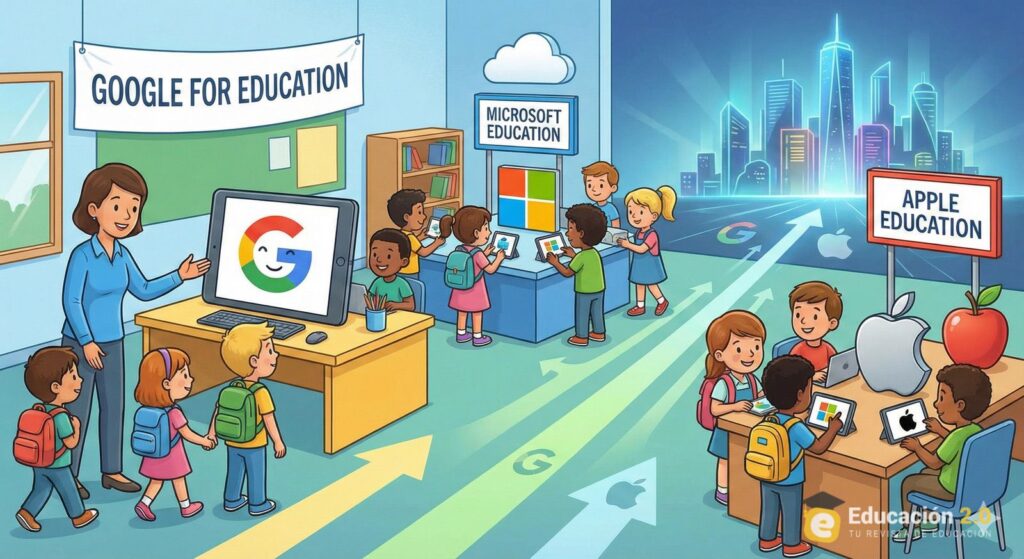
A leaked internal Google presentation is putting an uncomfortable idea back at the center of the education-technology debate: school deployments are not only about learning outcomes or low-cost devices — they can also be about shaping long-term customer behavior.
The document, dated November 2020 and published publicly, frames Chromebooks in classrooms as a way to “onboard” children into Google’s ecosystem and build “brand trust and loyalty over their lifetime.” The material surfaced in the context of court filings and has reignited criticism that “free” or heavily discounted education programs can function as a funnel into proprietary platforms once students become adults with purchasing power.
For IT administrators and Linux professionals, the significance goes beyond Google. The memo crystallizes a broader industry dynamic: large vendors compete aggressively for mindshare in schools because early habituation is sticky. The risk, they argue, is vendor lock-in by design — not only in devices, but in identity, cloud workflows, document formats, and administrative tooling.
Chromebooks in the classroom: low cost, high strategic value
Chromebooks became popular in education partly because they simplified fleet management and reduced upfront costs. A web-centric operating model, automatic updates, and centralized policy control make them attractive to stretched IT teams. Combined with Google Workspace for Education, the experience can feel turnkey.
But the leaked presentation makes explicit what critics have long suspected: education deployments are also a strategic acquisition channel. In plain terms, the value is not just a Chromebook unit shipped today; it is an adult user who defaults to Chrome, Gmail, Drive, and YouTube tomorrow.
That framing matters because it changes how procurement decisions should be evaluated. If a platform’s business incentives include lifetime ecosystem capture, then “free” must be examined as a long-term total cost of ownership problem: lock-in, migration friction, data governance, and reduced competition for future purchases.
The wider pattern: Microsoft and Apple play similar games (even if differently)
Google is not alone in treating education as a strategic battleground.
Microsoft has spent decades anchoring itself in schools through Windows fleets, academic licensing, and classroom productivity bundles. It still offers a no-cost tier for eligible students and educators (Microsoft 365/Office 365 A1), which lowers barriers for adoption and normalizes Microsoft identities, cloud storage habits, and Office workflows early in a student’s life.
Apple, meanwhile, has built a parallel education stack around managed Apple IDs, device enrollment, and a centralized portal for IT administration. Apple School Manager is explicitly designed to help institutions manage devices, accounts, and content at scale, typically integrated with a third-party MDM. This is not a “free device” strategy; it is a premium ecosystem strategy — but with the same gravity: once a school standardizes on a vendor’s management plane and identity model, reversibility becomes expensive.
The mechanisms differ, but the outcome can converge: students become accustomed to a particular UX, file workflow, cloud account model, and app ecosystem — and that familiarity can persist into higher education and the workplace.
Why sysadmins see this as an infrastructure risk, not just an education issue
From a Linux sysadmin’s perspective, vendor lock-in is not an abstract political concern. It becomes operational reality in at least five areas:
- Identity and directory dependency
When school life is built around a vendor directory, SSO, and policy stack, migrations become identity migrations — the hardest kind. - Data gravity and egress friction
Once storage and collaboration settle into a single cloud, exporting is possible, but re-platforming at scale is rarely trivial. - Administrative tooling lock-in
MDM policies, endpoint profiles, and compliance baselines become “institutional memory.” Recreating them elsewhere is work, and it is often under-budgeted. - Document formats and workflow habits
Even where interoperability exists, day-to-day habits are shaped by defaults: templates, collaboration mechanics, and “the way we do it.” - Skills pipeline
A school that only teaches closed platforms produces graduates who believe computing equals a specific vendor. That narrows the talent base — including future sysadmins.
The irony is that many schools adopt closed stacks to reduce IT complexity — but the long-run result can be a different form of complexity: dependence.
A practical open-source counter-strategy schools can deploy now
Linux administrators argue that the alternative is not “no tools.” It is building a baseline of open, portable infrastructure so students learn concepts and schools maintain leverage.
1) Standardize on open formats first (low friction, high leverage)
A school can shift its “default document policy” without swapping every device overnight. The OpenDocument Format (ODF) is an ISO standard, and OASIS has recently approved ODF v1.4, reinforcing ongoing evolution around interoperability and accessibility. In practice, this means: stop treating proprietary formats as the institution’s canonical records format.
LibreOffice provides a mature, cross-platform suite that supports ODF natively and reduces dependence on a single vendor’s application layer.
2) Build Linux literacy as a core competency (not an elective)
A realistic target is not turning every student into a kernel developer. It is ensuring every graduate can:
- use a terminal confidently (files, permissions, networking basics),
- understand client/server fundamentals,
- grasp identity concepts (accounts, groups, authentication),
- and recognize what an open license and an open standard actually mean.
This is the same “digital literacy” schools claim to teach — but with vendor-neutral foundations.
3) Deploy open-source platforms where they fit naturally
Many schools already use web platforms daily. Linux teams can swap the underlying tooling without changing the user experience radically:
- Moodle as an open-source LMS (learning management system) for courses, assignments, and assessments.
- Nextcloud as a controlled collaboration and file-sharing layer, with on-prem or trusted-hosted deployment options.
- LibreOffice on endpoints for documents and offline productivity.
This is not theoretical; these projects exist specifically to be deployed at institutional scale.
4) Make endpoints cheaper with thin clients instead of “cheap laptops”
If the goal is cost control, Linux offers a playbook that predates Chromebooks: centralized compute with simpler endpoints.
- LTSP (Linux Terminal Server Project) can netboot diskless clients and centralize maintenance. In many environments, managing “one image” is easier than managing hundreds of heterogeneous laptops.
- For schools that want an education-focused distro baseline, Debian Edu (Skolelinux) is explicitly designed for educational institutions, integrating a wide set of packages and school-use assumptions.
For sysadmins, this approach often reduces operational churn: fewer local state problems, fewer broken endpoint configurations, and simpler refresh cycles.
5) Treat procurement as architecture, not shopping
The most effective change may be procedural: write procurement requirements that preserve exit options.
Examples:
- “All official documents must be stored in open formats.”
- “Identity integration must support standards and federation.”
- “Data export tooling and migration pathways must be contractually guaranteed.”
- “Offline continuity plan required for teaching operations.”
This is standard enterprise thinking — applied to education.
The bottom line: schools can keep choices open, but they must decide to
The leaked Google presentation did not invent vendor capture in education — it simply said the quiet part out loud. For Linux administrators, the response is not outrage; it is architecture.
If schools want students to become capable technologists rather than lifelong tenants of whichever ecosystem issued them their first login, then open source cannot remain a side project. It must become the default baseline: open formats, portable skills, and infrastructure choices that keep future options open.