
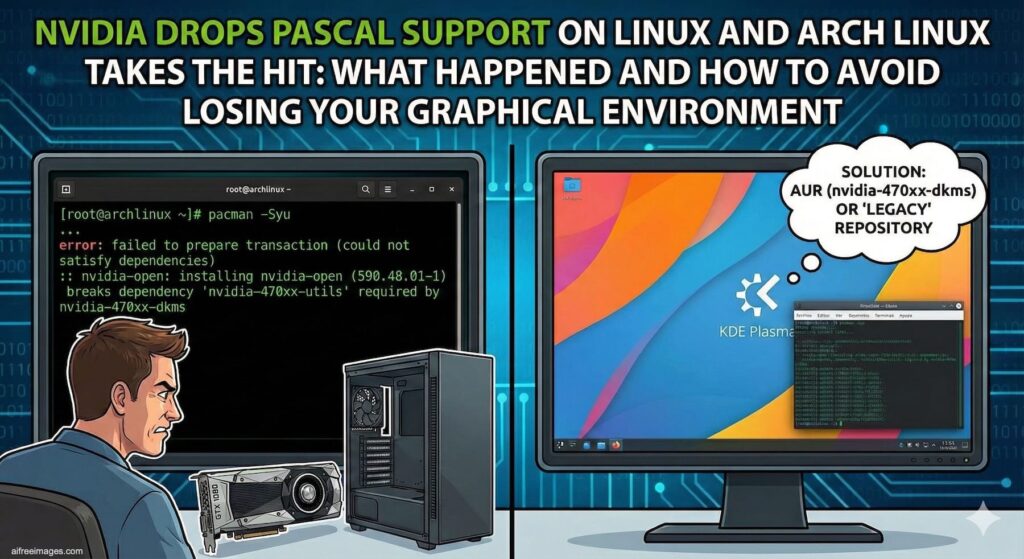
Dropping “real” support for older GPUs is usually a routine headline… right up until it strands thousands of users at a black screen after a simple pacman -Syu. That’s essentially what’s been happening with NVIDIA’s latest driver transition on Arch Linux: a mix of branch changes, packaging decisions, and a lack of runway has caused systems with Pascal (GeForce GTX 10xx) or Maxwell (GTX 9xx) GPUs to go from a working desktop to a setup where the proprietary module won’t load — and the machine boots straight into the CLI.
The trigger is Arch moving to the 590 driver branch (for example, 590.48.01-1), plus the broader shift toward the nvidia-open stack for newer hardware. In practical terms: Turing (GTX 16 / RTX 20) and newer stay supported, while Maxwell and Pascal fall off the main path and need a “legacy” route if you want to keep using NVIDIA’s proprietary driver.
Why this hits harder on a rolling-release distro
On distros with slower release cycles, these transitions often land with more warning, smoother documentation, and sometimes a temporary safety net (like keeping older driver branches in official repos for a while).
Arch is different by design: fast updates are the point. That’s great when your hardware remains inside the supported window — and painful when support ends at a specific driver version. After an update, you may end up with a driver that no longer recognizes your GPU, so Xorg/Wayland fails or the module never loads.
On top of that, Arch’s push toward nvidia-open (NVIDIA’s “open” kernel modules — not Nouveau) adds another source of confusion: this isn’t just “a new driver,” it’s often a new set of packages and a new default path for supported GPUs.
Which GPUs are affected?
A quick rule of thumb:
- GTX 1050/1060/1070/1080 (Pascal) → affected
- GTX 960/970/980 (Maxwell) → affected
- GTX 16xx and RTX 20xx+ (Turing and newer) → generally on the supported track
If you want to confirm locally:
lspci | grep -E "VGA|3D"to identify the exact modelnvidia-smi(if the driver still loads) to see the installed version
The “what now?” table
| Architecture | Typical series | Examples | Status after the change | What to do |
|---|---|---|---|---|
| Maxwell | GTX 9xx | 960, 970, 980 | Dropped from the main supported branch | Use a legacy proprietary branch / switch to an open driver / upgrade GPU |
| Pascal | GTX 10xx | 1050 Ti, 1060, 1070, 1080 | Dropped from the main supported branch | Legacy branch (580xx) or migration strategy |
| Turing+ | GTX 16xx / RTX 20xx+ | 1660, 2060, 3060, 4070… | Still supported | Follow Arch’s package migration guidance (often toward nvidia-open) |
Why gamers notice immediately (Steam, Proton, Vulkan)
This isn’t just a “desktop won’t start” issue. A lot of Pascal/Maxwell users keep those cards because they’re still perfectly fine for esports titles and huge Steam backlogs.
The moment you’re forced into a legacy path, you can run into 32-bit dependencies (Vulkan/OpenGL bits that Steam and Proton rely on). That’s where things get messy: what should be a normal update turns into an afternoon of package juggling, DKMS rebuilds, kernel headers, reboots, and trial-and-error.
How not to get wrecked: the sysadmin pre-upgrade checklist
If you’re running Arch with Pascal/Maxwell (or you manage machines that do), treat driver jumps like a change window:
- Identify the GPU before updating
If it’s Pascal/Maxwell, assume a driver bump can break graphics. - Make sure you have a way back in
- Physical access, IPMI/iLO/iDRAC, or a KVM path if possible
- At minimum, know your TTY workflow and have a fallback boot entry
- Don’t update blindly over remote access if that GPU is your console
Especially if your workflow depends on the GUI. - Have a rollback plan ready
- Pacman cache (
/var/cache/pacman/pkg/) - Filesystem snapshots (Btrfs/ZFS) if you can
The important nuance: what NVIDIA “dropping support” really means
Two different things get conflated:
- Not supported in the current mainline driver branch (what’s biting Arch users now)
- No updates ever again (not necessarily the immediate reality)
NVIDIA has indicated that older architectures can move into a more limited maintenance mode (often framed around security updates). But on a rolling-release distro, even that doesn’t guarantee a smooth life: new kernels, new graphics stacks, and shifting dependencies can make older proprietary branches increasingly fragile over time.
Real-world options (no hype, just trade-offs)
For technical users and sysadmins, the choices usually boil down to:
- Stay on a legacy proprietary branch: doable, but expect more manual work and occasional dependency friction
- Use Nouveau: open driver, often “good enough” for basic desktop use on older GPUs, but with known performance/feature limits
- Upgrade hardware: not fun, but the cleanest path if you need stability with modern kernels, Wayland, Steam/Proton, and frequent updates
The broader lesson: hardware ages out through the support chain, not raw performance
This incident is a reminder that hardware doesn’t “die” because it can’t render frames — it ages out because of the support pipeline: drivers, kernel compatibility, graphics stacks, distro packaging, and tooling.
On Arch, the impact is immediate because upstream decisions land quickly. On other distros, the same reality tends to arrive later — just with a different pace and often a different landing.
FAQs
How can I tell if my NVIDIA GPU is Pascal and affected on Arch Linux?
If it’s a GeForce GTX 10xx (1050 Ti, 1060, 1070, 1080), it’s Pascal. Confirm with lspci to see the exact model.
Why did Arch Linux update kick me back to the console instead of loading my desktop?
Because the driver you upgraded to may no longer support your GPU. The module fails to load, so Xorg/Wayland doesn’t come up and you end up at a TTY/CLI.
What’s the difference between nvidia-open and Nouveau?nvidia-open refers to NVIDIA’s “open” kernel modules for supported GPUs (the user-space stack is still largely proprietary). Nouveau is a community reverse-engineering driver with different capabilities and limitations.
Is it worth keeping a GTX 1060/1080 on Linux rolling releases going into 2026?
It can be — especially for desktop and lighter workloads — but expect increasing friction with drivers, kernels, and dependencies (Steam/Vulkan/32-bit components) over time.
Sources:
- NVIDIA: official statements on legacy GPU support and maintenance/security update policies
- Arch Linux: news posts / packaging changes around NVIDIA drivers and the
nvidia-opentransition