
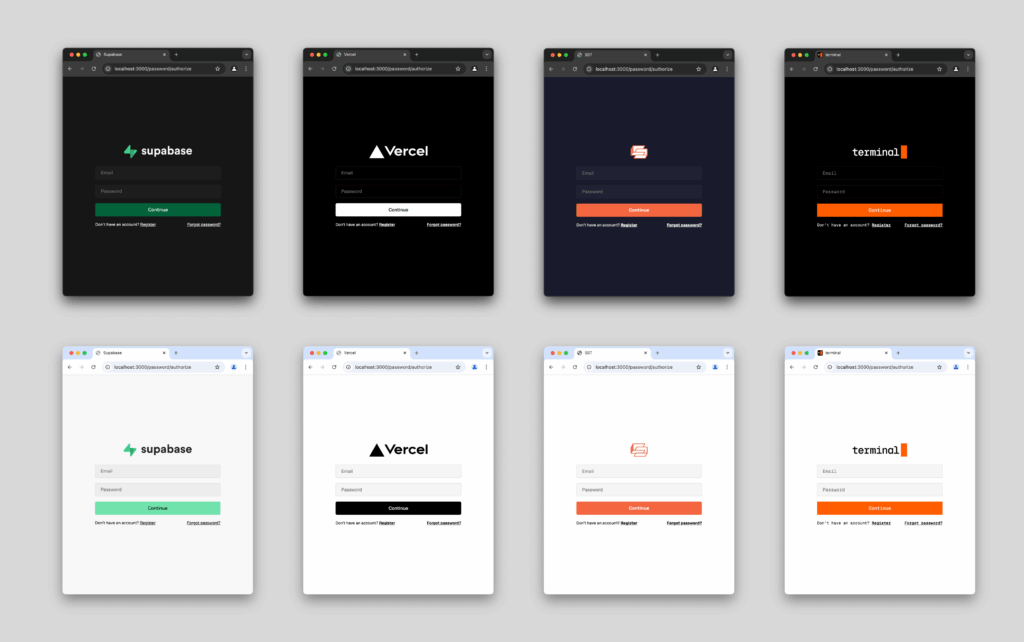
Most “open source auth” in the JavaScript ecosystem falls into one of two buckets: libraries you embed inside a single app, or SaaS identity platforms (Auth0, Clerk, etc.) that centralize login but move a critical security boundary outside your infrastructure. OpenAuth (anomalyco/openauth) is trying to carve out a third path: a centralized OAuth 2.0 auth server you run yourself, deployable as a standalone service or embedded into an existing application, and designed to be lightweight enough to host across modern runtimes (Node.js, Bun, AWS Lambda, Cloudflare Workers).
It’s currently in beta, which matters. But the architecture is interesting: OpenAuth focuses on issuing OAuth-compatible access and refresh tokens to any OAuth client, while intentionally avoiding the hardest (and often most opinionated) part of identity stacks: user management.
What OpenAuth is (and what it deliberately isn’t)
A centralized OAuth 2.0 issuer.
OpenAuth implements the core OAuth 2.0 flows so “anything that speaks OAuth” can authenticate against it—web apps, mobile apps, SPAs, APIs, internal tools, and even third-party clients.
Self-hosted and “runs anywhere.”
The project is built on top of Hono, a minimal web framework that can run in edge runtimes and serverless environments. That’s how it targets Cloudflare Workers and AWS Lambda without needing heavyweight deployments.
Provider-driven authentication.
You configure providers (GitHub, password, PIN, etc.). OpenAuth handles the OAuth plumbing, then hands off the authenticated identity to your code.
No user management layer by design.
Instead of abstracting databases and schemas, OpenAuth calls a success callback after a user completes a provider flow. You decide how to lookup/create users, attach workspaces/tenants, and shape the identity claims that go into tokens.
Minimal state with KV storage.
While it aims to be mostly stateless, OpenAuth still needs to store essentials like refresh tokens and password hashes. It does that via a simple KV storage layer (with implementations suited to Cloudflare KV, DynamoDB, etc., plus an in-memory store for testing).
Optional, themeable UI.
If you don’t want to build login pages from scratch, there’s a prebuilt UI you can theme—or you can opt out entirely.
Why sysadmins should care: the operational shape is different from typical “auth libraries”
OpenAuth’s design changes the ownership model:
- With embedded libraries, auth is per-app and often inconsistently implemented.
- With SaaS, you centralize—but accept external dependency, pricing, and data-flow constraints.
- With OpenAuth, you centralize and keep the boundary inside your infra—but you also inherit the ops and security responsibility.
For orgs that care about sovereignty, compliance, or predictable cost, that’s an appealing trade. For teams that don’t want to operate critical identity infrastructure, it’s a red flag.
Practical architecture: how it usually fits together
- Issuer (auth server)
Exposes OAuth endpoints and discovery metadata (eg./.well-known/oauth-authorization-server). - Providers
GitHub OAuth, password flows, and other identity mechanisms. - Subjects (token claims)
A schema defining what your JWT access token represents (eg.userID,workspaceID). This is how OpenAuth ties the OAuth outcome to your domain model. - Success callback
Your hook to create/lookup users and return the subject to mint into tokens. - Storage
KV backend for refresh tokens/password hashes; minimal but security-critical.
Quick table: benefits vs. trade-offs (tech + sysadmin lens)
| Area | What you get | What you take on |
|---|---|---|
| Control | Self-hosted centralized auth | You operate a critical security service |
| Compatibility | OAuth 2.0 → broad client support | You must design scopes, token lifetime, rotation |
| Flexibility | No imposed “users DB” abstraction | You implement user provisioning logic |
| Deployment | Node/Bun/Lambda/Workers | Runtime-specific secrets, KV, networking complexity |
| UX | Optional themeable UI | Heavy customization becomes your UI maintenance burden |
Sysadmin checklist: deploying OpenAuth safely
1) Token handling and session design
- Prefer HttpOnly + Secure cookies for SSR apps.
- For SPAs/mobile, use Authorization headers and PKCE.
- Keep access tokens short-lived; rely on refresh tokens for continuity.
- Plan for revocation: refresh token rotation + server-side invalidation.
2) Storage hardening (KV is not “just a cache” here)
- Treat the KV backend as security-sensitive state.
- Restrict IAM permissions to minimum required (read/write specific keys/namespaces).
- Add monitoring on suspicious refresh-token churn or abnormal write patterns.
3) Provider security
- Password flows require:
- Rate limiting (per IP, per account, per device fingerprint if possible)
- Anti-enumeration responses (avoid confirming account existence)
- Strong hashing defaults (and verifying they are configured as expected)
- Secure “forgot password” code delivery (email provider hygiene matters)
4) Edge/serverless operational realities
- Ensure secrets management is correct for your runtime (Workers secrets, AWS Secrets Manager, env vars in CI with strict controls).
- Implement request logging with redaction (tokens, emails, codes).
- Add WAF / bot protection at the edge if exposed publicly.
5) Observability and incident readiness
- Track:
- auth successes/failures by provider
- token refresh rates
- anomalous geolocation or impossible travel (if you have signals)
- spikes in code requests / password resets
- Establish runbooks for:
- compromised refresh token keyspace
- provider credential leakage (GitHub client secret, etc.)
- brute force / credential stuffing campaigns
The strategic question: is “self-hosted auth” worth it again?
OpenAuth is betting that the market is ready to re-centralize identity without SaaS dependency, especially as more teams run meaningful workloads on Workers/Lambda and want identity to live alongside their apps and data. The missing piece is maturity: in authentication, “beta” doesn’t just mean bugs—it can mean sharp edges in threat modeling, auditability, and production hardening.
For teams with strong infra practices, it’s a compelling foundation. For everyone else, it’s a reminder that identity is one of the last systems you want to be surprised by.
If you paste your target environment (Cloudflare Workers vs AWS Lambda vs container) and your client types (SSR, SPA, mobile), I can rewrite this into a tighter “deployment guide” format with a recommended reference architecture and a minimal hardening baseline.