
AI coding assistants have moved past the “cool demo” phase. For sysadmins, SREs, and developers who live in terminals, the question is no longer whether AI can write code, but whether an agent can fit into real operational workflows without turning into a security headache, a compliance problem, or a new form of vendor lock-in.
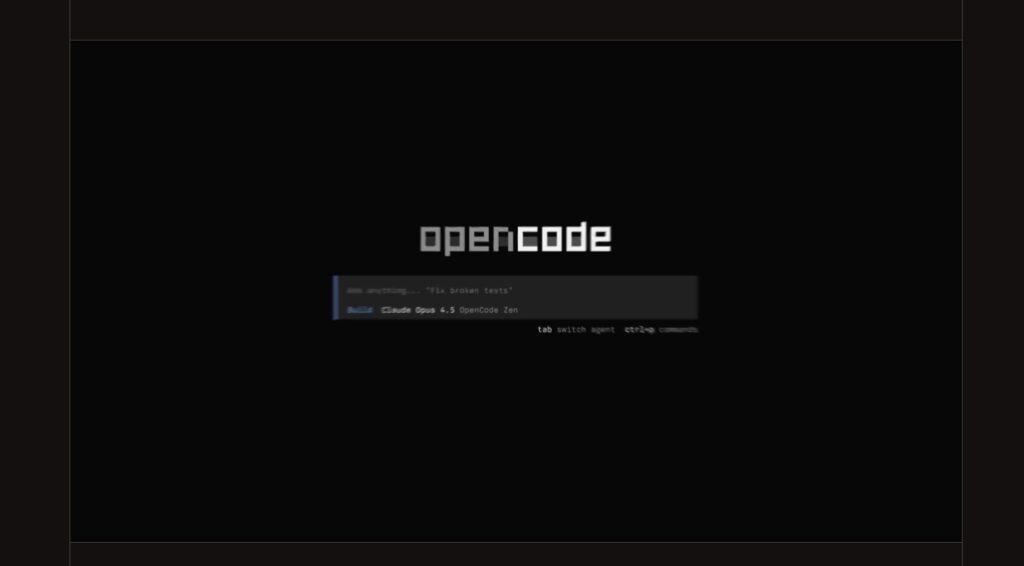
That’s the lane OpenCode is trying to own: an open-source AI coding agent that runs primarily in a terminal UI (TUI), with an optional desktop app (beta) and editor extensions, designed to sit alongside the tools teams already use—git, shells, CI runners, language servers, and local build chains.
What OpenCode is (and what it isn’t)
OpenCode positions itself as a general-purpose coding agent: you can ask questions, generate or modify code, refactor, write tests, and iterate rapidly inside a repository. It also advertises features that matter to mixed ops/dev teams:
- LSP support (so the agent can leverage language-server tooling)
- Multi-session workflows (multiple agent sessions in the same project)
- Shareable sessions (public links to a conversation)
- Multiple entry points: terminal, desktop, IDE
What it is not, by OpenCode’s own design, is a hardened sandbox. It’s a powerful local tool that can read files, propose changes, and—depending on your settings—run commands. That means operational discipline matters more than ever: permissions, isolation, updates, and policies around what content leaves the machine.
The biggest differentiator: “any model” without rewriting your workflow
OpenCode’s docs emphasize model/provider flexibility. Instead of tying you to a single backend, it uses a provider layer (via AI SDK + Models.dev) and claims support for 75+ LLM providers, including the ability to use local models.
For sysadmins and platform engineers, this is less about ideology and more about control:
- Cost control: switch models by task (cheap for routine churn, strong for hard debugging).
- Policy control: keep sensitive repos on local models or approved providers.
- Exit strategy: if a vendor changes pricing/terms, the workflow stays, the backend changes.
Credential handling is explicit: when you connect provider keys through OpenCode’s connect/login flow, they’re stored locally in ~/.local/share/opencode/auth.json. That is convenient, but it also means you should treat that path as sensitive (permissions, backups, endpoint security).
Configuration that can be standardized
OpenCode supports JSON/JSONC configuration files, which makes it practical to keep a repo-level baseline that teams can share (and review), while allowing local overrides for individual setups. The docs show schema support and an “autoupdate” toggle, which is relevant for maintaining hygiene at scale.
For admins managing fleet consistency, this is the difference between “everyone does their own thing” and “we can ship a sane default config.”
Permissions: treat the agent like a tool with sharp edges
OpenCode includes a permission system that decides whether an action runs automatically, prompts, or is blocked. The project also notes that an older boolean config for tools has been deprecated and merged into the permissions config (as of v1.1.1), which matters if you’re rolling out configs across versions.
In practice, teams often adopt a split policy:
- Conservative mode (default): prompt for shell execution, limit file writes, allow read-only exploration.
- Productive mode (opt-in): allow specific automation paths (formatters, tests, scaffolding) with guardrails.
The “right” setting depends on trust boundaries: a solo developer on a personal machine is not the same as a production responder in a regulated environment.
Sharing sessions: powerful for collaboration, risky by default
OpenCode’s share feature is simple: it creates a public URL for a session and syncs conversation history to OpenCode servers, making it accessible via that link. It also supports multiple sharing modes (including disabling sharing).
For sysadmin/dev audiences, the operational takeaway is straightforward:
- If you work on private repos, incident response, customer data, or anything sensitive, disable sharing in policy/config.
- If you do allow sharing, make it explicit training: what can be shared, what cannot, and how to scrub secrets from prompts.
“Share links” are useful—especially for debugging with teammates—but they can also become the easiest path for sensitive context to leave your perimeter.
Security reality check: CVE-2026-22812 and why versioning matters
OpenCode’s popularity also means scrutiny. A high-severity issue, CVE-2026-22812, was disclosed describing an unauthenticated HTTP server that could allow arbitrary command execution with the user’s privileges under certain conditions. The advisory indicates it was fixed in 1.0.216.
For admins, this lands as a familiar lesson:
- Treat AI agents like any other developer-facing runtime with execution capability.
- Pin minimum safe versions in documentation and tooling.
- Prefer automated update paths where appropriate—and verify release notes regularly.
Desktop app (beta) and operational rollout
OpenCode offers a desktop client in beta with downloads for macOS (Apple Silicon/Intel), Windows (x64), and Linux (.deb/.rpm). This matters for organizations where installing CLI tooling is harder than distributing signed desktop packages through standard channels.
But “beta desktop app” also signals what admins already assume: you’ll want to validate behavior differences, update cadence, and how local state is stored before recommending it broadly.
Where it fits best for sysadmins and dev teams
OpenCode is most compelling when the work is iterative, contextual, and tied to real repositories—exactly the kind of work ops and platform teams do constantly:
- Writing or refactoring shell scripts, deployment scripts, and runbook automation
- Translating incident symptoms into targeted log queries or reproduction steps
- Reviewing infrastructure-as-code changes (Terraform, Helm, Ansible) with context
- Generating test scaffolding and safety checks around brittle integration points
- Speeding up “maintenance PRs” (formatting, typing fixes, dependency churn)
It’s less compelling if your environment requires strict isolation and you cannot guarantee safe prompting, safe model routing, and strict permission controls. In that case, OpenCode can still be used—but typically inside containers/VMs and with conservative defaults.
The bottom line
OpenCode’s appeal for sysadmins and developers comes from a practical blend: terminal-first ergonomics, broad model/provider support, and configuration and permission controls that can be standardized. It’s not magic, and it’s not a security boundary by itself—but as an operator-friendly AI agent, it’s one of the clearer attempts to make “AI coding” feel like a toolchain component rather than a locked product decision.
Source: OpenCode