
For years, “serious” large language model deployments followed a familiar pattern: GPUs, cloud endpoints, usage-based bills, and—more often than many teams are comfortable admitting—sensitive text leaving the perimeter. But the edge is catching up. Modern laptops, small form-factor PCs, and especially the rapid spread of NPUs in new consumer and enterprise devices are making local inference a practical option again.
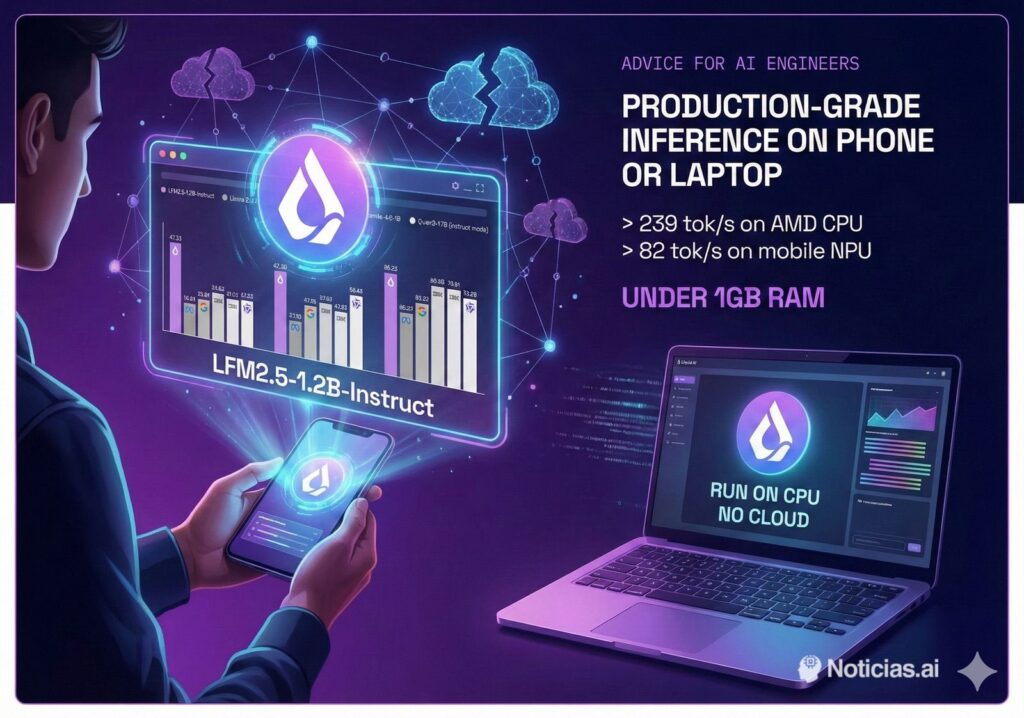
That’s the backdrop for Liquid AI’s LFM2.5 family, and in particular LFM2.5-1.2B-Instruct, a model positioned for on-device deployment with a production mindset. The model card highlights numbers meant to resonate with operations teams: 239 tokens/second on an AMD CPU, 82 tokens/second on a mobile NPU, and a memory footprint under 1 GB. If those claims hold up in real-world configurations, it’s a clear signal: a meaningful slice of “LLM work” can move back on-prem—or even onto endpoints—without relying on internet connectivity or third-party APIs.
Why sysadmins should care: fewer dependencies, tighter data control
In operations, the appeal isn’t hype. It’s friction reduction and risk containment:
- No API keys, no quotas: fewer external failure points and less vendor lock-in.
- No internet required: viable for restricted networks, field environments, industrial sites, and air-gapped setups.
- Data stays local: tickets, logs, runbooks, and internal docs can be processed without pushing them outside your boundary.
This isn’t about replacing frontier-scale models for everything. It’s about making the “bread-and-butter” ops tasks—classification, extraction, structured summarization, and guided workflows—fast and private enough to run where the data already lives.
What LFM2.5-1.2B-Instruct brings to the table (and what it doesn’t)
Liquid AI describes LFM2.5-1.2B-Instruct as a 1.17B-parameter model with 16 layers and a hybrid architecture that blends convolutional blocks and attention (GQA). The company also notes an expanded training budget—28T tokens—plus reinforcement learning aimed at better instruction following.
For sysadmins, the practical translation is less about architecture labels and more about outcomes: more reliable “follow the format” behavior (structured outputs, checklists, consistent summaries) at a lower compute cost.
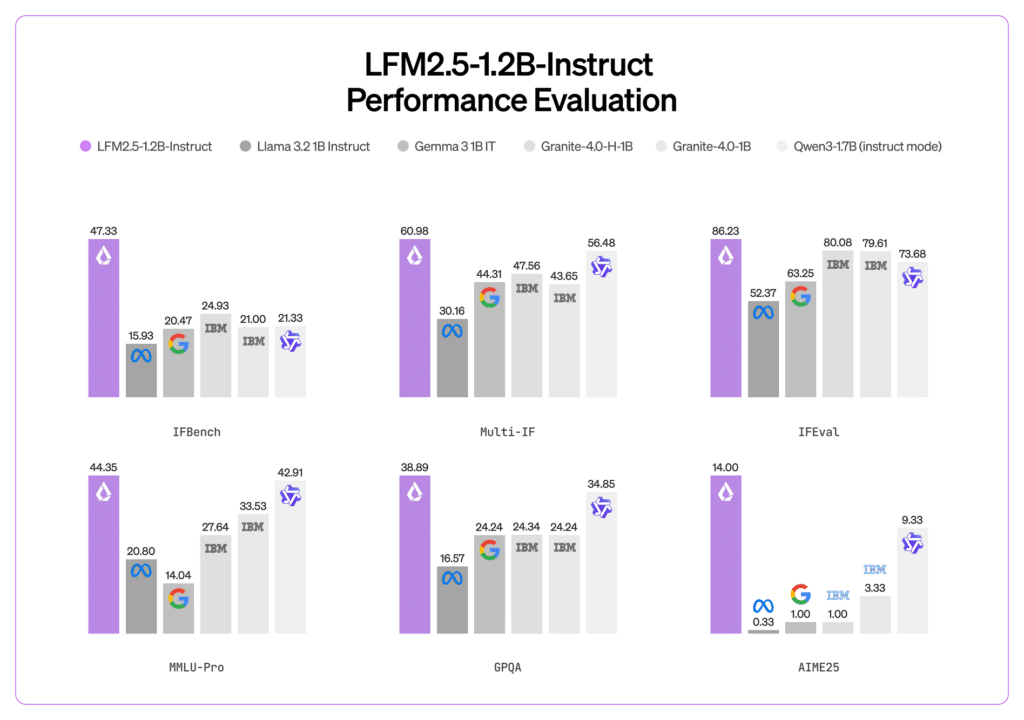
But Liquid AI also sets expectations. The model is pitched for agentic tasks, data extraction, and RAG workflows, and it’s not recommended for knowledge-intensive tasks or programming. In ops terms: it can be a strong assistant for internal procedures and triage, but it shouldn’t be treated as a replacement for larger models when deep reasoning or complex code generation is the priority.
32,768-token context: the feature that matters in real support workflows
One spec stands out for day-to-day operations: 32,768 tokens of context. That matters because ops work is often about stitching together context—documentation excerpts, incident timelines, ticket history, and log fragments. A larger context window lets the model ingest more relevant material in a single run, which can reduce multi-turn back-and-forth and make outputs more consistent.
It’s especially useful for “messy” realities like long email threads, sprawling incident notes, and multi-service runbooks that don’t fit cleanly into short prompts.
Deployment reality: formats built for the tools teams already use
A common blocker with promising models is the integration tax—great metrics, painful packaging. LFM2.5 tries to lower that barrier by shipping in formats aimed at real deployment paths:
- GGUF: for CPU-friendly local inference via llama.cpp and compatible tooling.
- ONNX: for portability and hardware-accelerated inference across platforms.
- MLX: for Apple Silicon environments optimized with Apple’s ML stack.
For sysadmins, this matters because it enables quick pilots without ripping up existing workflows. You can start with a local CPU path, then move to more specialized acceleration where it makes sense.
Practical, low-drama use cases for operations teams
The question isn’t “What benchmark does it win?” It’s “Where does it save time without adding risk?” Here are realistic fits for a model in this class:
- Runbook assistant (RAG): answer questions in plain English using internal documentation, change procedures, and known-good checklists.
- Ticket triage and routing: categorize incidents, extract key fields, detect urgency signals, and propose next-step checklists.
- Incident summarization: turn long chat logs or ticket timelines into structured incident reports and postmortem inputs.
- Log and alert normalization: summarize noisy logs into consistent event descriptions with tags (with human oversight).
- Local automation glue: draft responses, generate structured status updates, or prepare diagnostic command suggestions—without sending data off-box.
The guardrail remains the same as ever: assist, don’t autopilot. Anything that changes systems should still run through approvals, least-privilege controls, and auditable workflows.
FAQ
Can a small on-device model really help in air-gapped or restricted environments?
Yes—if the goal is internal assistance, extraction, summarization, and RAG-style answers from local docs. Running fully local removes the need for outbound connectivity and keeps sensitive text inside your perimeter.
Which format is usually easiest for fast local CPU inference on Linux?
GGUF is commonly used with llama.cpp and related tooling, and is often the quickest route to efficient CPU deployment.
Why does a 32,768-token context window matter for sysadmins?
It allows you to provide more documentation, ticket history, and log context in one pass, which can improve output quality and reduce multi-turn prompting.
Is this a replacement for large models for complex programming or deep domain reasoning?
Not by design. Liquid AI positions this model for extraction, RAG, and agentic workflows, and explicitly cautions against using it for knowledge-intensive tasks and programming.
Source: Noticias Inteligencia artificial