
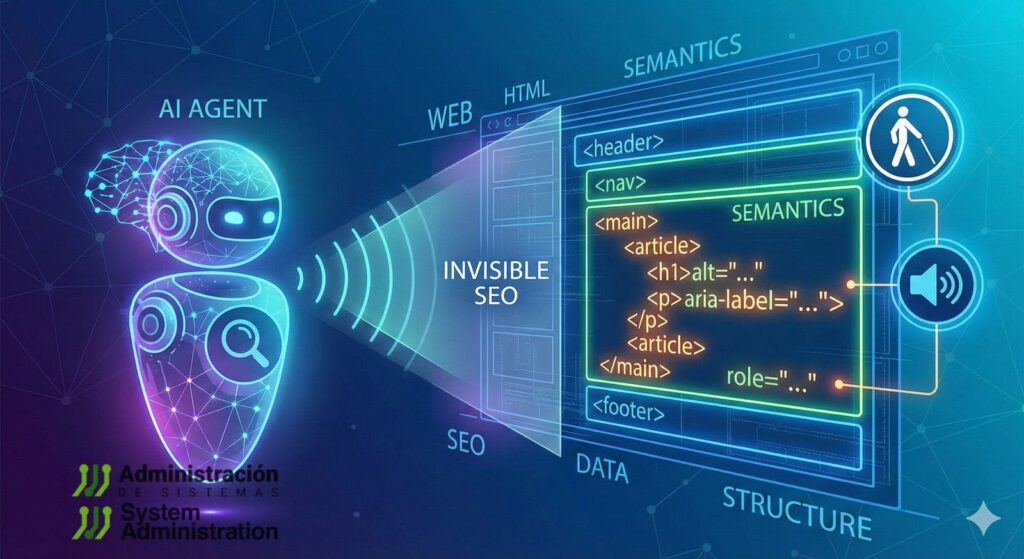
Websites were built for humans: visual hierarchy, hover states, infinite scroll, glossy UI kits, and front-ends optimized for perception rather than interpretation. But in 2026, a new class of “visitors” is steadily increasing its footprint: AI agents that browse pages, extract data, fill forms, and execute multi-step tasks.
The uncomfortable part is that many of these agents don’t “understand” the web the way designers assume. They succeed (or fail) for reasons that look a lot like classic accessibility breakage: unlabeled controls, fake buttons made of <div>, modals that trap focus incorrectly, dynamic content with no machine-readable state, and critical information hidden in places that extraction pipelines routinely discard.
Benchmarks have been blunt about the gap. In WebArena — a realistic environment for language-guided web agents — the best GPT-4-based baseline achieved 14,41% end-to-end task success, versus 78,24% human performance. That’s not a small delta; it’s a reminder that the “real web” is still hostile to automation when structure is poor and semantics are ambiguous.
What follows is a developer-and-systems take: how to make sites easier for agents without harming humans — and why the same work tends to improve testing, observability, reliability, and long-term maintainability.
The three “trees” agents end up using (even when they pretend not to)
In practice, agent toolchains typically rely on one or more of these representations:
- DOM (source structure): what the browser receives and constructs.
- Accessibility Tree (meaning structure): roles, names, states, relationships — already interpreted for assistive tech.
- Extracted / simplified content: “reader mode,” HTML-to-text, or HTML-to-Markdown conversions to reduce noise and cost.
Some agents are visual (multimodal), others are DOM-first, and many are hybrid. But across approaches, semantic and accessible HTML consistently reduces ambiguity and failure modes.
1) Native HTML beats “div soup” — because intent matters more than styling
A recurring failure pattern in agent automation is “interactivity that exists only visually.” The UI looks like a button; the DOM says it’s a generic container.
Better:
<button type="button">Generate report</button>
<a href="/billing/invoices">View invoices</a>
Code language: HTML, XML (xml)
Worse:
<div class="btn" onclick="generate()">Generate report</div>
<span class="link" onclick="go('/billing/invoices')">View invoices</span>
Code language: HTML, XML (xml)
Native controls carry built-in keyboard behavior, focus handling, and predictable semantics. When authors try to replicate that with generic elements, they often miss critical details — and the result is fragile for both accessibility and agents.
This isn’t just style guidance; it’s standards-aligned. W3C guidance around ARIA in HTML exists largely because authors keep bolting ARIA onto the wrong foundations instead of using the right HTML elements.
A practical developer rule:
If you find yourself adding role="button" to a <div>, stop and ask why it isn’t a <button>.
2) Accessible names decide what an agent can reliably click
For DOM- and accessibility-driven agents, the accessible name is often the primary selector. If a control is unlabeled, it’s either invisible or ambiguous.
Forms: labels are still the highest-signal option
<label for="email">Work email</label>
<input id="email" name="email" type="email" autocomplete="email" required>
Code language: HTML, XML (xml)
Icon-only controls: label them, hide decoration
<button type="submit" aria-label="Search">
  <svg aria-hidden="true" viewBox="0 0 24 24">...</svg>
</button>
Code language: HTML, XML (xml)
Composite names: include context the agent would otherwise miss
<p id="plan">Pro plan</p>
<p id="price">29,99 € / month</p>

<button aria-labelledby="plan price">Subscribe</button>
Code language: HTML, XML (xml)
WAI guidance emphasizes how names and descriptions anchor usability for assistive technologies — and in 2026 they increasingly anchor agent reliability too.
3) Agent-ready forms: fewer “guessing” steps, fewer failures
The highest agent failure rates often happen in forms: placeholders used as labels, hidden validation rules, and error messages that never become machine-readable.
A form built for reliable completion typically includes:
<label>for every inputautocompletehints- Explicit constraints
- Error messages connected via
aria-describedbyandaria-invalid
<label for="vat">VAT / Tax ID</label>
<input
  id="vat"
  name="vat"
  inputmode="text"
  aria-describedby="vat-help vat-error"
  aria-invalid="false"
/>

<p id="vat-help">Enter without spaces. Example: ESB12345678.</p>
<p id="vat-error" hidden>Invalid format.</p>
Code language: HTML, XML (xml)
When validation fails:
vat.setAttribute("aria-invalid", "true");
vatError.hidden = false;
Code language: JavaScript (javascript)
This isn’t “extra work for bots.” It reduces support tickets, improves E2E test stability, and makes UI behavior less dependent on pixel-perfect flows.
4) Dynamic UI: if state isn’t exposed, it doesn’t exist
Modern front-ends hide meaning in state: “loading…”, “results updated”, “filters expanded”, “payment failed”. Humans see a spinner; agents need a signal.
Loading / results updates
<div id="status" aria-live="polite" aria-atomic="true"></div>
<ul id="results" aria-busy="true"></ul>
Code language: HTML, XML (xml)
status.textContent = "Loading results…";
results.setAttribute("aria-busy", "true");
// fetch...
results.setAttribute("aria-busy", "false");
status.textContent = "42 results";
Code language: JavaScript (javascript)Expand/collapse (filters, accordions)
<button aria-expanded="false" aria-controls="filters" id="toggleFilters">
  Filters
</button>
<section id="filters" hidden>...</section>
Code language: HTML, XML (xml)toggleFilters.addEventListener("click", () => {
const open = toggleFilters.getAttribute("aria-expanded") === "true";
toggleFilters.setAttribute("aria-expanded", String(!open));
filters.hidden = open;
});
Code language: JavaScript (javascript)5) Modals are where agents (and test suites) go to die
Permission prompts, cookie walls, subscription modals, live chat overlays: they routinely block agents from progressing — and they destabilize automation.
A correct modal typically needs:
role="dialog"+aria-modal="true"- a labeled title
- predictable focus behavior
- background blocked from interaction
<main id="app">...</main>

<div role="dialog" aria-modal="true" aria-labelledby="modalTitle" id="modal">
  <h2 id="modalTitle">Confirm action</h2>
  <button type="button" aria-label="Close">×</button>
  <button type="button">Continue</button>
</div>
Code language: HTML, XML (xml)
And for background interaction suppression, inert is increasingly used to prevent “ghost clicks” behind the dialog — useful for humans, agents, and CI.
6) Tables, prices, and “critical facts”: don’t hide the truth in decorative markup
One of the most costly errors for agents is extracting the wrong value (price, stock, date, plan tier) because the “real” information is visually prominent but structurally weak.
If it’s a table, use a table:
<table>
  <caption>Monthly usage</caption>
  <thead>
    <tr>
      <th scope="col">Service</th>
      <th scope="col">Cost</th>
      <th scope="col">Change</th>
    </tr>
  </thead>
  <tbody>
    <tr>
      <td>CDN</td>
      <td>1.240,50 €</td>
      <td>+8%</td>
    </tr>
  </tbody>
</table>
Code language: HTML, XML (xml)
If it’s a price, keep it explicit and near the product name — not in a footer region that extraction heuristics might discard.
7) The ops angle: “Markdown for Agents” and the economics of context
A new pressure is emerging: token cost and context limits. That’s part of why “machine-friendly representations” are appearing again.
Cloudflare recently introduced Markdown for Agents, using content negotiation: if a client requests Accept: text/markdown, Cloudflare can fetch the HTML and convert it to Markdown at the edge (when enabled), returning a lighter representation.
For sysadmins and platform teams, this has immediate implications:
- Caching correctness: multiple representations mean you must avoid cache poisoning or mixing. Expect
Vary: Acceptpatterns in the stack. - WAF and rate limits: requesting Markdown doesn’t mean the client is “benign.”
- Observability: segment logs/metrics by
Accept, bot identity, and conversion hit-rate. - Data loss risk: any conversion is only as good as the underlying HTML semantics — messy markup yields messy Markdown.
In other words: serving Markdown can reduce overhead, but it doesn’t replace good HTML. It rewards it.
8) Treat accessibility as a contract — and test it like one
Developer and systems teams are already learning that “agent compatibility” is easiest to maintain when it’s enforced in CI.
Two practical tools:
- Playwright ARIA snapshots capture a YAML view of the accessibility tree and can be diffed like an API contract.
- Pa11y CI and axe-core automate accessibility checks and prevent regressions from shipping unnoticed.
A simple operational stance is emerging: if the accessibility tree changes in an unexpected way, the build should fail — because agent behavior will likely change too.
Closing: accessibility is becoming “agent compatibility,” and that’s a reliability story
In 2026, semantic and accessible HTML isn’t only about inclusion or compliance. It’s becoming a pragmatic layer that improves:
- agent success rates,
- CI stability,
- UI observability,
- long-term maintainability,
- and even cost efficiency when content is converted or summarized.
WebArena’s gap to human performance shows how hard real sites still are for agents.
But the fastest wins are not exotic: they’re the boring fundamentals — the same fundamentals that already made the web work better for everyone.
FAQ
What makes a site “AI agent-friendly” for web navigation automation?
Native controls, consistent headings/regions, properly labeled forms, and explicit UI states (aria-expanded, aria-busy, aria-live) reduce ambiguity and make actions reliably discoverable.
Why do AI agents often fail on modals and permission prompts?
Because many dialogs aren’t implemented as real dialogs, don’t manage focus, and allow interaction with background UI. Proper role="dialog", aria-modal, and background suppression (e.g., inert) reduce dead-ends.
Does converting HTML to Markdown help agents complete tasks?
It can reduce noise and token usage, but it’s not a substitute for semantic HTML. Conversion pipelines can drop scripts and misclassify content if the original markup is poorly structured.
How can teams prevent “agent breakage” after frontend refactors?
By snapshotting and testing the accessibility tree (e.g., Playwright ARIA snapshots) and running automated accessibility checks in CI (Pa11y CI, axe-core).