
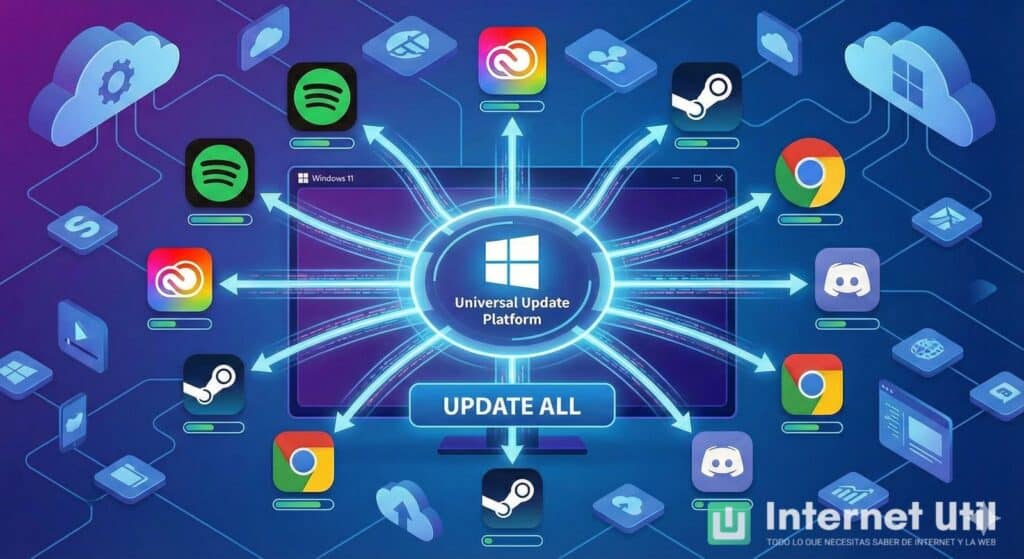
Microsoft is quietly pushing Windows 11 toward a model that will sound very familiar to anyone coming from Linux: a single, OS-native mechanism capable of orchestrating updates for the operating system and third-party applications.
The initiative is called the Unified Update Orchestration Platform (UOP). Built on top of the existing Windows Update stack, it aims to turn Windows into the central brain that decides when and how apps, drivers and components are updated — instead of each vendor running its own updater in the background.
For now, this is a preview feature exposed via WinRT APIs and PowerShell, and it’s only rolling out to Windows 11 Dev and Beta channels. But the strategic direction is clear: if developers adopt it, Windows Update will no longer just patch the OS, it will be able to coordinate all updates happening on the machine.
For IT teams and sysadmins, this is more than a cosmetic change. It touches resource usage, security baselines, compliance, and — above all — who really controls what gets installed and when on a corporate endpoint.
From a “jungle of updaters” to a single orchestrator
Today’s Windows ecosystem is a patchwork:
- Line-of-business apps with their own updaters
- Commercial tools that ship custom update services
- Vendors that rely on Microsoft Store or winget
- Legacy software that the admin has to patch manually
Each one downloads, schedules, notifies and restarts in its own way. That means duplicated work for developers and fragmented experiences for users and admins: CPU and bandwidth spikes at the wrong time, overlapping pop-ups, missed compliance windows, and troubleshooting spread across multiple logs and installers.
UOP tries to solve this by offering a Windows-native orchestration layer:
- Vendors register their product as an “update provider” via WinRT/PowerShell.
- They supply the logic to detect and install updates (or the executables to do it).
- The orchestrator decides when to scan, download and install, based on system policies and conditions.
- Windows Update becomes the central plane where OS and app updates are planned and recorded.
It supports MSIX/APPX packages and classic Win32 apps with custom installers. In the latter case, the app can hand over the binaries for download/install, plus helper executables to close blocking processes and relaunch them after an upgrade.
If it works as Microsoft promises, IT admins could see a world with fewer bespoke updaters and more predictable update behavior — but at the cost of giving Windows much more authority over the entire stack.
The good news for admins: less noise, more visibility
From an operational point of view, UOP has several potential advantages for sysadmins and IT operations teams.
1. Fewer background updaters and more predictable resource usage
Each vendor maintaining its own updater means:
- Multiple services waking up to check for updates
- Uncoordinated downloads saturating bandwidth
- CPU spikes during business hours
With UOP, the OS has a global view of what needs to be updated and can use “eco-efficient scheduling”:
- Deferring updates based on user activity and system load
- Preferring times when the device is on AC power
- Taking into account “sustainable” windows to minimize energy impact
In theory, this brings Windows closer to the Linux repo model: one orchestrator, multiple packages.
2. A single pane of glass for update visibility
Microsoft’s plan includes:
- Centralized app update history in Settings, alongside Windows Update
- A single set of logs and diagnostic data for OS and app updates
- Native Windows Update notifications, instead of each app reinventing its own pop-ups
For IT, this can translate into:
- Faster root cause analysis when something breaks after “some update”
- Less training for support teams (“look here, for everything”)
- A more consistent experience across endpoints
If Microsoft integrates UOP cleanly with Intune, Group Policy, WSUS and other management tools, it could become an important piece of patch-management strategy in hybrid environments.
3. Better security posture — if vendors play along
One of the chronic weaknesses in Windows environments is that OS patching is often under control, but third-party apps lag behind:
- Old browsers
- Vulnerable PDF readers
- Out-of-date VPN clients or backup agents
If vendors adopt UOP and admins trust it, it becomes easier to maintain a baseline where both OS and apps are reasonably current, reducing the attack surface without needing a zoo of custom scripts, scheduled tasks or third-party agents.
The flip side: one big point of failure — and of control
The same centralization that simplifies life can also create new risks and tensions.
1. Single orchestrator, systemic impact
If an app’s internal updater fails, it affects that app. If the Windows orchestrator misbehaves, it can:
- Block or loop updates across multiple critical apps
- Interfere with existing patch flows managed by SCCM/Intune or third-party tools
- Introduce regressions that are harder to isolate, because everything goes through the same pipeline
Admins will want granular controls: which apps are allowed to use UOP, which update rings or maintenance windows apply, and when to stop or roll back if something looks wrong.
2. More Microsoft control over the stack
Handing update orchestration to the OS also means:
- More telemetry concentrated in a single place about what gets installed, when and how
- A stronger dependency on Microsoft’s roadmap and priorities
- Potential friction with existing management tools (winget, Chocolatey, vendor-specific agents)
In highly regulated or locked-down environments, some organizations may be reluctant to cede that much control, at least without clear documentation on data flows, auditability and ways to override or constrain the orchestrator.
3. Compatibility and stability risks with auto-patching
For line-of-business apps and complex enterprises, “update everything as soon as possible” is not always acceptable:
- Some workloads require strict version pinning
- Certain vendor updates must go through change management and staged testing
- A single automatic update can break an integration relied on by hundreds of users
If UOP becomes the default, admins will need to ensure:
- That there are deferral and approval mechanisms comparable to current WSUS/Intune flows
- That line-of-business apps do not start auto-updating outside of established processes
- That there is a clear way to opt out or restrict UOP behavior where necessary
What should system administrators do now?
Although UOP is still in preview and limited to Windows 11 Dev/Beta channels, it is a clear signal of where Microsoft wants to take the platform. For sysadmins, a few practical steps make sense:
- Track the roadmap
Follow Microsoft’s documentation and Tech Community posts about the Unified Update Orchestration Platform, especially around policy, Intune/WSUS integration and audit capabilities. - Inventory update mechanisms
Map which apps in your environment use:- Built-in auto-updaters
- Centralized tools (SCCM/Intune, third-party patch managers)
- Manual updates
This will show where UOP could add value — and where it might conflict with existing processes.
- Define a governance model
Decide early:- Which app categories could be handed over to Windows orchestration (e.g., browsers, office tools)
- Which must remain under strict change control (ERP, core LOB apps, industrial software)
- What deferral/approval rules are acceptable in your environment
- Coordinate with developers and vendors
Internal dev teams and key vendors will need to explicitly onboard to UOP via its APIs. IT should be part of that conversation to align requirements around logging, rollback, and maintenance windows. - Prepare for coexistence, not a big bang
For years to come, environments will mix:- Classic updaters
- Centralized patch tools
- The new Windows orchestrator
Designing with coexistence in mind will avoid surprises when UOP arrives in stable enterprise builds.
Centralizing patch orchestration in Windows 11 has clear operational benefits, but it also shifts the balance of power: less fragmentation and more visibility in exchange for a stronger dependency on Microsoft’s update machinery. For system administrators, the key will be to embrace the parts that reduce friction and risk — without losing the ability to say “not here, not like this” where business continuity depends on it.
Sources:
Microsoft Tech Community – Introducing a unified future for app updates on Windows
Internet Útil – Microsoft wants Windows to update all software on your PC