
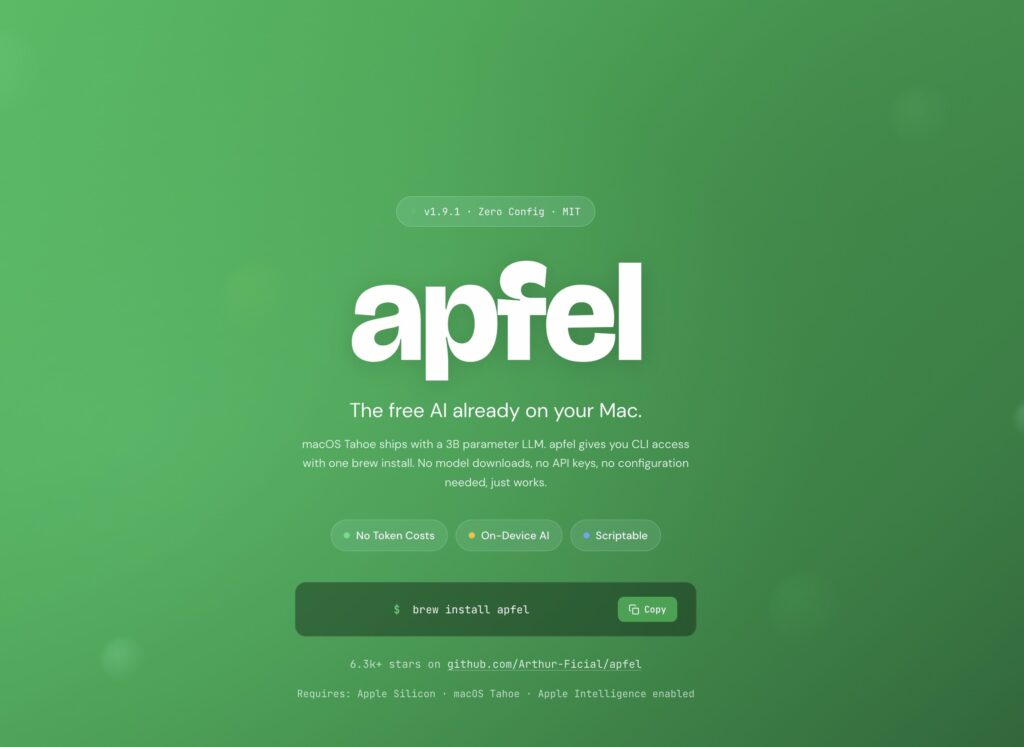
Apple has spent months promoting Apple Intelligence, but until now most developers could only access its on-device models through Apple’s official Swift frameworks. Apfel changes that by providing a command-line interface and an OpenAI-compatible API that lets developers use Apple’s local AI model from virtually any language or application—without downloading model weights or relying on cloud services.
Apfel in 20 Seconds
- Exposes Apple’s local Foundation Models through a CLI and OpenAI-compatible API.
- Works with existing OpenAI SDKs using a local endpoint.
- No model downloads required—the AI model is already included with Apple Intelligence.
- Runs entirely offline on supported Macs.
- Open source under the MIT license.
Over the past two years, local AI development has largely revolved around projects such as Ollama, MLX, llama.cpp, and LM Studio. Their common approach is simple: download an open-weight model and run it locally.
Apfel takes a completely different route.
Instead of managing models, it simply unlocks one that’s already installed on your Mac.
A Compatibility Layer for Apple Foundation Models
Apfel doesn’t introduce a new language model or modify Apple Intelligence itself.
Instead, it acts as a translation layer between Apple’s Foundation Models framework and the interfaces developers already use every day.
Installation couldn’t be simpler:
brew install apfelThere are no multi-gigabyte downloads because the model is already part of macOS.
The only requirements are:
- Apple Silicon.
- macOS Tahoe 26 or later.
- Apple Intelligence enabled.
Once those requirements are met, the model is immediately available.
Three Ways to Use It
Apfel exposes the local model through three different interfaces.
Command-Line Interface (CLI)
The simplest option is running prompts directly from the terminal.
This makes it easy to integrate with shell scripts, automation pipelines, and Unix workflows.
Interactive Chat
It also includes an interactive chat mode:
apfel --chatPerfect for quick conversations without launching a separate application.
OpenAI-Compatible Server
The most interesting feature for many developers is the built-in HTTP server.
Apfel can expose a fully OpenAI-compatible endpoint:
http://localhost:11434/v1Code language: JavaScript (javascript)That means many existing applications can continue working with little or no code changes.
For example, a Python application only needs a different base_url:
from openai import OpenAI

client = OpenAI(
    api_key="local",
    base_url="http://localhost:11434/v1"
)

response = client.chat.completions.create(
    model="apple",
    messages=[
        {"role": "user", "content": "Explain dependency injection"}
    ]
)

print(response.choices[0].message.content)Code language: JavaScript (javascript)
The application still uses the OpenAI client library, but every request remains entirely on the local machine.
Offline, Private, and Free
One of the biggest advantages of Apfel is that everything runs locally.
There are:
- no API calls to external servers;
- no token usage;
- no monthly billing;
- no Internet connection required.
Latency is also significantly reduced because prompts never leave the computer.
This makes Apfel particularly useful for developer tooling, including:
- generating Git commit messages;
- shell command suggestions;
- code classification;
- documentation summaries;
- lightweight IDE assistants;
- local automation scripts.
It’s especially attractive for organizations where source code privacy is a priority.
It Doesn’t Replace Ollama
Although they may appear similar, Apfel and Ollama solve different problems.
Ollama downloads and runs open-weight models such as Llama, Qwen, Gemma, or Mistral.
Developers can choose different models, quantizations, and versions.
Apfel offers none of that flexibility.
Its sole purpose is exposing the model Apple already ships with macOS.
That dramatically simplifies setup, but also removes almost all customization options.
| Feature | Apfel | Ollama |
|---|---|---|
| Downloadable models | No | Yes |
| OpenAI-compatible API | Yes | Yes |
| Open-weight models | No | Yes |
| Offline | Yes | Yes |
| Setup complexity | Very low | Moderate |
| Model selection | No | Yes |
The Model’s Size Defines Its Limits
According to the available documentation, Apple’s on-device model contains roughly 3 billion parameters.
That places it well below today’s flagship commercial models such as Claude, GPT-5, or Gemini, and smaller than many modern open-weight alternatives.
It also features a relatively small context window of around 4,096 tokens, including both input and output.
As a result, it isn’t intended for:
- large codebases;
- coding agents;
- long document analysis;
- complex reasoning;
- full application generation.
Instead, it excels at lightweight, repetitive tasks that would otherwise consume unnecessary cloud API credits.
PDF, OCR, JSON, and MCP Support
Beyond text generation, Apfel includes several additional capabilities:
- PDF processing;
- image support with on-device OCR;
- structured JSON output;
- partial Model Context Protocol (MCP) support.
While it isn’t trying to compete with full AI agent platforms, it provides a solid foundation for local developer automation.
AI Is Becoming an Operating System Service
Perhaps the most interesting aspect of Apfel isn’t the project itself, but what it represents.
Running local AI models traditionally required developers to:
- find model weights;
- download gigabytes of data;
- choose a runtime;
- configure hardware acceleration;
- manage multiple model versions.
Apple Intelligence introduces a different paradigm.
The operating system already includes the model.
Developers simply need an interface to access it.
Apfel demonstrates that this interface can be built around an API developers already know: the OpenAI API.
If this trend continues, future operating systems may increasingly ship with integrated AI models accessible through standardized APIs, allowing local inference for everyday tasks while reserving cloud-based models for more demanding workloads.
Frequently Asked Questions
What is Apfel?
Apfel is an open-source project that exposes Apple’s on-device Foundation Models through a command-line interface and an OpenAI-compatible API.
Does it download any AI models?
No. It uses the model already included with Apple Intelligence, so no additional downloads are required.
Can it be used from Python, Node.js, or Go?
Yes. Because it implements an OpenAI-compatible API, most existing SDKs can be used by simply changing the endpoint URL.
Can it replace GPT or Claude?
Not really. It’s designed for lightweight local automation and everyday developer tasks. For advanced reasoning, long-context workflows, or production-grade coding assistants, larger cloud models or powerful open-weight models remain the better choice.