
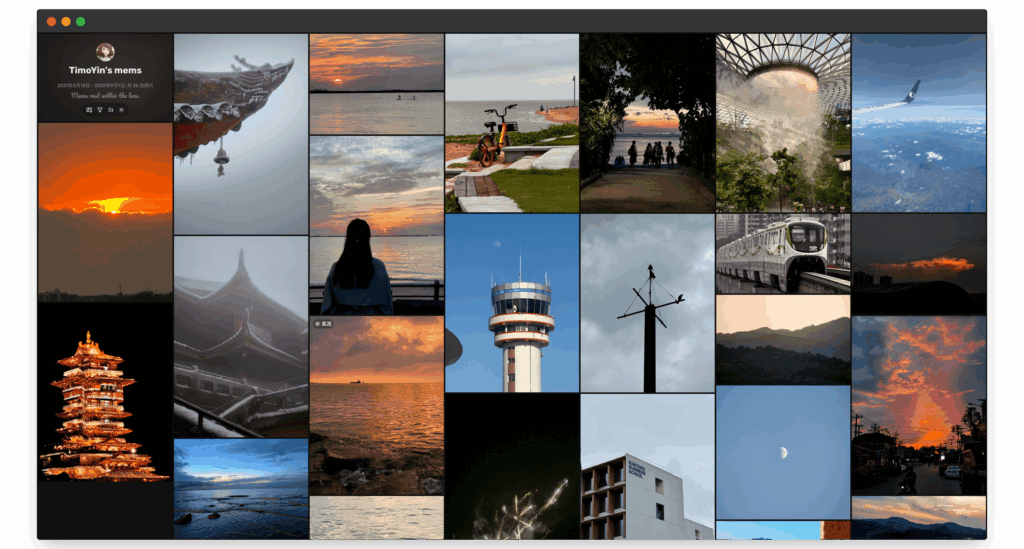
ChronoFrame is an open-source photo gallery designed to run on your own server: when you upload pictures it extracts their EXIF data, generates previews, identifies where they were taken and lets visitors browse them by date, by album or on a map. It installs as a single Docker container, plays Apple Live Photos and Motion Photos, and is released under the AGPL-3.0 licence.
ChronoFrame key facts in 20 seconds
- Free, self-hosted photo gallery under AGPL-3.0.
- Reads EXIF, places each photo on a map and supports Live Photos.
- One Docker container and a data volume are enough to start.
- Stores photos on local disk, S3 or OpenList.
The project, maintained on GitHub by developer HoshinoSuzumi, was close to 2,000 stars in early November 2026. It is written in TypeScript on Nuxt and Vue, and it leans more towards a portfolio or public gallery than a phone backup tool. Other projects cover the latter; ChronoFrame focuses on presenting photos well, with smooth zoom on large images, histograms and camera data.
What the gallery offers
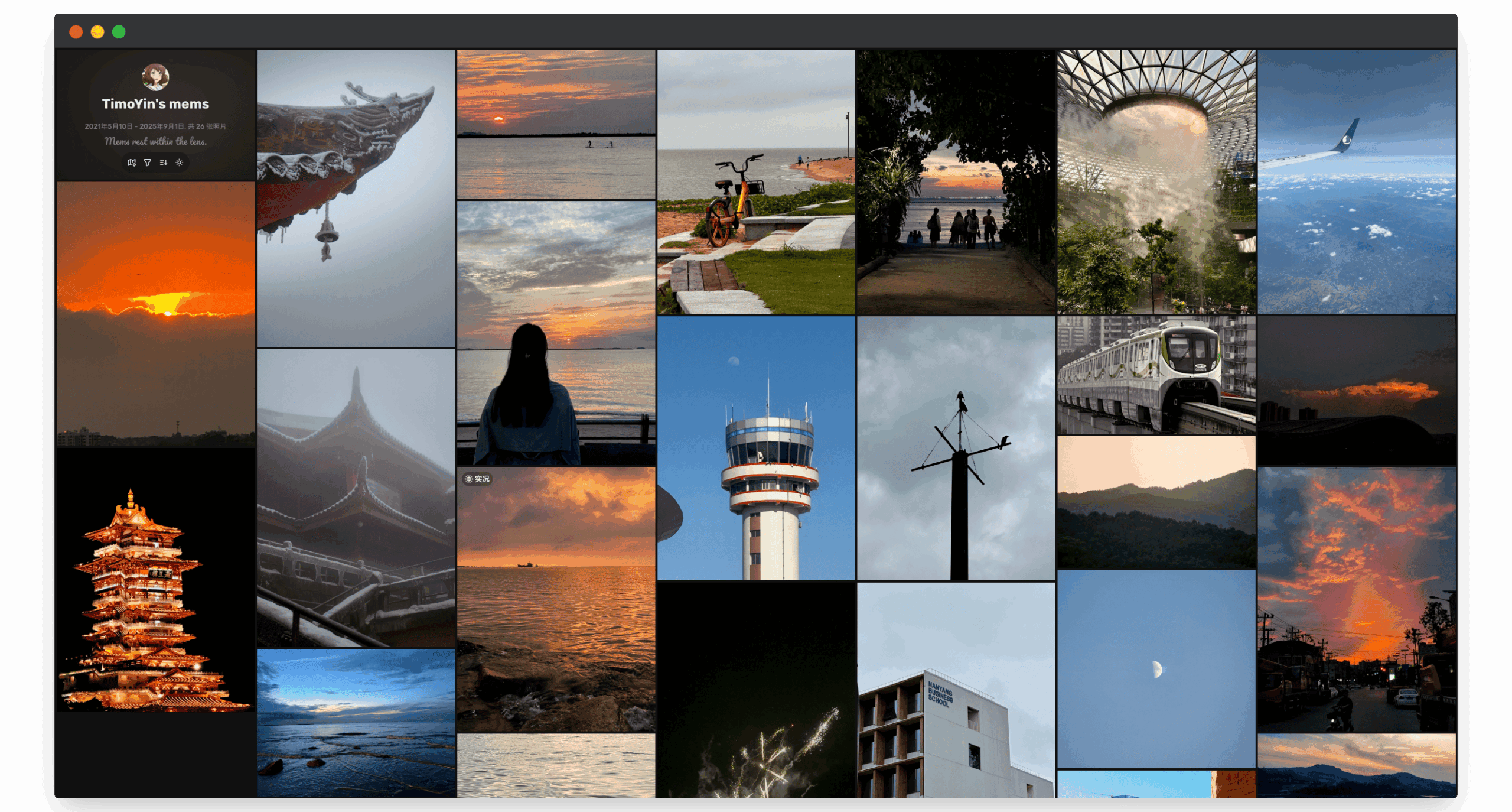
The main view is a masonry grid with filters and sorting. Opening a photo brings up a WebGL viewer with tiled rendering that zooms into very large images without loading them in full, alongside a histogram, original download and a share preview. Live Photos and Motion Photos are paired with their video automatically and play on hover or with a long press on mobile.
Albums can be reordered, hidden or password-protected. Maps use MapLibre or Mapbox, with reverse geocoding and a choice of place-name language. The admin dashboard handles batch uploads, metadata and rating edits, bulk downloads and reindexing, with a task queue, live logs and recent activity. Sign-in is by email and password, with optional GitHub OAuth, and custom analytics scripts are supported.
Installing it with Docker
Docker is the recommended option. A docker-compose.yml like the one in the official docs is all it takes:
services:
  chronoframe:
    image: ghcr.io/hoshinosuzumi/chronoframe:latest
    container_name: chronoframe
    restart: unless-stopped
    ports:
      - '3000:3000'
    volumes:
      - ./data:/app/dataCode language: JavaScript (javascript)
docker compose up -d
# Or directly with docker run
docker run -d --name chronoframe --restart unless-stopped
-p 3000:3000 -v "$(pwd)/data:/app/data"
ghcr.io/hoshinosuzumi/chronoframe:latestCode language: PHP (php)The image is also on Docker Hub as hoshinosuzumi/chronoframe, and in production it is better to pin a specific version instead of latest. Once it is running, a wizard at http://localhost:3000 creates the administrator and configures storage; for local disk the path is /app/data/storage. The map token can be added later. The ./data volume is critical: it holds the database, settings, session secret and, with local storage, the photos themselves, so it must be part of your backup plan. For a public deployment the project asks for HTTPS, usually through a reverse proxy.
Storage, formats and privacy
Besides local disk, ChronoFrame works with S3-compatible services and OpenList, and CDN URLs can be set from the dashboard. It accepts JPEG, PNG, WebP, GIF, BMP, TIFF and HEIC/HEIF. For an Apple Live Photo to pair, the image and the MOV video must share a filename, such as IMG_1234.heic and IMG_1234.mov, in whichever order they are uploaded.
The documentation flags a privacy nuance: album passwords control access through ChronoFrame, but if the S3 bucket, OpenList or the CDN expose public image URLs, access control has to be configured in that service as well. It is also worth remembering that EXIF data may include GPS coordinates, useful for the map but sensitive for photos taken at home. Anyone who would rather not run a server can use ChronoFrame Cloud, the hosted version of the same project.
Frequently asked questions
What licence does ChronoFrame use?
AGPL-3.0-only for the application, both self-hosted and SaaS. Two internal packages remain under MIT.
What should I back up?
The directory mounted at /app/data, which holds the database, settings, session secret and the photos when local storage is used.
How do I upload iPhone Live Photos?
Upload the image and the MOV video with the same filename; ChronoFrame pairs them automatically.
Are password-protected albums fully private?
Only within ChronoFrame. If S3 storage or a CDN publishes open URLs, access must also be restricted in that service.
Sources: