
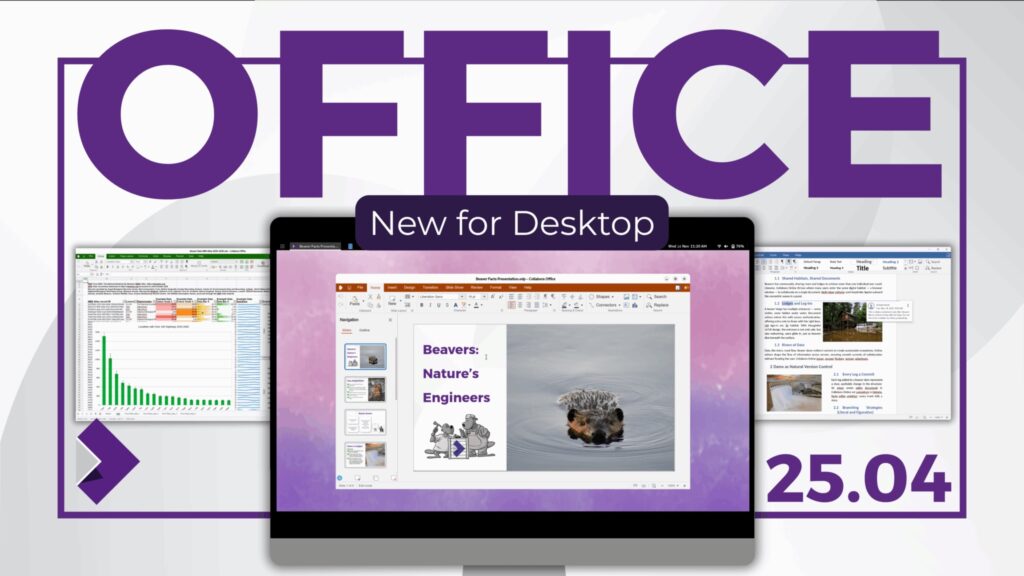
Collabora Productivity has made a key move on the office-suite board with the launch of Collabora Office for desktop, a suite that brings to laptops and desktops the same experience that was previously known from Collabora Online, its cloud-based collaborative editing solution.
The news is far from minor: for the first time, users of Windows, macOS and Linux can install a native application that combines three things highly sought-after today in companies and public administrations:
- open source;
- offline work without depending on the cloud;
- and real compatibility with Microsoft Office documents.
All of this, with an explicit focus on privacy and data sovereignty.
A modern suite with the heart of LibreOffice
Collabora Office for desktop is presented as a full office suite, including:
- a word processor with basic desktop-publishing features;
- a spreadsheet application;
- a presentation tool;
- and a drawing app for vector graphics and flowcharts.
The engine driving all of this is the same as LibreOffice, to which Collabora has been contributing for years as one of its main developers. On top of that base, the company has built a modern interface, consistent with that of Collabora Online: clear toolbars, tabbed UI, a clean design and a deliberate focus on the features most professionals use in their daily work.
The idea is that a user already working with Collabora in the browser can open the desktop version and feel “at home” instantly, without having to relearn menus or icons.
Documents that stay on the device
One of the strongest messages of the launch is the offline-first approach. Collabora stresses that:
- the suite is 100% open source;
- it does not include hidden components or invasive telemetry;
- and it is designed so that documents are processed on the local device.
Nothing leaves the computer unless the user decides to share it or integrate it with another platform. In a context of growing concern about surveillance, data leaks and dependency on big public clouds, this message resonates especially well with public administrations, universities and regulated companies.
At the same time, the suite maintains broad interoperability: it opens and saves without issue in both ODF (ODT, ODS, ODP…) and Microsoft OOXML formats (DOCX, XLSX, PPTX), allowing it to coexist with the Office ecosystem without forcing anyone to switch tools overnight.
Simple installation and no Java
Although it is based on the LibreOffice core, the new Collabora Office introduces changes in the lower layers of the stack. One of the most relevant is the complete absence of Java.
In practice, that means:
- cleaner, more predictable installations;
- fewer system dependencies;
- and a simpler package to distribute and maintain.
The interface is also built with modern web technologies (HTML, JavaScript, CSS, Canvas, WebGL), which makes it easier to iterate quickly on user experience and keep the exact same look between the online and desktop versions.
In its first public release, the suite is available for:
- Windows 11 (64-bit), as an
.appxpackage; - macOS 15 Sequoia or later, on Apple Silicon (ARM);
- Linux x86_64, distributed as a Flatpak.
This is an initial release, and the company itself explicitly asks for feedback to refine performance, fix bugs and complete UI translations.
How is it different from “pure” LibreOffice?
The arrival of Collabora Office for desktop does not replace LibreOffice, nor does it aim to. Rather, it complements it.
While LibreOffice maintains its role as the major community office suite, with a very powerful interface and a huge range of options, Collabora Office positions itself as a more focused variant:
- Simpler, more guided interface, with fewer deep menus and defaults tuned for typical professional work.
- Same experience as in the cloud, which makes it easier to jump between online and offline editing.
- No integrated Base (the database application), unlike LibreOffice or Collabora’s “Classic” line, which are more oriented toward advanced users.
- Less “noise” for users who only need to write documents, spreadsheets and presentations.
For many organisations, especially those deploying Linux desktops or mixed workstations, this combination can be attractive: the solidity of the LibreOffice engine wrapped in an interface aligned with modern collaboration workflows.
The inevitable mirror: Microsoft Office and Microsoft 365
Any office suite that aspires to win a serious share of the market inevitably has one main counterpart: Microsoft Office / Microsoft 365.
In that space, Collabora Office does not compete on built-in AI, add-on services or communications ecosystem, but on three very specific axes:
- Licensing model: open source versus proprietary software tied to a subscription.
- Data control: local execution, without mandatory cloud, versus a clearly cloud-first approach.
- Sufficient interoperability: opening and saving in DOCX, XLSX and PPTX, without needing to pay for Office.
The goal is not to replicate every corner of Microsoft 365, but to offer a convincing alternative for those who want to reduce dependency on a single vendor or need to comply with strict policies on digital sovereignty and regulation.
Comparison table: Collabora Office vs LibreOffice vs Microsoft Office
Broadly speaking, this is how the three suites line up on some key aspects:
| Feature | Collabora Office (desktop) | LibreOffice | Microsoft Office / Microsoft 365 |
|---|---|---|---|
| Model and licence | Open source, based on LibreOffice; free download; optional commercial support | Open source, free, community-driven | Proprietary software; mainly subscription-based (Microsoft 365) |
| Desktop platforms | Windows 11 (64-bit), macOS ARM (Sequoia or later), Linux x86_64 (Flatpak) | Windows, macOS, many Linux distributions | Windows and macOS; mobile apps and web version |
| Data approach | Local processing; “offline-first” design; optional integration with self-hosted servers | Local processing; no built-in cloud | Strong integration with OneDrive, SharePoint, Teams and other cloud services |
| User interface | Modern UI unified with Collabora Online; contextual toolbars and tabs | Classic menus and toolbars; several UI styles available | Mature ribbon interface widely adopted in corporate environments |
| Account/cloud dependency | No account required to use the suite; collaboration depends on the platform it’s integrated with | No account required; advanced collaboration depends on third parties | Microsoft account required to fully leverage collaboration and cloud |
| DOCX/XLSX/PPTX compatibility | High compatibility; also supports ODF as an open format | High compatibility; ODF as native format | Native compatibility with its own formats; partial ODF support |
| Extra components | Documents, spreadsheets, presentations, drawing; no integrated Base | Includes Base (databases) and more advanced wizards | Integration with Outlook, Teams, OneNote, Access (depending on edition) |
| AI integration | No built-in AI assistant in this first release | No integrated generative AI at suite level | Copilot and other AI features built into Word, Excel, PowerPoint, etc. |
The comparison shows clearly that Collabora Office is trying to occupy the middle ground: the technical strength of the LibreOffice world, wrapped in a modern usability layer, plus the interoperability needed to coexist with Microsoft files without giving up data control.
A launch with a clear European flavour
Beyond the technology, Collabora’s move has an obvious political and economic reading: at a time when many European institutions are talking about digital sovereignty, having a modern, open office suite that can be deployed both on self-hosted servers and on Linux, Windows or macOS desktops strengthens autonomy against purely cloud-based and proprietary models.
The combination of Collabora Online in the organisation’s own infrastructure and Collabora Office on the desktop offers exactly that scenario: edit a document locally on a laptop without a connection, then upload it to the organisation’s collaborative server and continue working as a team, all without leaving the free-software ecosystem.
It remains to be seen how far adoption will go and how the product evolves based on feedback from companies, public bodies and the community. But the message is already on the table: desktop office suites are very much alive, and the debate over who controls documents is back in the spotlight.
Frequently asked questions about Collabora Office for desktop
What advantages does Collabora Office offer over other office suites for those seeking digital sovereignty?
Collabora Office lets you work with documents locally, without depending on a proprietary cloud, while maintaining compatibility with Microsoft Office formats and the open ODF standard. Being open source, it can be audited and deployed together with Collabora Online on self-hosted servers or controlled clouds, which fits well with digital sovereignty strategies and GDPR compliance.
Is the new Collabora Office meant only for Linux, or also for Windows and macOS users?
Although Collabora has a long-standing presence in the Linux ecosystem, the new suite is also available for Windows 11 and macOS on Apple Silicon. The intention is clear: to offer an open, consistent alternative both on Linux desktops and in mixed environments where Windows and Mac machines coexist.
Can it fully replace Microsoft Office in a company?
It depends on the type of organisation. Collabora Office covers document, spreadsheet and presentation creation and editing solidly, with good compatibility with DOCX, XLSX and PPTX. In environments that rely heavily on very specific Office features, tight integrations or workflows tied to Outlook and Teams, a full replacement requires analysis and testing. In many cases, adoption is approached gradually: first in certain departments, Linux desktops or areas where data sovereignty is a top priority.
What practical difference will a LibreOffice user notice when switching to Collabora Office for desktop?
The most visible change will be the interface: Collabora Office offers a more modern look aligned with the web version, with fewer deep menus and simpler defaults. For users who just need to write, calculate and present, the experience may feel more straightforward and less overwhelming. Those who need very advanced features, such as heavy use of Base or certain specific wizards, will still find “classic” LibreOffice or Collabora Office Classic the most complete environment.