
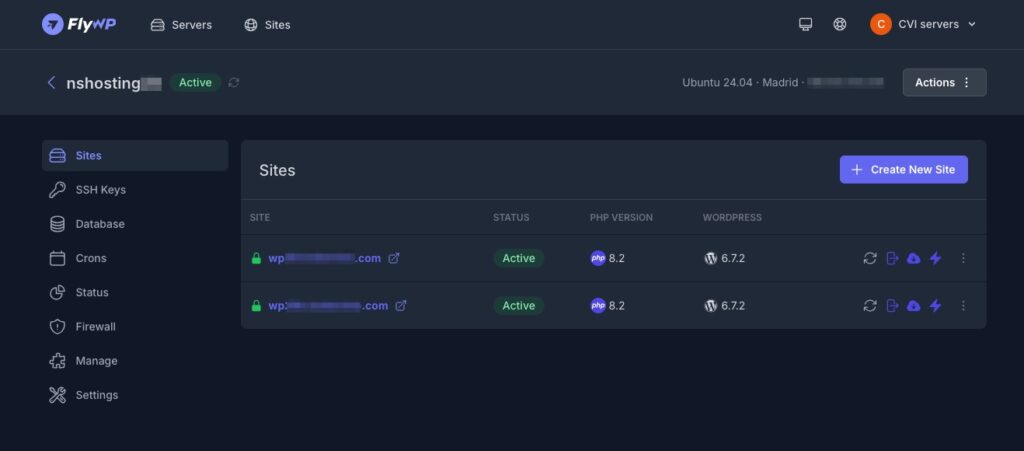
FlyWP has expanded its server management platform with support for Next.js, Nuxt and Astro through Git-based deployments. The new capability arrives with version v2026.52 and allows Node.js applications to be managed alongside WordPress projects from the same environment. The update also brings back the Public API and fixes several issues involving cloning, Git workflows, domains and backup cleanup.
The key points about FlyWP and its new frameworks in 30 seconds
- FlyWP now supports Git-based deployments for Next.js, Nuxt and Astro.
- The platform supports Node.js 20, 22 and 24 and can detect the version from
engines.node. - Projects can use either a static or server-based runtime.
- The Public API is available again with changes and improvements.
- The release fixes issues involving cloning, DNS, Git and S3 backup cleanup.
The expansion means FlyWP is no longer focused exclusively on WordPress sites. The platform can now also accommodate applications built with several modern JavaScript frameworks, while using a common infrastructure approach for all three. FlyWP relies on a shared Compose generator and a Debian-based Node.js image for these deployments.
The change is aimed at teams managing different types of projects that want to use a common infrastructure platform. A single management environment can now host WordPress sites alongside projects built with Next.js, Nuxt or Astro, although each application retains its own runtime requirements.
Next.js, Nuxt and Astro arrive in FlyWP through Git
The new feature allows Next.js, Nuxt and Astro applications to be deployed directly from Git repositories. FlyWP requires Git for these deployments and uses a workflow based on git pull --ff-only to bring changes from the repository into the deployment environment.
The platform currently supports Node.js 20, 22 and 24. The Node.js version can be resolved from the engines.node field defined by the project, allowing the repository itself to specify which Node.js version the application requires.
Developers can also choose the package manager and configure the project with either a server-based or static runtime. The latter option is particularly relevant for projects that generate static files during the build process.
All three frameworks share the same deployment infrastructure. FlyWP uses a common Compose generator and a Debian-based Node.js image rather than creating a completely separate deployment mechanism for each framework.
The applications themselves can still have very different architectures. Next.js and Nuxt can use server-side execution, while Astro can also be used to generate static websites. FlyWP now accommodates these different approaches within its new deployment system.
For developers, the main advantage is keeping the Git repository as the source of the code while using the same infrastructure platform to manage deployment. The release does not introduce a completely independent hosting system for these frameworks; instead, it adds them to FlyWP’s existing infrastructure management workflow.
The Public API returns alongside several fixes
Version v2026.52 also brings back the FlyWP Public API, which is available again with changes and improvements. According to the company, the API provides a foundation for developers and teams building integrations and automated workflows around the platform.
The API’s return comes alongside the expansion to additional frameworks. For teams managing deployments programmatically, API access can allow certain FlyWP operations to be integrated into external workflows, although the release notes do not provide a complete list of all available API operations in this update.
The release also fixes an issue that could occur when performing a second clone from the same server. When the dpkg lock, used by Debian-based systems for package management, was already occupied, the process could exit prematurely. The cloning process now waits until the lock becomes available before continuing.
Another change affects the Git setup process. Users who have not yet connected a Git provider now receive clearer instructions instead of being presented with a screen showing three disabled cards and a Next button that could not be used.
Domain management has also been updated. When modifying a domain, FlyWP no longer resets certain values associated with its status, parent, extra settings and wildcard configuration. The change also prevents the *.fqdn DNS record from being unintentionally removed when a domain is updated.
The release improves cleanup following migrations as well. When a source site is deleted after a clone or transfer, FlyWP now removes its associated database records and deployment key.
Fixes for S3 backup cleanup
Version v2026.52 also includes a hotfix related to the deletion of backups stored through third-party S3 services.
The issue affected a small number of users and could prevent certain older backups from being removed after the configured retention period had expired. FlyWP has fixed the behavior and now records provider errors when an S3 backup deletion fails.
This change provides clearer information when cleanup operations fail. In systems using retention policies, those records can help administrators determine whether a backup remains available because it should be retained or because an attempted deletion was unsuccessful.
Version v2026.52 therefore expands FlyWP’s scope while also addressing several day-to-day management issues. The platform retains its WordPress-oriented tools while adding a deployment workflow for Node.js applications built with three widely used frameworks.
The company is not presenting the update as a replacement for specialized platforms for each framework. Instead, its approach is to bring different types of applications under the same management system, using Git as the entry point for the new projects.
For teams running WordPress alongside modern web applications, the change reduces the separation between the two types of infrastructure. For new projects, the ability to choose between Next.js, Nuxt and Astro expands the options available within FlyWP without changing the overall repository-based deployment model.
Frequently asked questions
Which new frameworks does FlyWP support?
FlyWP now supports Next.js, Nuxt and Astro through Git-based deployments. All three use a shared deployment system based on Compose and a Debian-based Node.js image.
Which Node.js versions does FlyWP support?
The new functionality supports Node.js 20, 22 and 24. FlyWP can determine the version from the engines.node field defined in the project.
Is Git required to deploy Next.js, Nuxt or Astro?
Yes. FlyWP requires Git for these deployments and uses a workflow based on git pull --ff-only.
What other changes are included in FlyWP v2026.52?
The release brings back the Public API and fixes issues involving second clones, Git configuration, domain updates, source-site deletion and S3 backup cleanup.