
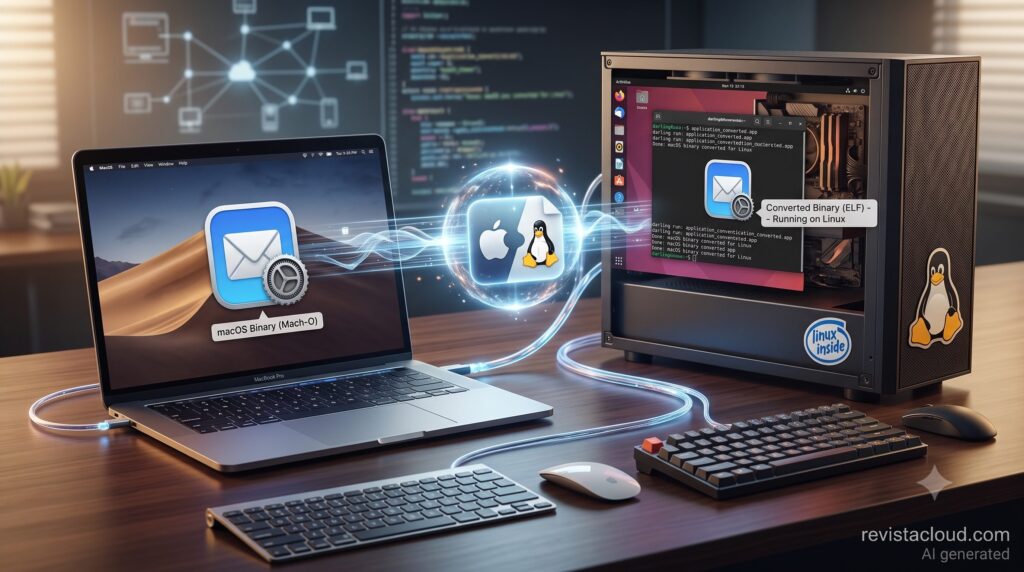
An open-source project called Kakehashi is experimenting with an idea that could be particularly interesting for developers and system administrators: running ARM64 binaries built for macOS directly on Linux ARM64 servers. It does not use a macOS virtual machine, a CPU emulator, or JIT (Just-in-Time) translation. The application’s ARM64 code runs directly on the processor, while Kakehashi mainly intervenes when the application needs to communicate with the operating system.
Kakehashi in 30 seconds
- Kakehashi is a userspace translation layer between macOS ARM64 and Linux aarch64, released under the Apache 2.0 license.
- It does not emulate instructions: the application’s ARM64 code runs directly on the Linux server’s ARM processor.
- It translates parts of the Darwin environment, including Mach-O executables and BSD system calls, into operations Linux can handle.
- It already runs real tools including 7-Zip, curl, Apple Git, and Apple clang, with networking and compilation among the demonstrated workloads.
- It remains experimental: GUI applications,
codesign, the full Security.framework, and the complete macOS application stack are not currently supported.
That distinction matters because it reveals where the real compatibility problem lies. A modern Apple Silicon Mac and an ARM64 Linux server use a compatible instruction architecture. The CPU does not need to continuously translate code from one instruction set to another, as happens when running x86 software on ARM.
The barrier sits one layer higher.
macOS and Linux expect different executable formats, system calls, libraries, and runtime behavior. Sharing ARM64 does not automatically mean sharing the same ABI (Application Binary Interface).
Kakehashi is trying to build that missing bridge.
Mach-O on Linux: how Kakehashi works
Linux normally uses ELF (Executable and Linkable Format) binaries, while macOS uses Mach-O.
When a user executes:
kh run <program>
Kakehashi prepares an environment known as a bottle, containing the filesystem root visible to the guest application and a freestanding implementation of libSystem.B.dylib.
It then loads the Mach-O executable and its dynamic libraries, resolves symbols, and wires BSD system calls into its own runtime. Finally, it jumps to the application’s LC_MAIN entry point.
This is where the architecture becomes particularly interesting: the application’s ARM64 instructions execute natively.
The runtime intervenes again when an operation needs to cross the boundary between Darwin and Linux, including system calls, thread creation and termination, faults, and other helper operations.
The project summarizes the process in four stages: resolve the bottle, load Mach-O and its libraries, start native ARM64 execution, and translate operations that cross the guest-host boundary.
Its architecture is also split into several components. kh-loader handles Mach-O parsing, mapping, binding, and execution; kh-runtime manages memory, traps, BSD system calls, threads, and the bottle; kh-libsystem provides the required freestanding library; and kh-xcrun implements a clean-room xcrun helper.
According to its developers, Kakehashi is not derived from Darling, another project pursuing macOS application compatibility on Linux. It also contains no proprietary Apple blobs in its repository, and its maintainers document a clean-room development process.
The project is primarily written in Rust, requires Rust 1.88 or newer, and live execution through kh run currently requires Linux aarch64. It supports both 4 KiB memory pages, common in containers, and 16 KiB pages, found on systems such as Asahi Linux.
Apple Git and clang already run on Linux ARM
Kakehashi is far from providing a complete macOS environment, but it has already moved beyond small proof-of-concept binaries.
One verified example is the Darwin version of 7-Zip. Kakehashi can execute 7zz, create archives, verify them, and run multi-threaded workloads. The latter is particularly relevant because it requires the compatibility layer to correctly handle more complex behavior than simply launching a binary.
The Darwin build of curl also works, including HTTP and HTTPS connections.
More interesting from a development perspective is support for tools from Apple’s Command Line Tools (CLT).
Kakehashi can install them with:
kh install xcode-tools
and then run Apple Git:
kh run git -- --version
The project reports that its initial Git milestones have been completed, covering local repositories, HTTPS and SSH cloning and pushing, as well as larger repositories.
It can also execute Apple clang. Documented tests include compilation, multi-file linking with the modern linker, LTO (Link Time Optimization), and subsequently running the generated Mach-O binary under Kakehashi itself.
This is where the project starts to become more interesting than a simple operating-system compatibility experiment.
The potential target: macOS CI workloads on Linux ARM
Kakehashi’s developers are explicit about one of their priorities: the CI goal is correctness on inexpensive Linux ARM64 infrastructure, not wall-clock parity with macOS.
That points directly to one of the project’s most interesting potential use cases.
CI/CD pipelines that require Apple-specific tools currently tend to depend on Mac hardware or services offering macOS runners. A sufficiently capable compatibility layer could eventually allow some of those operations to move onto conventional Linux ARM64 servers without booting macOS.
There is an important limitation here: Kakehashi does not currently turn a Linux ARM server into a complete replacement for a macOS runner.
It does not provide the full macOS application stack, GUI support, codesign, a complete implementation of Security.framework, Git LFS/SVN, or the full feature surface of curl. Nor should it be assumed that every tool included with Xcode will work.
There is nevertheless an interesting middle ground.
Command-line tools, automated jobs, some compilation processes, and tests that need Darwin binaries but not the entire macOS environment could become realistic candidates if compatibility continues to improve.
That could eventually reduce the amount of work that has to run specifically on Mac hardware.
It would not necessarily remove Macs from a development pipeline. Code signing, notarization, testing against Apple frameworks, and final validation would still require teams to carefully determine which Apple components and environments are necessary.
But Kakehashi raises the possibility that not every stage of a macOS-oriented build pipeline needs to run on macOS.
Native ARM execution changes the performance equation
Kakehashi’s design also has consequences for performance.
The project does not claim that an application will perform exactly as it would natively on macOS. Every time execution crosses the Darwin-Linux boundary, there is overhead involving elements such as TLS, alternate stacks, NEON state, dispatch, and translation.
However, there is no permanent cost from interpreting or recompiling instructions from another CPU architecture.
Kakehashi publishes a test using multi-file 7zz on bare-metal aarch64, processing approximately 14,500 files and 309 MiB of data. In that workload, execution took around 1.24 times as long as native Linux 7zz.
This figure comes from the project itself and should not be treated as an independent benchmark or generalized to other workloads. An application making frequent system calls could behave very differently from a compute-heavy application that spends most of its time executing inside its own process.
The developers also acknowledge that nested Apple clang processes still incur a process-start overhead for each -cc1 and ld invocation.
That transparency is important. Kakehashi is not claiming to have achieved “macOS on Linux.” It is presenting an experimental compatibility layer that can already execute a growing collection of real-world tools.
The platform boundary goes beyond x86 versus ARM
Kakehashi also highlights an important point for infrastructure architects.
Over the past decade, much of the portability discussion has focused on x86-64 versus ARM64. The arrival of Apple Silicon, AWS Graviton, Ampere processors, and other ARM platforms made that distinction even more visible.
But when both sides already use ARM64, part of the problem disappears and the next compatibility boundary becomes much clearer: the interface between the application and the operating system.
A binary can contain instructions that the CPU understands perfectly and still be impossible to execute because it expects Mach-O, Darwin conventions, particular libraries, or system calls that Linux does not provide.
Kakehashi operates precisely at that boundary.
It is not the first project to pursue macOS compatibility on Linux. Darling has worked toward a related goal for years, while Wine demonstrates how far a compatibility layer can eventually go when backed by decades of development and a large community.
Kakehashi, however, combines several particularly interesting characteristics: ARM64 on both sides, native instruction execution, and an initial focus on command-line development tools.
That removes one layer of complexity, although an enormous amount of work remains if the project ever aims to support a broader range of macOS software.
For now, Kakehashi should be considered exactly what its developers describe it as: an experimental project. But the fact that it can already install Apple’s Command Line Tools, run Apple Git, clone repositories over SSH and HTTPS, and compile software using Apple clang from Linux ARM64 makes the experiment considerably more tangible than a simple proof of concept.
Frequently asked questions
What is Kakehashi?
Kakehashi is an open-source userspace translation layer designed to run selected macOS ARM64 binaries on Linux aarch64. It is primarily written in Rust and released under the Apache 2.0 license.
Does Kakehashi emulate an Apple Silicon processor?
No. Kakehashi uses neither JIT translation nor an instruction emulator. Guest ARM64 code executes directly on the ARM64 processor, while the runtime mainly intervenes at the boundary between Darwin applications and Linux.
Which macOS applications currently work with Kakehashi?
The project documents working examples including 7-Zip, curl, Apple Git, and Apple clang. It does not currently claim support for GUI applications, codesign, the complete Security.framework, or the full macOS application stack.
Could Kakehashi replace a Mac for building Apple software?
Not generally, at least not today. Kakehashi can already execute selected tools from Apple’s Command Line Tools, but it remains experimental and does not provide everything required to replace macOS across arbitrary development or CI/CD pipelines.