
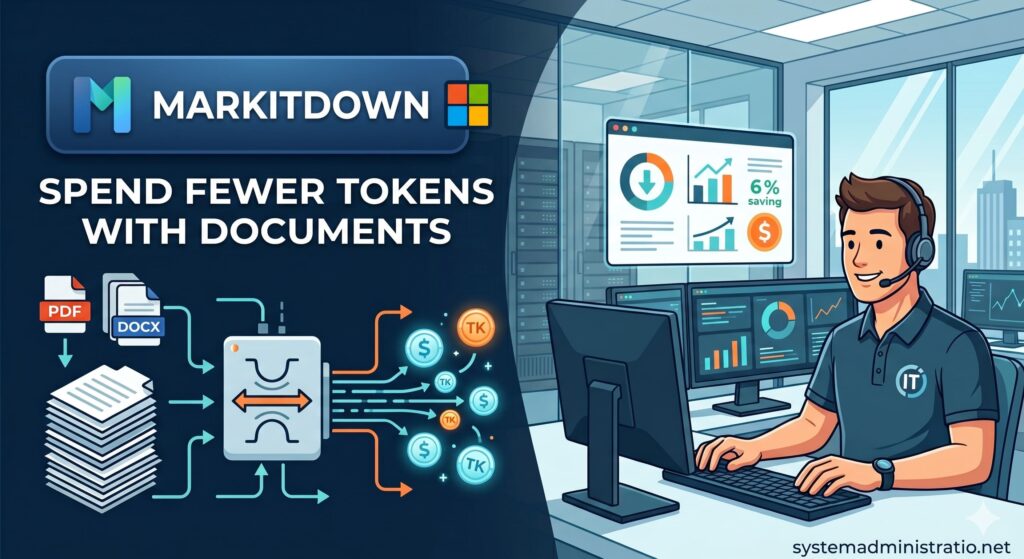
Artificial intelligence has turned documents into everyday working fuel. PDFs with reports, Word contracts, spreadsheets, presentations, screenshots, audio files, web pages and even YouTube videos increasingly end up inside models such as Claude, ChatGPT, Gemini or Copilot. The problem is that many companies and users still upload them “as they are”, without thinking about a basic issue: not all formats are equally efficient for a language model.
That is where MarkItDown comes in, an open source Microsoft tool that converts documents and other files into clean Markdown, a format much closer to plain text and especially useful for LLM workflows, RAG, document analysis and automation. The project, developed by Microsoft’s AutoGen team, has already surpassed 100,000 stars on GitHub and is presented as a lightweight Python utility for turning files into structured text, not as a high-fidelity converter for human-facing layout.
The idea is simple: before asking a model to read a PDF, a PowerPoint or a spreadsheet, it is often better to extract its content in an orderly way. A document converted to Markdown can preserve headings, lists, tables and links with less noise than the original file. In many cases, that reduces tokens, speeds up processing and improves the quality of the summary or analysis. It does not mean that your Claude, OpenAI or API account will “last twice as long” in every case, but it does introduce a much more sensible practice: do not feed the model heavy formats if all it needs is useful text.
Why convert before sending content to the model
When you drag a PDF directly into an AI tool, the system usually has to extract content, interpret structure, read metadata, process pages and resolve parts of the document that may not add anything to the task. In long, scanned or poorly formatted documents, the cost can grow quickly.
MarkItDown tries to solve that preprocessing step. It converts the file into Markdown, a format that models understand well because it is very close to plain text, while still preserving important structural signals: headings, tables, lists, links and content blocks. The project documentation explains that Markdown is close to plain text, uses minimal markup and is often token-efficient for language models.
This is especially useful in three scenarios. The first is long-document analysis, where it makes sense to extract content before summarising it. The second is RAG, where documents need to be indexed and split into consistent chunks. The third is day-to-day work with coding assistants or agents, where uploading an unprocessed file can introduce unnecessary noise and cost.
| Format | What MarkItDown can do | Typical AI use case |
|---|---|---|
| Extract text and basic structure | Summaries, legal analysis, technical reports | |
| Word | Convert DOCX to Markdown | Reviews, synthesis, version comparison |
| Excel | Extract spreadsheet content | Preliminary analysis, table reading, documentation |
| PowerPoint | Convert slides into structured text | Presentation summaries, meeting notes |
| HTML | Clean web content | Article extraction, documentation, internal pages |
| CSV, JSON, XML | Convert text-based data | Preparation for analysis or RAG |
| Images | EXIF metadata and OCR depending on dependencies | Reading screenshots or text-based documents |
| Audio | Metadata and transcription with optional dependencies | Minutes, interviews, voice notes |
| YouTube | Transcript extraction when available | Video summaries, training, research |
| ZIP | Iterates through internal contents | Batch document processing |
It is not magic: there are costs, limits and security concerns
The excitement around MarkItDown makes sense, but it needs to be explained properly. The tool does not turn every complex document into a perfect representation. Its goal is not to create a beautiful PDF or reproduce exact design, styling or layouts. It is designed for text pipelines and LLMs, where the priority is extracting useful and structured content.
Some formats also require additional dependencies. To install everything at once, the documentation recommends pip install 'markitdown[all]', although specific modules can also be installed individually, for example PDF, DOCX or PPTX. This matters in servers or corporate environments, where reducing dependency surface and avoiding unnecessary packages is often the better approach.
Security should not be overlooked. MarkItDown performs input and output operations with the privileges of the process running it. Put simply: if it is given access to a path or URL, it will try to read it with the available permissions. The documentation recommends validating inputs in untrusted environments, limiting paths, controlling network destinations and using the narrowest conversion function possible for each use case.
This is especially important if someone wants to integrate it into a web application, internal service or multi-user automation. Converting your own documents locally is not the same as allowing external users to upload arbitrary files to a server. In the second case, sandboxing, file size limits, type validation, antivirus checks, path restrictions, network controls and logs are needed.
How it fits with Claude, ChatGPT or a RAG workflow
MarkItDown is not tied to Claude. It can be used before sending content to any model or analysis system: Claude, OpenAI, Gemini, Mistral, local models, coding agents or RAG pipelines. The usage pattern is straightforward: convert first, review the Markdown and then pass the clean text to the model.
A basic local workflow would look like this:
pip install 'markitdown[all]'
markitdown report.pdf -o report.mdCode language: JavaScript (javascript)
From there, the user can ask the model to work on report.md instead of the original PDF. In more advanced workflows, MarkItDown can be integrated from Python, run through Docker or connected to tools that automate conversion before indexing documents.
The economic value is in the cost per task. If a team processes dozens or hundreds of documents per month, reducing noise and tokens can have a real impact. It will not always be 50%, and certainly not across every file, but it can prevent a model from spending context on irrelevant elements. Markdown also improves human auditability: before sending an entire document to a model, you can see what content has actually been extracted.
| Practice | Risk | Alternative with MarkItDown |
|---|---|---|
| Uploading full PDFs without review | More tokens, more noise and less control | Convert to Markdown and review the content |
| Processing presentations as images | Incomplete or expensive summaries | Extract slide text before analysis |
| Indexing raw documents for RAG | Poor chunks and duplicates | Clean and structure before chunking |
| Using OCR or video without cost control | External calls or additional dependencies | Enable only the required modules |
| Accepting user files without validation | Security and I/O risks | Validation, sandboxing and restricted functions |
MarkItDown fits into a broader idea: enterprise AI does not depend only on choosing a good model. It also depends on preparing data properly. Converting documents into a more readable, cheaper and better structured format can make the difference between a useful proof of concept and an inflated bill caused by careless workflows.
The tool does not replace professional document management systems, advanced OCR or structured field extraction when the use case requires them. Microsoft also offers integrations with Azure Document Intelligence and Azure Content Understanding for more complex and multimodal scenarios, but those routes may involve paid cloud API calls. The sensible approach is to decide case by case: simple local conversion when it is enough, advanced services when the document requires them.
At a time when companies are starting to look closely at token spending, tools like MarkItDown are likely to become more visible. Not because they are spectacular, but because they solve a very practical part of the problem: before asking AI to think, give it clean content.
Frequently asked questions
What is MarkItDown?
MarkItDown is an open source Microsoft tool for converting files such as PDF, Word, Excel, PowerPoint, HTML, CSV, JSON, XML, images, audio or YouTube transcripts into Markdown.
Does it always reduce the cost of using Claude or ChatGPT?
Not always by the same amount. It can reduce tokens and noise in many documents, but the savings depend on the original format, the quality of the file, the extracted content and the workflow used.
Do you need to know programming to use it?
For basic use, installing it and running simple commands is enough. In more advanced environments it can be integrated into scripts, RAG pipelines, automations or agents.
Is it safe to use MarkItDown with any file?
It should not be used without controls on untrusted files. The project documentation recommends validating inputs, limiting paths and using specific conversion methods in sensitive environments.