
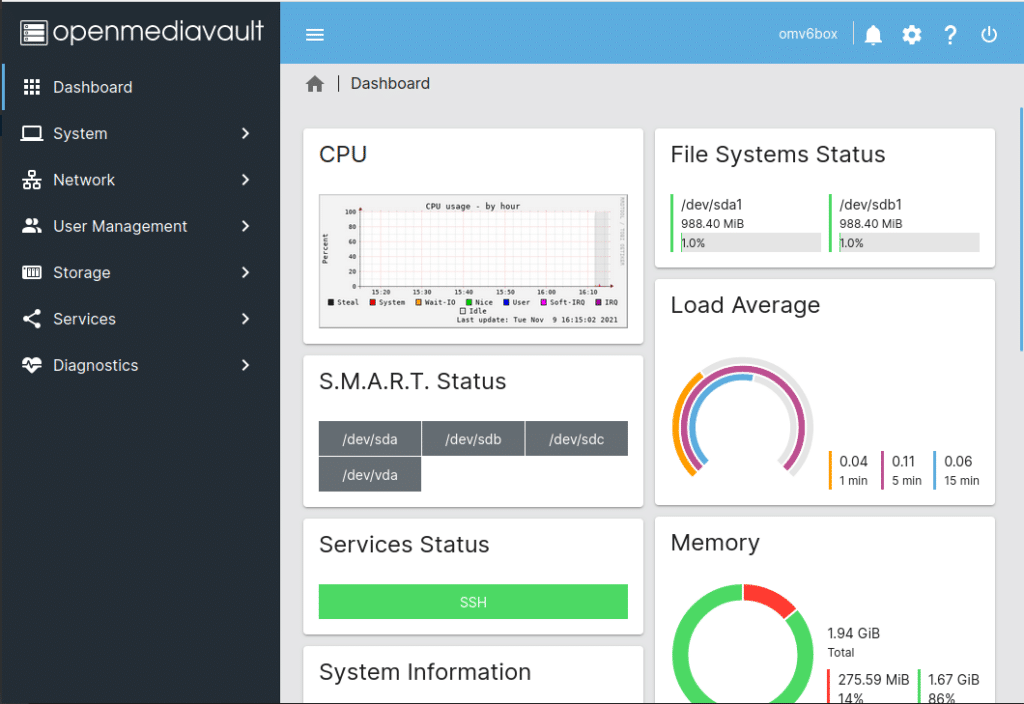
OpenMediaVault (OMV) has released OMV8 “Synchrony” (8.0.1) as a final build on December 24, 2025, following a release candidate phase with no critical issues reported. It’s not just a routine point release: OMV8 lands with a major base upgrade to Debian 13 (Trixie) and a strategic decision that will shape its future—only AMD64 and ARM64 are supported from this version onward, retiring older architectures that had been on borrowed time.
The feature list is intentionally compact. Many improvements originally planned for OMV8 were already delivered in OMV7 so users on soon-to-be-discontinued architectures could benefit. But the Debian 13 move brings newer software, bug fixes, and the kind of under-the-hood stability gains that matter most for a NAS: predictable updates, better hardware compatibility, and a cleaner foundation for the plugin ecosystem.
What is OpenMediaVault, and why does it still matter?
OpenMediaVault is a Debian-based NAS operating system built around a web interface and an extensible plugin model. Its long-term appeal is simple: it turns commodity hardware—a mini PC, an old server, even a repurposed desktop—into a flexible NAS without locking you into a specific hardware vendor.
In 2025, OMV remains a strong option when you want:
- A practical general-purpose NAS (SMB/NFS, users/groups, permissions, basic services).
- A system that still feels like Linux underneath (because it is Debian).
- A NAS that can grow via plugins and community add-ons, without paying per-device licensing.
What’s new in OMV8 (Synchrony)
Here are the most meaningful changes highlighted with this release:
- Upgrade to Debian 13 (Trixie) for a more modern base.
- Architecture support reduced to AMD64 and ARM64 starting with OMV8.
- cpufrequtils replaced by linux-cpupower, aligning with current Linux tooling.
- Multiple RPC improvements for users and groups, including changes that return “basic” user data by default unless a
detail=fullparameter is set—aimed at dramatically improving response times for developers and integrations. - Better update visibility: the UI can show which modules changed after configuration is applied.
- The updates page can display old versions of upgradable packages.
- Chrony default config switches to using the pool directive (customizable through an environment variable).
- Practical quality-of-life fixes, including:
- WPA3 (SAE) support for wireless connections.
- Preventing scripts/tools from hanging when calling mail/sendmail if notifications are disabled.
- SMB shares can limit the reported disk size for Time Machine.
In short: not a flashy release, but a foundational one—exactly what many NAS admins prefer.
Where OMV fits vs. free and paid NAS alternatives
The NAS world is increasingly split into two camps:
- Open, DIY-friendly systems that run on standard hardware
- Appliance ecosystems (Synology, QNAP, etc.) where hardware and software are tightly packaged
OMV sits firmly in the first camp. It’s attractive when you value control and flexibility over an “app store” experience that just works out of the box.
Comparison table: similar NAS software (free and paid)
| Product | Model | Base | Strengths | Watch-outs | Best for |
|---|---|---|---|---|---|
| OpenMediaVault (OMV) | Free (open source) | Debian | Balanced NAS, Debian-native feel, web UI, plugin ecosystem | The final experience depends on your plugin/stack choices; less “appliance-like” polish | Home NAS, homelabs, small teams wanting Debian + web management |
| TrueNAS SCALE | Free (open source) + enterprise options | Linux | Deep ZFS integration, apps ecosystem, built-in VMs | Heavier footprint; opinionated workflow and ZFS expectations | ZFS-first storage, advanced homelabs, NAS + apps/VMs in one box |
| Unraid | Paid license | Linux | Very popular for home servers, friendly Docker/VM workflow, flexible disk expansion | License cost; architecture differs from traditional ZFS setups | Home “all-in-one” server (media + containers + VMs) |
| XigmaNAS | Free (open source) | FreeBSD | Traditional NAS feature set, lightweight, long-running project | More BSD-centric approach; ecosystem may feel less modern for some | Users who prefer BSD-style NAS deployments |
| Rockstor | Free (community) | Linux + Btrfs | Btrfs-based design, web UI, straightforward NAS goals | Btrfs and its operational model won’t fit every use case | NAS users who want Btrfs and a web-managed approach |
| Synology DSM | Paid via Synology hardware | Appliance OS | Highly polished UX, cohesive apps, strong “it just works” feel | Vendor hardware lock-in; cost per box | Small businesses and homes prioritizing simplicity and vendor ecosystem |
| QNAP QTS | Paid via QNAP hardware | Appliance OS | Broad feature set, mature NAS platform, strong appliance workflow | Vendor dependency; patching/security posture depends on vendor cadence | Users who want a commercial NAS with GUI and integrated features |
| Windows Server (file services) | Paid license | Windows | Excellent in Microsoft environments (AD, SMB governance, tooling) | Not a lightweight NAS OS; cost and admin overhead | Microsoft-first organizations wanting classic file server workflows |
Practical guidance: which direction to choose?
- If you want control, low cost, and Debian flexibility: OMV is a strong default.
- If your storage strategy revolves around ZFS and you want apps/VMs tightly integrated: TrueNAS SCALE often wins.
- If you want a home server that grows easily with containers, media, and a friendly UI: Unraid is popular (but paid).
- If you want “appliance convenience” and predictable UX: Synology/QNAP are hard to beat—at the price of lock-in.
Why OMV8 matters even if the changelog looks modest
The big story isn’t a single headline feature—it’s the combination of:
- A modern, stable base (Debian 13)
- A clearer support strategy (AMD64/ARM64 only)
- Performance-minded internal changes (RPC and tooling improvements)
For NAS users, that’s often the best kind of release: less hype, more stability, fewer surprises.