
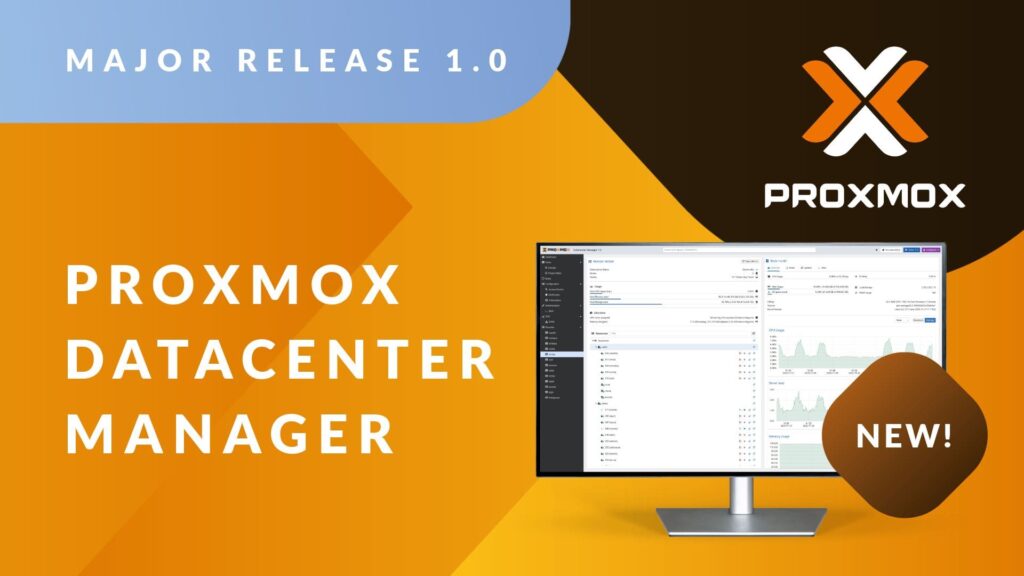
The Proxmox ecosystem has just gained a piece that many in the industry have been asking for: Proxmox Datacenter Manager 1.0, the first stable release of a centralized console to manage multiple Proxmox VE and Proxmox Backup Server environments across different data centers.
For system administrators, MSPs and hosting providers already running Proxmox — including Stackscale customers with dedicated clusters in high-availability data centers — this tool effectively becomes a new “mission control” for operating Proxmox at scale.
Against a backdrop of licensing changes in VMware and growing interest in open, predictable alternatives, Proxmox Datacenter Manager (PDM) strengthens Proxmox’s position as a serious option for enterprise, cloud and hosting environments that need multi-cluster operations without giving up control of their own infrastructure.
A true single pane of glass for Proxmox VE and Proxmox Backup Server
Proxmox Datacenter Manager is designed to solve a very specific problem: how to get a unified view and operational control over many independent Proxmox environments, without turning daily work into a maze of tabs and SSH sessions.
From a single console, admins can:
- Register multiple remotes: Proxmox VE clusters, standalone nodes and Proxmox Backup Server instances.
- View global health: CPU, RAM, storage, capacity, alerts and recent tasks.
- Navigate VMs, containers, storage and backup datastores without jumping between UIs.
The tool is not meant to replace the classic Proxmox VE interface, which remains the place for fine-grained configuration of each cluster. Instead, PDM sits on top as a governance layer: the place to see the whole estate, take capacity decisions and coordinate operations across a distributed Proxmox fleet.
Technically, Proxmox Datacenter Manager 1.0 is built on Debian 13.2 “Trixie”, Linux kernel 6.17 and ZFS 2.3. It’s written end-to-end in Rust (backend, CLI and a new web UI framework based on Yew), with a clear focus on performance, security and long-term maintainability.
Key capabilities for hosting and private cloud environments
1. Global inventory and aggregated metrics
The first obvious win for a provider is having a single, always-up-to-date inventory:
- Lists of VMs, containers, nodes, storage and backups across all remotes.
- A global dashboard of CPU, RAM, disk I/O and capacity usage.
- Local caching of data, so you still retain a “last known good” view even if a remote becomes temporarily unreachable.
For a hoster or MSP running dozens of Proxmox nodes across multiple DCs, this consolidated view answers questions that used to require logging into each cluster separately: where resource pressure is highest, which clusters are nearing limits, or which site is the best candidate for new workloads.
2. Multi-cluster management and live migration between clusters
One of the most striking features in Proxmox Datacenter Manager 1.0 is the ability to orchestrate live migrations of virtual machines between independent clusters — without bringing services down.
This opens interesting scenarios for providers and integrators:
- Rebalancing workloads between clusters when one becomes saturated.
- Draining clusters to perform maintenance or hardware refreshes.
- Building higher-level availability strategies between data centers, moving critical services between sites as needed.
On a typical Stackscale setup, a customer might have several dedicated Proxmox clusters — production, pre-production, test, or clusters specialized for databases or AI — spread across different racks or data centers. With PDM, moving a workload from one environment to another stops being a manual project and becomes an operation you can drive from the central console.
3. Basic lifecycle operations for VMs and containers from one place
While deep configuration still happens in each cluster, Proxmox Datacenter Manager lets you perform day-to-day operations across resources:
- Start, stop and reboot VMs and containers on any remote.
- Inspect tasks and logs from a unified panel.
- View and manage storage resources attached to each remote.
For operations teams, this means fewer “clickops” hops between interfaces and more capacity to standardize procedures on top of a single tool. In multi-tenant environments, it also simplifies giving different teams (NOC, L1 support, advanced operations) different levels of control over the same underlying platform.
4. Advanced search and role- or tenant-specific views
PDM’s search uses a syntax inspired by tools like Elasticsearch or GitHub’s advanced filters. It lets you filter by resource type, state, tags or remote — essential when dealing with hundreds or thousands of guests.
On top of that, the tool introduces views:
- Custom dashboards by remotes, tags, project, internal customer or tenant.
- Binding those views to specific roles, so a team only sees the resources it should manage.
For hosters offering dedicated Proxmox platforms to multiple clients or business units, this makes it much easier to create tailored observability panels without exposing the full infrastructure behind them.
5. Proxmox Backup Server and SDN (EVPN) integration
On the data protection front, PDM 1.0 integrates natively with Proxmox Backup Server:
- Global visibility of datastores, namespaces and backup snapshots.
- Usage and performance metrics for backups across all sites.
That’s critical for multi-DC disaster recovery strategies or for regulated industries that must prove backup status from a central vantage point.
On the networking side, the initial release includes SDN capabilities based on EVPN, allowing admins to define zones and VNets across remotes from a single interface. For providers deploying L2/L3 overlays between data centers, this unified control reduces configuration drift and makes life easier for networking teams.
6. Security, authentication and access governance
Proxmox Datacenter Manager supports LDAP, Active Directory and OpenID Connect for authentication, plus tokens and 2FA. On top of that, it implements a fine-grained role-based access control (RBAC) model that allows you to:
- Grant visibility without direct node access.
- Segregate duties across teams (operations, security, development, NOC, etc.).
- Tune permissions by view, project or internal client.
For MSPs and hosters that must prove compliance, the combination of scoped views, centralized task logs and granular RBAC makes it easier to apply least-privilege principles without sacrificing operational agility.
7. Centralized update status and remote shell access
Another long-standing pain point for admins is knowing, at a glance, which nodes are out of date or missing patches. PDM includes an update panel that shows repository status and pending packages across all connected Proxmox VE and Proxmox Backup Server instances, combined with remote shell access directly from the UI.
That makes it possible to:
- Detect nodes that have fallen behind your patch policy.
- Plan and trigger updates more systematically.
- Reduce the number of separate SSH sessions into individual nodes.
At scale, this kind of visibility directly shrinks your attack surface and lowers security risk from forgotten or inconsistent patching.
Stackscale’s view: professionalizing Proxmox without losing sovereignty
Stackscale (Grupo Aire) has been betting on Proxmox for years as a backbone for its private cloud and dedicated cluster solutions. For the company, Proxmox Datacenter Manager is a strategic piece.
“We’ve seen for a long time how our customers were building their own ‘mini-vCenters’ on top of Proxmox using scripts, home-grown dashboards or generic monitoring tools,” explains David Carrero, co-founder of Stackscale. “PDM 1.0 captures many of those real-world needs and turns them into a supported solution that aligns with the Proxmox ecosystem and, most importantly, remains open source.”
According to Carrero, the impact for hosters and infrastructure providers is twofold:
“On the one hand, it makes it much easier to operate multi-cluster, multi-DC Proxmox platforms with the level of visibility and governance you expect in enterprise environments. On the other, it reinforces the message that you can build a serious alternative to VMware while keeping sovereignty over your infrastructure and avoiding unpredictable licensing models.”
In practice, Stackscale is already seeing clear use cases:
- Consolidating Proxmox estates after migrations away from VMware.
- Managing dedicated Proxmox clusters for multiple customers or business units.
- Operating hybrid architectures combining on-prem Proxmox clusters at customer sites with more powerful clusters hosted in Stackscale data centers.
“For many system administrators, Proxmox Datacenter Manager is going to be the missing piece that lets them move from ‘a bunch of clusters’ to a real platform strategy,” Carrero sums up.
Deployment and support considerations
Proxmox Datacenter Manager 1.0 is available as an ISO image for bare-metal installation or on top of an existing Debian installation, and it’s distributed as free software under the GNU AGPLv3 license.
In production environments, organizations can use Proxmox subscriptions to gain access to enterprise repositories and official support.
For Stackscale customers, common patterns include:
- Deploying PDM as a dedicated VM (or bare-metal node) inside their own Proxmox platform at Stackscale.
- Integrating it with corporate directory services (LDAP/AD/OIDC) and existing security policies.
- Designing, together with Stackscale’s team, a structure of views, roles and permissions aligned with how their sysadmin, dev and business teams are organized.
As a first stable release, it’s sensible to start with a scoped pilot — for example, connecting a subset of non-critical clusters — and gradually expand until Proxmox Datacenter Manager becomes the central management plane for the entire Proxmox estate.
Quick FAQ for admins and hosters
How is Proxmox Datacenter Manager different from the usual Proxmox VE web UI?
The classic Proxmox VE interface focuses on one cluster at a time: its nodes, storage, VMs, containers and networking. Proxmox Datacenter Manager adds a layer above that: it’s built to view and operate multiple clusters and backup servers from one place, with aggregated metrics, advanced search, role-based views and multi-site awareness.
Is Proxmox Datacenter Manager a realistic vCenter alternative for providers?
In Proxmox-based environments, PDM covers many of the operational needs that vCenter traditionally solved in VMware: global inventory, workload mobility between clusters, access governance and centralized monitoring. It doesn’t aim to clone every vSphere feature, but for many hosting and private cloud use cases it’s the key piece that was missing to run Proxmox in a truly enterprise-grade way.
What benefits does Proxmox Datacenter Manager bring to a provider already offering dedicated Proxmox clusters?
Mainly, lower operational complexity and better observability. The tool lets you monitor every cluster’s health, spot bottlenecks early, coordinate live migrations between data centers, centralize logs and tasks, and apply more granular access policies. In short: it helps providers deliver more mature managed services, with faster response times and fewer human-error risks.
Is Proxmox Datacenter Manager suitable for multi-tenant environments with compliance requirements?
Yes. Thanks to its integration with LDAP/AD/OIDC, fine-grained RBAC and custom views, you can segment visibility by customer, project or internal team. That makes it easier to enforce separation of duties, auditing and least-privilege principles in regulated sectors, while still keeping the flexibility and openness that Proxmox is known for.