
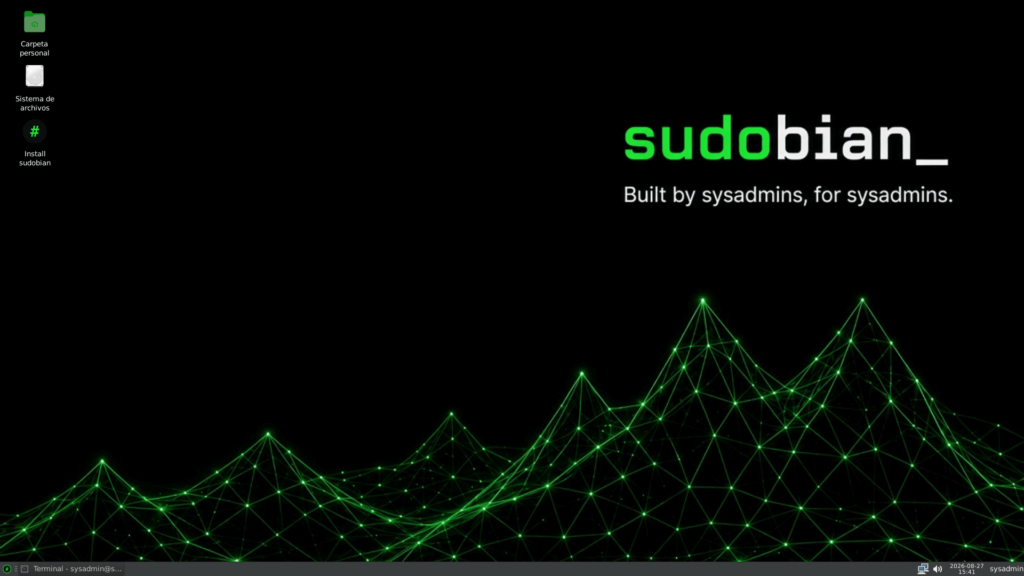
A systems administrator has created Sudobian, a new Linux distribution based on Debian 13 that brings together nearly 1,000 packages and many of the tools sysadmins typically install after deploying a new machine. Networking, monitoring, storage, backups, diagnostics and security tools come ready to use, while applications such as Docker, Kubernetes, VSCodium and databases can be selected during installation.
Sudobian in 30 seconds
- Sudobian 1.0, codenamed Tandil, is based on Debian 13 Trixie and is available for amd64 systems.
- It includes XFCE, the Calamares graphical installer and around 1,000 packages aimed at system administration.
- Nmap, Wireshark, BorgBackup, Restic, Fail2ban, Lynis, ZFS and many other tools come preinstalled.
- Docker, Kubernetes, OpenTofu, AWS CLI, PostgreSQL and MariaDB are optional.
- Live mode starts with incoming connections blocked, SSH disabled and a different password generated on every boot.
Its creator, Diego Perez, explains that the idea came from a familiar problem. After years working as a systems administrator, every new machine required repeating much of the same preparation: installing diagnostic tools, networking utilities, monitoring software, remote access clients, backup systems and security components.
Sudobian attempts to turn that repetitive setup into a reusable distribution.
It is not intended to replace Debian technologically or create an entirely different operating system. The project states that it keeps Debian 13 Trixie as its unmodified base, concentrating its changes on software selection, configuration, security, desktop customisation and installation.
From Nmap to Restic: a toolbox ready for work
The software list makes Sudobian’s intended audience immediately clear.
For networking, it includes familiar tools such as Nmap, tcpdump, tshark, mtr, iperf3, socat, arp-scan, ethtool, WireGuard and mosh. NetworkManager and the required firmware provide Wi-Fi connectivity.
Monitoring tools include htop, atop, Glances, sysstat, iotop, iftop, lsof, strace, vnstat and multitail.
The storage section brings together GParted, LVM2, mdadm, smartmontools, nvme-cli and utilities for XFS, Btrfs and ZFS. TestDisk and ddrescue are also included for recovery scenarios.
For backups, the distribution provides BorgBackup, Restic, rsnapshot, rsync and rclone, while its security toolkit includes Fail2ban, Lynis, rkhunter, chkrootkit, AppArmor, auditd and unattended upgrades.
Sudobian also ships with Remmina and its RDP, VNC and SSH plugins, along with hardware information and diagnostic utilities such as inxi, lshw, dmidecode, lm-sensors, pciutils and usbutils.
The project disables packages automatically recommended by APT. According to its documentation, this provides tighter control over what goes into the image and limits installation to components explicitly listed by the project.
The resulting ISO is approximately 1 GB, according to the information published by Sudobian.
XFCE 4.20.1 has been selected as the desktop environment. Sudobian customises the standard configuration with a single bottom panel, Whisker Menu and a dark theme by default.
It also adds a sysinfo command that brings together information about networking, storage, memory, system load and services, providing administrators with a quick overview of the machine.
Docker and Kubernetes only when the administrator needs them
One of the more interesting ideas appears during installation.
Including every possible DevOps tool in the ISO would increase its size and leave numerous components installed on systems that may never use them. Sudobian takes a different approach: Calamares includes a screen where users can select additional software.
Available options include Docker, Kubernetes, Helm, OpenTofu, VSCodium, AWS CLI and Azure CLI.
Browsers such as Brave, LibreWolf and Firefox can also be installed, alongside LibreOffice, FileZilla and several server-side components.
The latter group includes Apache, PHP, MariaDB and PostgreSQL.
None of these options is selected by default. If the user does not choose anything, Sudobian does not install them.
When a package is not directly available from Debian’s repositories, the project uses extrepo, a Debian tool that provides curated definitions for external repositories. If the machine has no Internet connection during installation, this optional software stage is skipped and the operating system continues installing.
This separation means the same distribution can serve as an administration workstation, a DevOps environment, a rescue system or a starting point for other scenarios without forcing Kubernetes or Docker onto every machine.
Sudobian can also be tested without modifying the computer’s storage. Its hybrid ISO can boot from a USB drive on both BIOS and UEFI systems, after which the operating system can be installed using Calamares.
The installer supports guided and manual partitioning, LVM and disk encryption. It can also detect other operating systems and add them to the boot menu.
Live mode pays particular attention to remote access
Security in the live environment is another area its creator has chosen to differentiate.
Distributions aimed at recovery or system administration may be booted from USB on computers connected to corporate networks. An overly permissive default configuration could unnecessarily increase exposure.
Sudobian starts with a firewall that allows outgoing connections while blocking incoming traffic by default.
The SSH server is also disabled when a live session starts. Administrators who need remote access must explicitly enable it with sudobian-enable-ssh.
There is also a different password for the sysadmin user on every boot. It can be retrieved using sysinfo.
The behaviour changes once Sudobian is installed on disk. SSH is then available using the credentials defined by the user during installation.
The project also says it has removed firmware that falls outside its intended use profile, including components for certain data centre SmartNICs, Tesla GPUs, mobile SoCs and Raspberry Pi hardware, while retaining networking and Wi-Fi firmware.
The non-free-firmware repositories are enabled by default and automatic updates are configured.
Sudobian is currently at version 1.0, codenamed Tandil, and its ISO is available only for the amd64 architecture. Its creator already lists USB persistence among the planned additions, which would allow changes made during a live session to survive a reboot.
Alternative profiles focused on networking and security, as well as DevOps, are also planned.
As with any new distribution maintained by a small project, deploying it in critical environments requires evaluating more than its package selection. Long-term maintenance, update speed, ISO supply-chain security and the project’s ability to respond to vulnerabilities all matter. Sudobian’s advantage is that Debian 13 remains its foundation and many of its components come directly from Debian repositories.
Its proposition is much simpler: save administrators the hours normally spent turning a generic Debian installation into their own system administration toolbox. Instead of repeating that process machine by machine, Diego Perez has turned his setup into a distribution and made it available for other administrators to use.
Frequently Asked Questions
What is Sudobian Linux?
Sudobian is a Linux distribution for systems administrators and DevOps professionals based on Debian 13 Trixie. It adds administration tools, security defaults, XFCE and the Calamares installer on top of Debian.
What software comes preinstalled with Sudobian?
It includes tools such as Nmap, tcpdump, htop, Glances, GParted, ZFS, BorgBackup, Restic, Fail2ban, Lynis, Remmina and numerous utilities for diagnostics, storage and system recovery.
Does Sudobian include Docker and Kubernetes?
They are not installed by default. The installer offers them as optional applications alongside Helm, OpenTofu, VSCodium, AWS CLI, Azure CLI, server software and databases.
Can Sudobian be tested without installing it?
Yes. The ISO provides a live environment that can be booted from USB. In live mode, incoming connections are blocked by default, SSH starts disabled and a different password is generated on every boot.