
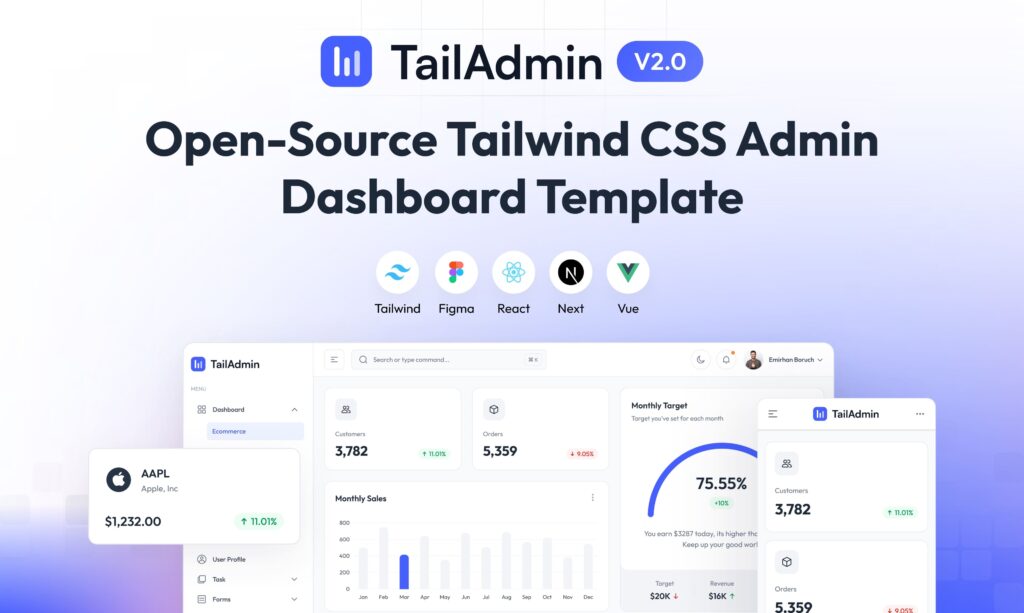
Spinning up a modern admin panel is usually as necessary as it is uninspiring. Lists, forms, charts, authentication, user management… almost every web project ends up needing something like this, but starting from scratch means investing many hours in layout and basic components before even touching business logic. That’s exactly the gap where TailAdmin Next.js fits in: a free, open-source dashboard template based on Next.js and Tailwind CSS that is becoming a go-to choice for back-ends, control panels and internal tools.
The template, available in a public repository, is already adapted to the latest versions of the React ecosystem: Next.js 16.x, React 19, TypeScript and Tailwind CSS v4. Its goal is to minimise repetitive work and provide a solid foundation so teams can focus on what truly sets their product apart: business logic and user experience.
A complete dashboard ready to customise
TailAdmin Next.js is not just a basic starter kit, but a fairly complete admin panel that includes out of the box:
- A sophisticated, accessible sidebar, with collapse behaviour and navigation designed for complex applications.
- Tables and charts (line and bar) with integration of modern visualisation libraries.
- Data components and cards for metrics, listings and summaries.
- Profile pages, a custom 404 page and “overview”-style sections ready to adapt.
- Authentication forms and input elements (inputs, selectors, multiselect, etc.).
- Common UI elements: alerts, dropdown menus, modals, buttons, and more.
- And, as is almost mandatory now, dark mode built in.
Everything is built with React components and styled with Tailwind CSS, so developers can change colours, typography or layouts without fighting legacy CSS. The idea is that, in just a few hours, the panel already looks and feels like the project’s own brand.
Modern stack: Next.js 16, React 19 and Tailwind CSS v4
One of TailAdmin’s strengths is its commitment to a very up-to-date stack:
- Next.js 16.x enables features like the App Router, server-side rendering (SSR), static site generation (SSG) and built-in API Routes.
- React 19 brings performance improvements and support for new component patterns.
- TypeScript is used across the project, which helps team collaboration and reduces bugs.
- Tailwind CSS v4 improves performance, simplifies class usage and reduces generated CSS.
In its latest versions, the project has incorporated these advances through a series of important updates: migration to Next.js 16, a redesigned interface, adoption of the new routing system and server components, and a style refresh to align with Tailwind v4. It has also addressed security issues and dependency problems, including adjustments related to CVE-2025-29927, reinforcing the sense of a living, actively maintained project.
Free vs Pro: what changes?
TailAdmin is offered in two flavours: a free version, which is more than enough for many use cases, and a Pro version aimed at more demanding or commercial projects.
Free edition:
- 1 ready-to-use dashboard.
- Over 30 dashboard components.
- Over 50 reusable UI elements.
- Basic Figma design files.
- Community support (issues, discussions, etc.).
Pro edition:
- 7 different dashboards (Analytics, Ecommerce, Marketing, CRM, SaaS, Stocks, Logistics, with more on the way).
- Over 500 components and UI elements.
- Full Figma design file with all screens.
- Email support for teams that need fast responses.
For personal projects, prototypes or small internal tools, the free version is usually enough. For commercial products, complex SaaS platforms or panels that will grow significantly over time, the Pro version offers more ready-made patterns and shortens development even further.
Installation: minimal requirements, quick start
The setup flow is designed for any developer familiar with the JavaScript ecosystem:
- Prerequisites
Install Node.js 18.x or higher, with 20.x or later recommended for best compatibility. - Clone the repository
Clone the project with the usual Git command. On Windows, the authors suggest placing the folder near the root of the drive to avoid excessively long paths. - Install dependencies
Runnpm installoryarn install. If there are peer dependency conflicts, the documentation suggests using the--legacy-peer-depsflag. - Start the development server
Withnpm run devoryarn dev, the panel is available locally and ready for you to start editing pages, components and styles.
In just a few steps you get a working admin panel, and all that’s left is to adapt data models, endpoints and business logic.
A multi-framework project: HTML, React and Vue
Although this repository focuses on the Next.js version, TailAdmin also maintains variants in plain HTML, React and Vue.js, aimed at teams that don’t yet use Next or that prefer to plug the UI into existing architectures.
This means the same visual language and component philosophy can be applied across different stacks, which is particularly useful for companies with multiple products or hybrid teams.
Frequent updates and MIT licence
Another key point is the release cadence. Over the last year and a half there have been several versions with:
- Fixes for build and rendering issues.
- Refactoring of complex components like the sidebar and menu handling.
- New utilities such as “click outside” components for dropdowns or additional form elements.
- Improvements in accessibility, performance and layout consistency.
All of this under the MIT licence, one of the most permissive in the open-source world. This allows TailAdmin to be used in both personal and commercial projects, modified freely and integrated into proprietary solutions without licensing headaches.
Who gets the most value from TailAdmin?
Although any developer needing a control panel can benefit, there are some profiles that align especially well with this template:
- Startups and SaaS products that need to get their back-office running very quickly.
- Data teams that require dashboards for metrics and visualisations without reinventing the UI.
- Freelancers and agencies who reuse a base panel across multiple clients.
- Companies with many internal tools, where repeating the same interface over and over doesn’t make sense.
In all these scenarios, TailAdmin Next.js acts as an “accelerator” that dramatically reduces the time between the idea and a working panel.
Frequently asked questions about TailAdmin Next.js
What exactly is TailAdmin Next.js and what is it used for?
It is a free, open-source admin dashboard template based on Next.js, React, TypeScript and Tailwind CSS. It serves as a starting point for building dashboards, back-ends and control panels without having to design the interface and core components from scratch.
What’s the difference between the free and Pro versions of TailAdmin?
The free version includes a single dashboard, over 30 panel components, 50 UI elements and basic Figma files. The Pro version adds 7 different dashboards, more than 500 components, the full design file and email support, making it more suitable for complex or commercial projects.
Is TailAdmin a good choice for enterprise applications in production?
Yes, as long as the team reviews and adapts the template to its own security, performance and branding requirements. The modern stack (Next.js 16, React 19, Tailwind v4) and MIT licence make it suitable for enterprise environments, but like any base template, it needs customisation and solid development practices.
What skills does a developer need to get started with TailAdmin Next.js?
It’s recommended to have basic experience with React, some familiarity with Next.js and be comfortable working with Tailwind CSS. With those skills, cloning, installing and launching the panel is straightforward, and the project can be adapted within a few hours.
Sources:
Official TailAdmin Next.js repository and documentation included with the project.