
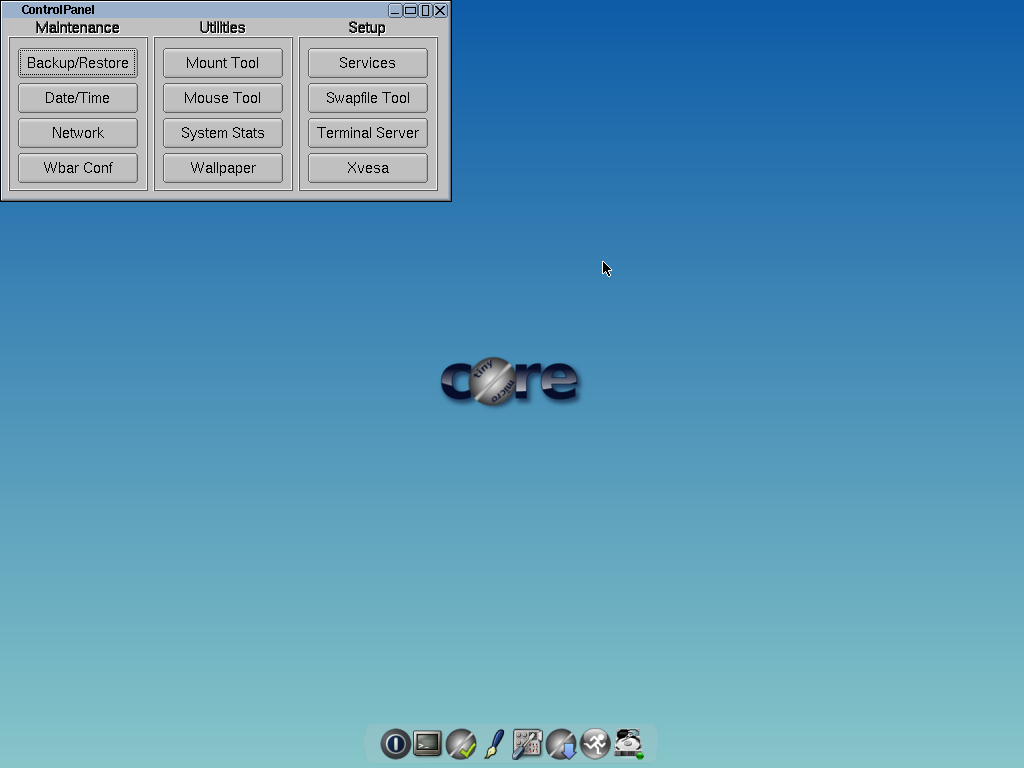
At a time when many Linux distributions easily exceed several gigabytes of download and demand tens of gigabytes on disk, Tiny Core Linux 16.2 is a blunt reminder of an uncomfortable truth: a functional Linux desktop can fit into about 23 MB. Not as an installer, but as a complete bootable system.
For end users it may look like a curiosity. For system administrators and technicians, it’s something else entirely: a very serious tool for scenarios where every megabyte matters, where boot needs to be almost instant, or where you want a truly minimal environment you fully control.
Philosophy: minimal “Core”, everything else as an extension
Tiny Core doesn’t try to compete with Ubuntu, Fedora or even “lightweight” distros like Linux Mint XFCE. Its approach is radically different:
- Ultra-minimal base:
- Recent Linux kernel (6.12 series in this branch).
- BusyBox as the basic utilities bundle.
- A tiny GUI stack based on FLTK/FLWM in the TinyCore edition.
- Anything non-essential is shipped as an extension (.tcz):
- Browsers, multimedia, extra drivers, advanced network tools, etc.
- They’re mounted from the project’s own repositories and not “baked” into the ISO.
That’s how the TinyCore 16.2 ISO (the GUI edition) stays around 23 MB, and the Core version (without graphical environment) drops down into just a few dozen megabytes.
For a sysadmin, the key idea is:
Tiny Core is not “a small distro”, it’s a minimal framework for you to build exactly the system you want.
Architecture built for RAM, frugal installs and ephemeral environments
Tiny Core is designed to live in RAM and/or in “frugal” installs:
- The base system is loaded into memory at boot.
- Extensions can be:
- Mounted from persistent storage.
- Copied into RAM for maximum speed.
- Installed persistently if the use case requires it.
This opens up several interesting possibilities for admins:
- Ultra-fast live system for rescue tasks (boot, do the job, power off and leave no trace).
- Ephemeral environments for testing, where every boot gives you a clean system.
- Embedded or appliance-style systems where you want deterministic behavior and a minimal footprint.
On top of that, the project keeps up with modern kernels, which makes it easier to run on relatively recent hardware without resorting to prehistoric kernel versions.
Comparison with other lightweight distros
As a tech person you probably already have alternatives like SliTaz or Slax on your radar. The difference with Tiny Core is the mental model:
- SliTaz / Slax
- Aim to provide something “small but fairly complete” from the first boot.
- Usually include a browser, more utilities and a somewhat friendlier default setup.
- Tiny Core Linux
- Starts from a deliberately incomplete system.
- Expects you to decide what to add: SSH server, networking tools, browser, etc.
- Think of it more as “build your own mini distro” than “use a prepackaged lightweight distro”.
If what you want is a fast, reproducible rescue tool, scriptable and ready to integrate into your workflow, Tiny Core fits better than the more “preconfigured” alternatives.

Interesting use cases for system administrators
Some scenarios where Tiny Core Linux 16.2 makes a lot of sense for technical profiles:
1. Extremely small, extremely fast rescue live system
- Boots from CD, USB or even from disk in frugal mode.
- Fits on virtually any USB stick.
- You can maintain multiple tuned variants:
- One with network tools (nmap, iperf, tcpdump, Wireshark if you want GUI).
- Another with storage tools (smartctl, hdparm, btrfs/xfs tools, etc.).
- Another focused on forensics, and so on.
All that without having to pull a 2 GB ISO just to launch four tools.
2. Thin clients and very limited workstations
In environments where:
- You have old hardware you don’t want to scrap.
- You only need a very light RDP/SSH/VNC/Browser client.
Tiny Core lets you:
- Boot in seconds.
- Load only the remote client, a browser, or whatever specific tool you need.
- Minimize attack surface and maintenance overhead.
3. Appliances, homebrew routers and embedded systems
If you’re building small Linux appliances (specific monitoring, gateways, control systems, etc.), Tiny Core lets you:
- Boot from relatively small storage.
- Run almost everything in RAM to avoid flash wear.
- Keep a very tight package list that’s easy to version and audit.
4. Lab, testing and training environments
For workshops, classes or learning environments:
- Identical images you can version in Git (extension list + config).
- Clean boots in every session.
- A great excuse for people to learn how the system really works: fstab, networking, X, etc.
What Tiny Core is NOT (and it’s worth being clear)
Before you drop it into production anywhere, it’s worth stating the obvious:
- It’s not beginner-friendly:
- It assumes you’re comfortable with the command line.
- Setting it up feels more like building a minimal Gentoo/Arch than like clicking “next, next, finish”.
- It doesn’t aim to support all hardware out of the box:
- Its philosophy is “basic support + you add what you need”.
- For modern laptops with tricky Wi-Fi, hybrid graphics and so on, you may prefer something more conventional.
- It’s not a 1:1 replacement for everyone’s daily desktop:
- It can be if you invest the effort, but that’s not its goal.
- It’s a tool, not a generic end-user solution.
How to fit it into your toolbox
If you’re an admin or a technician, Tiny Core Linux 16.2 can play roles like:
- A SystemRescue-style mini-rescue system, but built your way.
- A PXE base: an ultra-small initramfs that then pulls extensions over the network.
- A lab OS to practice services and configurations from scratch.
- An ephemeral environment to run diagnostic scripts on problematic machines.
A typical workflow might look like this:
- Try TinyCore in a VM to understand its extension and persistence model.
- Define a minimal package set for each use case.
- Automate image builds (or post-boot scripts) to keep them versioned.
- Deploy it in your real environment: USB, PXE, frugal disk installs, etc.
Conclusion
Tiny Core Linux 16.2 won’t fix Windows 11’s bloat, nor will it replace your main server distro. But for a system administrator or technician, it remains one of the cleanest, fastest and most controllable ways to spin up a full Linux environment with a ridiculous footprint.
If your daily life is about wrestling with heavy systems, layers of abstraction and services that start “just because”, having a tool like Tiny Core at hand is almost therapeutic: it takes you back to a model where you decide exactly what boots, what gets installed and what is running at any given moment. And for many of us, that’s still the essence of system administration.