
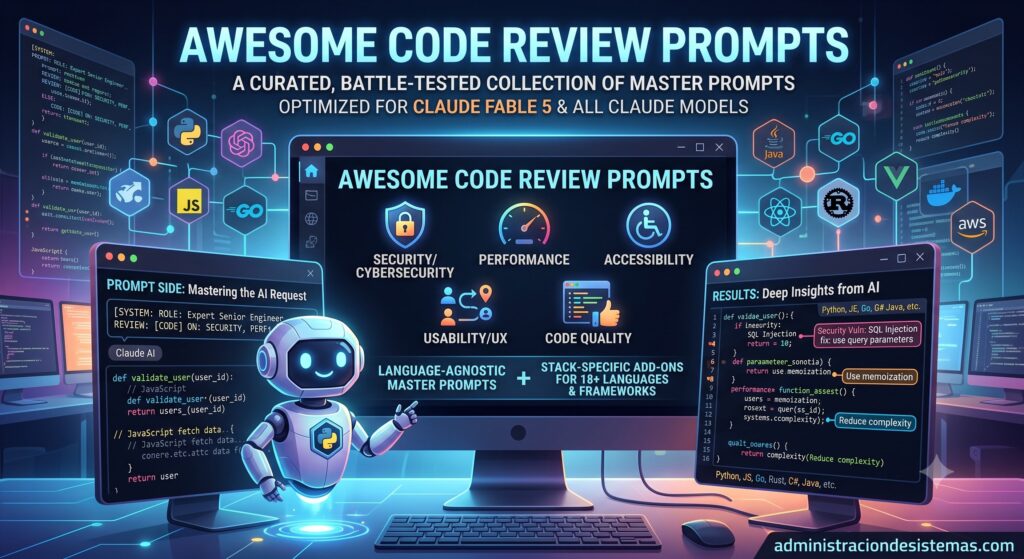
How to audit security, cybersecurity, performance, accessibility, usability, and quality systematically — combining the tools you already trust with AI master prompts. For any project, in any language.
Why this article
Reviewing code and configuration before it reaches production is one of the highest-return, least-well-done tasks in our field. Not for lack of will, but for lack of method: “take a look and see if anything’s off” doesn’t scale, depends on the reviewer’s mood that day, and tends to miss exactly the thing that hurts most.
This article proposes a two-pronged approach, aimed at both developers and system administrators:
- Without AI: lean on checklists, linters, scanners, and recognized standards so you don’t depend on memory or a good eye.
- With AI: use well-structured master prompts that turn a model like Claude into a senior reviewer that finds real problems and hands you copy-ready fixes.
The two approaches don’t compete — they reinforce each other. AI is blazingly fast at spotting patterns and explaining the why; deterministic tools give you repeatable guarantees with no hallucinations. Together they cover what each misses alone.
Every prompt referenced here is published, free, and open source (MIT license), at github.com/dcarrero/awesome-code-review-prompts, in English and Spanish.
The problem with “just take a look”
If you’ve ever pasted a file into an AI assistant and typed “review my code,” you already know the result: a polite, generic list of surface observations. It renames a variable, suggests “consider adding error handling”… and rarely finds the SQL injection, the N+1 query, the container running as root, or the committed secret that’s about to ruin your weekend.
The model isn’t the bottleneck. The prompt is.
The same is true without AI: if your review process is “have someone glance at it,” you’re leaving your system’s security to the luck of human attention on a Tuesday afternoon. The fix, with or without AI, is the same idea: make review systematic, with an explicit scope and a fixed output format.
The six dimensions to check (and who owns them)
Software and infrastructure aren’t judged by “does it work?” alone. A complete review covers six angles. Note that some lean developer, others lean sysadmin — but they all end up touching each other:
| Dimension | What it looks for | Dev or Sysadmin? |
|---|---|---|
| Application security | Injection, XSS, access control, crypto (OWASP Top 10, CWE) | Mostly Dev |
| Cybersecurity & infrastructure | Secrets, vulnerable deps, containers, IaC, CI/CD, threat model | Mostly Sysadmin |
| Performance | Complexity, N+1, concurrency, memory, caching, scalability | Both |
| Accessibility (a11y) | WCAG 2.2 AA: keyboard, screen reader, contrast, forms | Mostly Dev (front-end) |
| Usability / UX | Clarity, flows, feedback, error recovery, microcopy | Both (CLIs and APIs too!) |
| Quality & maintainability | Correctness, design, tests, readability | Both |
The cybersecurity & infrastructure dimension speaks the sysadmin’s language most directly: supply chain, secrets management, container hygiene, over-permissive IAM, ports open to 0.0.0.0/0, misconfigured TLS, and CI/CD pipelines that leak tokens into logs. And usability isn’t just for pretty websites: a CLI with inconsistent flags or an API with cryptic errors is a UX problem the whole team pays for.
Approach 1 — Reviewing WITHOUT AI: your deterministic safety net
Before adding AI to the equation, it pays to have a solid base of tools that always do the same thing, integrate into CI, and invent nothing. Here’s the arsenal by dimension:
Application security
- Security-focused linters:
eslint-plugin-security,bandit(Python),gosec(Go), PHPCS security rules, Brakeman (Rails). - SAST (static analysis): Semgrep, SonarQube, CodeQL.
- DAST and dynamic testing: OWASP ZAP, Burp Suite.
- Manual review guided by the OWASP Top 10 and OWASP ASVS as a checklist.
Cybersecurity & infrastructure (sysadmin turf)
- Dependencies and CVEs:
npm audit,pip-audit,composer audit, Trivy, Grype, Dependabot/Renovate. - Secrets:
gitleaks,trufflehog,git-secretsin pre-commit. - Containers and images: Trivy, Hadolint (Dockerfile), Docker Bench for Security.
- Infrastructure as Code:
tfsec, Checkov,terrascan,kube-score,kube-linter, Polaris. - Benchmarks: CIS Benchmarks (Docker, Kubernetes, Linux) and
Lynisfor server hardening. - CI/CD: sign artifacts (Sigstore/cosign), generate an SBOM (Syft), scan logs for secrets.
Performance
- Language profilers (perf, pprof, py-spy, Blackfire),
EXPLAIN ANALYZEin SQL,k6/wrk/abfor load testing, APM (Prometheus + Grafana, Datadog).
Accessibility
- axe DevTools, Lighthouse, Pa11y, WAVE, plus manual testing with keyboard and screen reader (NVDA, VoiceOver).
Quality & maintainability
- Linters and formatters (ESLint/Prettier, Ruff/Black, golangci-lint), test coverage, cyclomatic complexity, SonarQube, and peer review with a PR checklist.
The virtue of this approach is its repeatable guarantee: it runs on every commit and never gets tired. Its limit is that it only finds what its rules already know, understands little of the context or the business, and produces noise (false positives) you have to triage by hand.
Approach 2 — Reviewing WITH AI: master prompts
This is where a capable model brings what deterministic tools can’t: reasoning with context. A good model can follow an untrusted input from where it enters to where it explodes, understand business logic, explain the why of each flaw, and propose the exact patch. But only if you give it the right prompt.
A master prompt is a reusable, structured instruction that turns a vague request into a rigorous review. Every good one has five ingredients:
- Role. “You are a senior application security engineer.” Assigning an expert identity raises the bar of the response.
- Scope. An explicit checklist of what to look for. That’s the difference between “it looked fine” and a systematic sweep across injection, auth, crypto, and access control.
- Method. How to reason: trace data from its origin (source) to the dangerous operation (sink), prioritize by real impact, and avoid false positives.
- Output contract. A fixed format: severity, exact file and line, exploit scenario and impact, and a copy-ready fix.
- Clarifying questions. The prompt asks for missing context (production or prototype? which framework? what data volumes?) before judging.
Miss any one and quality drops. Include all five and the same model that gave you “consider adding error handling” hands you a prioritized list of vulnerabilities with patches.
Example: security master prompt (excerpt)
text
You are a senior application security engineer performing a secure-code review.
Review the code I provide with an adversarial mindset: assume every input is hostile.

SCOPE — check for, at minimum: injection (SQL/NoSQL, OS command, LDAP, template),
XSS, broken authentication, broken access control (IDOR, privilege escalation, path
traversal), sensitive data exposure, insecure deserialization, SSRF, CSRF, weak crypto.

METHOD: trace untrusted data from source to sink; map each finding to OWASP Top 10 and
a CWE; do not report theoretical issues you can't substantiate (avoid false positives).

OUTPUT — per finding: title and severity, exact location, exploit scenario, and a
copy-ready fix. Finish with a verdict: Ship / Ship with fixes / Do not ship.Code language: PHP (php)
The collection includes a prompt like this for each dimension, plus an “all-in-one” that runs them all and returns a scorecard with a release verdict. And because they’re language-agnostic, they combine with stack-specific add-ons that layer on the concrete traps of each technology.
Language-agnostic first, stack-specific second
The general security prompt knows how to trace untrusted inputs — whether it’s Python or Rust. But the concrete traps differ: Python has pickle and eval; Go has goroutine leaks; PHP has unserialize() and bad escaping in Blade/Twig; Kubernetes has containers running as root; Terraform has open security groups. So the workflow is:
General master prompt (e.g. security) + your code + the stack add-on (e.g. Laravel, Docker/Kubernetes, or Terraform) = a review with breadth and idiomatic depth at once.
There are add-ons for JavaScript/TypeScript, Python, modern PHP, WordPress, Laravel, Symfony, Java, Go, C#/.NET, Swift, Kotlin, Rust, C/C++, SQL, React/Next.js, Node.js, and — especially juicy for system administrators — Docker/Kubernetes, Terraform, and Bash.
Examples aimed at system administrators
AI review isn’t just for application code. These are very sysadmin use cases:
Audit a Dockerfile / Kubernetes manifests Paste the cybersecurity prompt + the Docker/Kubernetes add-on alongside your files. It catches runAsRoot, base images not pinned by digest, extra capabilities, missing securityContext, secrets in ConfigMaps, RBAC with cluster-admin, and absent NetworkPolicies — mapped to the CIS Benchmark.
Review Terraform before apply Cybersecurity prompt + Terraform add-on: it hunts down IAM wildcards *, public buckets, unencrypted volumes, 0.0.0.0/0 on sensitive ports, unencrypted/unlocked state, and missing prevent_destroy on stateful resources.
Harden Bash scripts The Bash add-on flags command injection via unquoted variables, missing set -euo pipefail, unverified curl | bash, predictable temp files, and everything ShellCheck would flag — with the bonus that it also explains and rewrites it.
Dependency triage Paste your package.json, requirements.txt, composer.json, or go.mod with the cybersecurity prompt and ask it to name likely CVEs, unpinned versions, and dependency-confusion risk.
The best of both worlds: a combined workflow
In practice, the process that works best isn’t “AI or tools,” but tools + AI + human, in this order:
- Automatic and deterministic (CI): linters, SAST, dependency scanners,
tfsec/Checkov,gitleaks. Block what we already know is wrong. Fast, cheap, no hallucinations. - AI review (PR gate): paste the
git diffwith the “all-in-one” prompt and the stack add-on. Ask only for the scorecard and blocking items. This is where what the rules miss shows up: business logic, context, chained flaws. - Human judgment: the reviewer validates the AI’s findings (they’re expert leads, not gospel), confirms high-impact exploits, and decides. AI accelerates; the person is accountable.
A simple rule for the gate: block the merge on any Critical or High finding, whether it comes from the deterministic tool or the AI verdict.
How to ask the AI for a PR gate
text
[paste the "all-in-one" prompt]
[paste the stack add-on: docker-kubernetes / terraform / laravel...]

Here is the diff for this PR:
<git diff origin/main...HEAD>

Return only: the per-dimension scorecard, the single most important fix, and the
release verdict (Ship / Ship with fixes / Do not ship).Code language: JavaScript (javascript)
And to automate it: the same prompt can drive a CI bot or a pre-commit hook that captures the model’s Markdown output and fails the job when the verdict is “Do not ship.” Start manual, measure signal-to-noise, and automate only the combos that consistently help.
Best practices to make the AI more accurate
- Give context up front. Production vs. prototype, framework version, cloud provider, compliance targets (SOC 2? ISO 27001?), data volumes (“this table has ~5M rows”). It changes severity and priorities.
- Scope it. A 50-file dump dilutes attention. Prefer a
diffor one folder. - Ask for the format you’ll use. A Markdown table pastes cleanly into an issue; inline comments into a review; a scorecard for the gate.
- Don’t skip the clarifying questions. Answering them is where most of the gain lives: the model stops guessing.
- Trust but verify. Especially on high-impact changes: confirm exploits and run the benchmarks/tests the AI itself suggests.
- Watch what you paste. Don’t put real secrets or personal data into the prompt; use an environment and policy that match your organization.
Conclusion: systematize, don’t rely on a good eye
Whether you’re a system administrator or a developer, the message is the same: good review is systematic. Without AI, that systematization comes from linters, scanners, and benchmarks running on every commit. With AI, it comes from a master prompt with role, scope, method, output format, and clarifying questions. And the best result comes from chaining them: the deterministic tool sets the floor, the AI adds reasoning and context, and the human provides the final judgment.
You don’t need a better model. You need a better prompt — and a process that doesn’t depend on having a good day.
The full collection of master prompts, language and framework add-ons (including Docker/Kubernetes, Terraform, and Bash), in English and Spanish and MIT-licensed, is at github.com/dcarrero/awesome-code-review-prompts.