
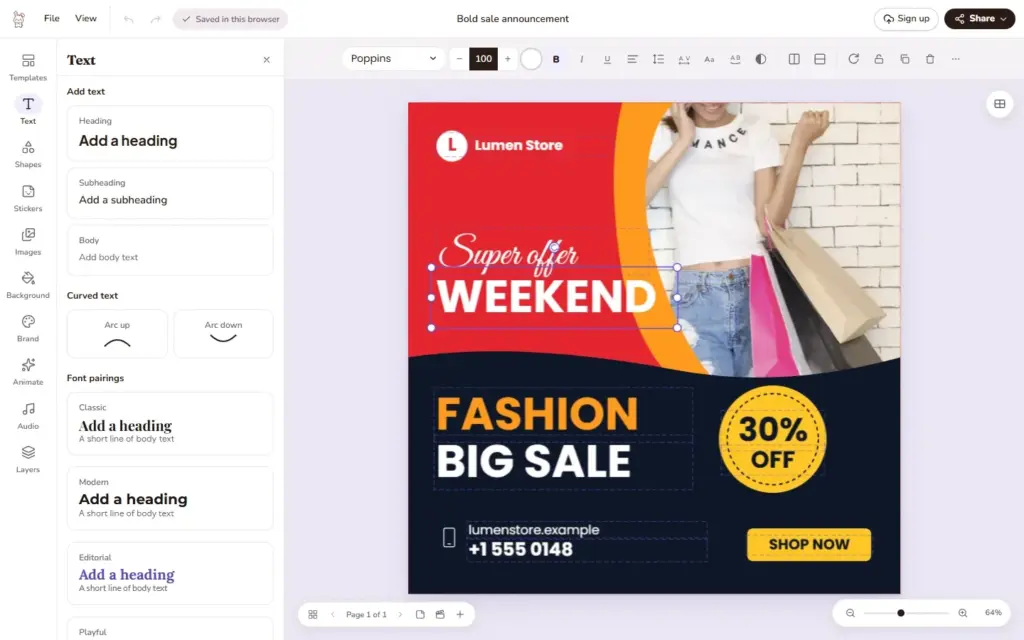
Doory is an open-source design editor that runs in the browser and pitches itself as an alternative to Canva: it creates posters, social posts, stories, slides, invitations, resumes, thumbnails and business cards, and exports them to PNG, JPG, SVG, PDF, MP4 or GIF. It has no paid plan, needs no account to get started and can be installed on your own server, with or without Docker.
Doory key facts in 30 seconds
- Browser-based design editor, free and with no paid features, built as a Canva alternative.
- Includes animation, real-time co-editing, brand kits and video export.
- Self-hosts with Docker Compose on Django and PostgreSQL.
- It is a young project and ships ten starter templates.
- Its licence requires showing the author’s credit in the running app.
The project, created by a developer who signs as Siam, had around 2,500 GitHub stars in early November 2026. Its README is candid about its maturity: the editor is complete, but the template library is small, with ten starter designs, and bug reports are welcome. For an organisation that wants to give its teams a design tool without relying on an external service or paying per-seat licences, it is worth evaluating.
What the editor includes
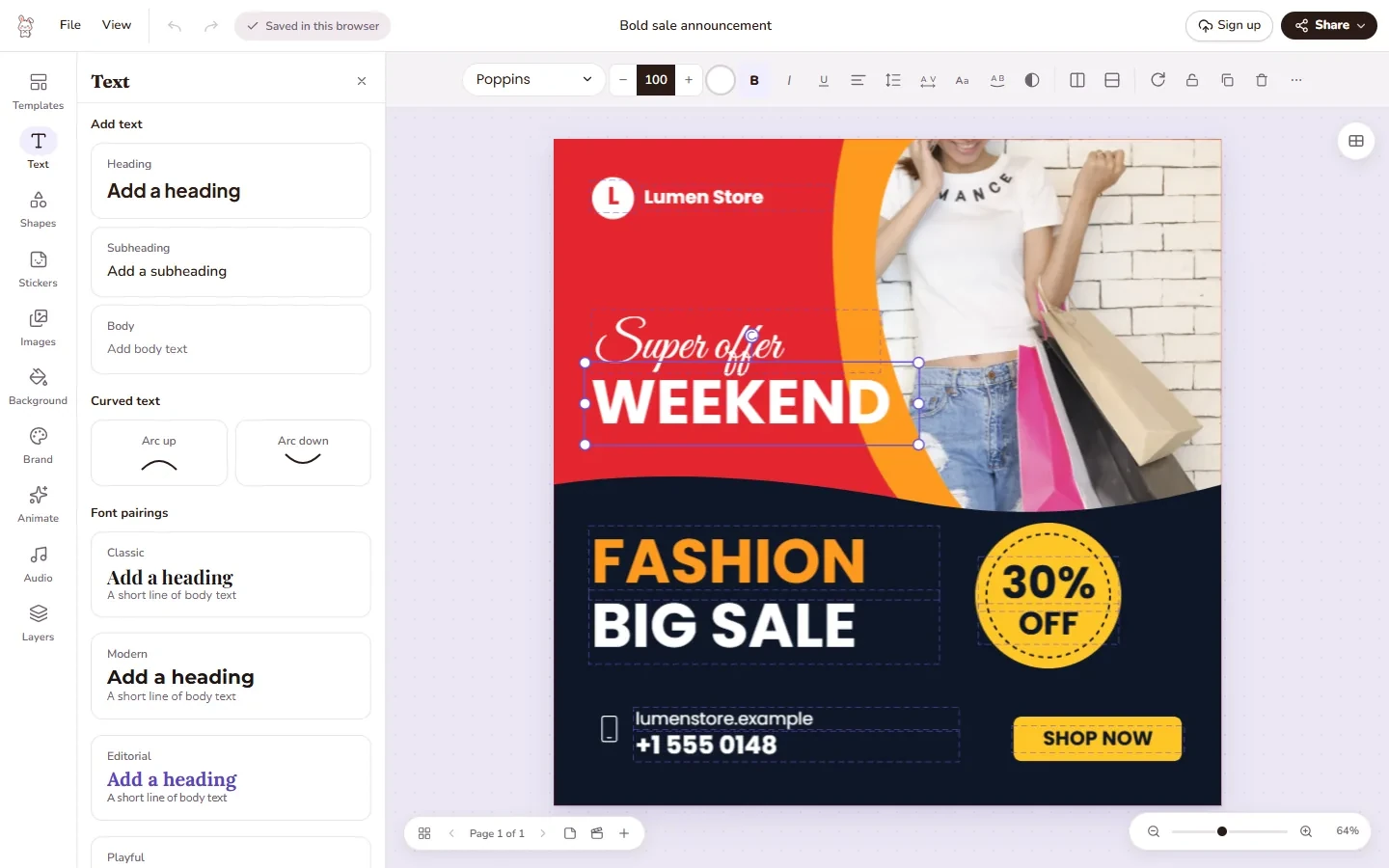
Tools sit in a side rail and the toolbar above the page changes with the selection. For text it offers headings, curved text, effects, font pairings, an open-licensed font catalogue and uploads of your own fonts. For elements, shapes, lines, arrows, around 27,500 icons, emoji, illustrations, stickers and QR codes. For photos it can crop, apply masks and filters, remove backgrounds directly in the browser, upscale two to four times and search stock libraries with an Unsplash or Pexels key.
There are also layers, groups, alignment guides, several pages per design with different sizes and resizing to another format. On the motion side it adds 27 enter and exit animations, 12 emphasis animations, 16 page transitions, 24 music loops and 88 CC0 sound effects, plus voiceover recording. It has a present mode with speaker notes, share links to view, comment or edit (with an optional password), version history, real-time co-editing and brand kits with colours, fonts and logos. Downloads are generated in the browser and print PDFs can include bleed and crop marks.
Installing it on your own server
The server is built with Django 5, Django REST Framework, Channels and PostgreSQL, and the client with React 19, TypeScript, Fabric.js and Yjs. A Docker Compose install requires two secrets in the environment file and creating the administrator by hand, since nothing creates one for you:
git clone https://github.com/shaongitbd/doory.git && cd doory
cp .env.example .env
# Edit .env: DJANGO_SECRET_KEY (openssl rand -base64 48) and POSTGRES_PASSWORD
docker compose up -d --build
docker compose exec api python manage.py createsuperuserCode language: PHP (php)
A new site starts empty, so the next step is loading the starter content (templates, fonts, icons and audio) as described in the repository docs. The same docs cover installing without Docker using nginx and systemd, every setting, upgrades, backups and optional extras: email, Google sign-in, single sign-on through OpenID Connect, S3-compatible storage and server-side export. Guest designs are stored in the browser; signed-in users’ designs live on the server running Doory.
MCP server and licence terms
Doory includes a Model Context Protocol (MCP) server at /mcp on your domain, so assistants such as Claude or Cursor can create and edit designs from natural-language instructions. It is off by default. Templates can also be filled by field from the REST API, with configurable rate limits, which is handy for generating assets in bulk.
The licence deserves attention before deploying it for others. Doory is released under the Attribution Assurance License: you may use, change and redistribute it, commercially too, but you must keep the licence and the NOTICE file and prominently display the author’s credit in the running app. It is an uncommon licence that GitHub does not detect automatically, so it is worth reading its terms carefully for corporate use.
Frequently asked questions
Is Doory free?
Yes. According to the project it has no paid plan, no locked features and no ads.
Do I need an account?
No. Guests can design straight away and their work is saved in the browser. With an account, designs are stored on the server and can be shared and use brand kits.
Can a business use it?
Yes, even commercially, as long as the licence and NOTICE file are kept and the author’s credit is shown in the app.
Which formats does it export?
PNG, JPG, SVG, PDF, MP4, WebM and GIF.
Sources: