
A growing number of Linux users are looking beyond Ubuntu for a desktop that feels closer to upstream GNOME, ships newer software and provides stronger security defaults. Fedora has become an increasingly attractive option for developers who want a more current Linux environment without giving up the usability that made Ubuntu popular.
The key points about Fedora and Ubuntu in 30 seconds
- Fedora uses Flatpak prominently and does not include Snap by default, while Ubuntu has made Snap an important part of its software ecosystem.
- Fedora generally moves newer versions of desktop software to users faster than Ubuntu’s more conservative release approach.
- Fedora ships a comparatively close-to-default GNOME desktop, while Ubuntu adds its own extensions and customizations.
- SELinux is enabled by default on Fedora, while Ubuntu relies on AppArmor for its default security framework.
- Ubuntu remains an easier starting point for many newcomers, particularly when software is distributed primarily as
.debpackages.
The choice between Fedora and Ubuntu is no longer simply a question of which distribution is easier to install. Both provide polished GNOME-based desktops and work well for development, but they make different trade-offs around software updates, package formats, desktop customization and security.
For developers, those differences can become noticeable over months of daily use. Fedora tends to favour newer software and a relatively clean GNOME experience, while Ubuntu puts more emphasis on compatibility, familiarity and a conservative approach to updates.
Fedora takes a different approach to packages
One of the biggest differences is the role of Snap.
Canonical developed Snap as a universal package format designed to bundle applications and their dependencies into portable packages. Ubuntu has incorporated Snap deeply into its ecosystem, making it a familiar part of the distribution for many users.
The criticism is not that Snap is inherently unsafe. The concern described by the source is more about control and architecture. The Snap Store is operated by Canonical, and Snap applications are designed around communication with Canonical’s infrastructure.
For users who prefer a more decentralized approach, Fedora’s reliance on Flatpak can be appealing.
Flatpak allows applications to be distributed independently rather than requiring a single centrally controlled store. Fedora can also run Snap applications, but users need to install the snapd daemon first.
For developers who already rely heavily on Flatpak or RPM packages, this difference may be barely noticeable. It becomes more relevant for users who specifically want to minimize their dependence on Canonical’s package infrastructure.
That does not make one format universally better. It reflects different priorities.
Fedora generally gets newer software sooner
Fedora’s release model tends to put newer software in users’ hands sooner than Ubuntu’s more conservative approach.
That can be an advantage for developers who want recent versions of compilers, desktop environments, libraries and development tools. It can also expose users to bugs earlier.
Ubuntu takes a more conservative approach, particularly in releases designed for longer-term stability. That can make it more attractive to people who prefer to wait until software has received additional testing.
The distinction becomes particularly relevant for desktop development workloads.
The source describes a situation involving Ubuntu 25.10 and Blender. A GNOME bug affected parts of the Blender workflow, leading the user to move back to Ubuntu 24.04 rather than continue with the newer release.
From that perspective, Fedora’s faster software cadence becomes an advantage when a bug fix is available upstream but has not yet reached an older distribution release.
That trade-off is familiar to Linux developers: newer packages can mean earlier access to fixes, but also earlier exposure to regressions.
Neither approach is universally correct. It depends on whether the priority is getting the newest software quickly or reducing the chances that an update disrupts an established workflow.
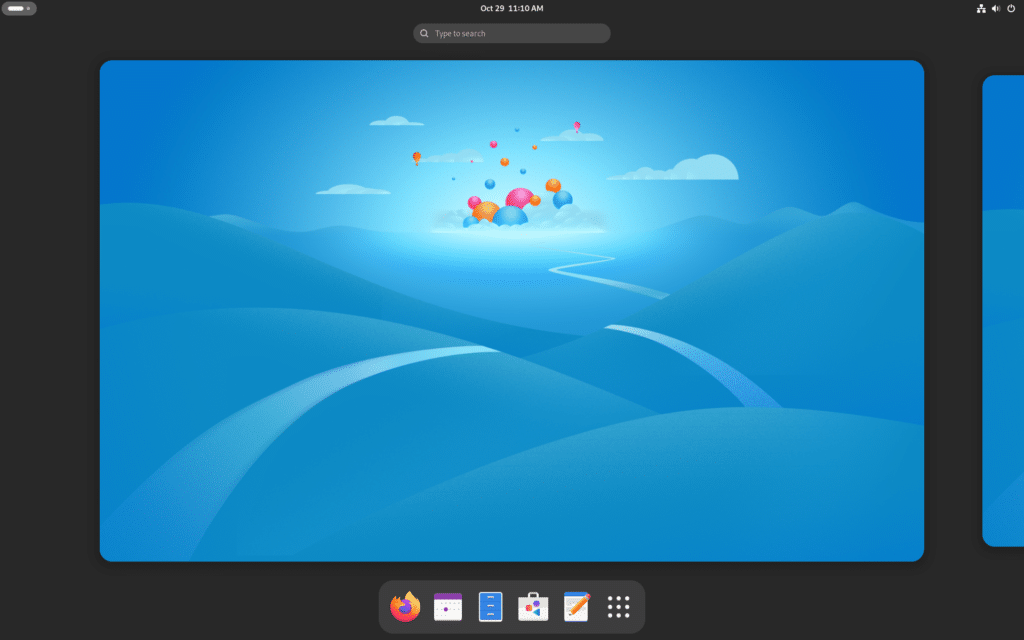
Fedora keeps GNOME closer to upstream
Both distributions use GNOME as their default desktop environment, but they present it differently.
Ubuntu ships a heavily customized GNOME experience with extensions and desktop changes. Some of those modifications are useful, particularly Ubuntu’s dock, but they mean the default Ubuntu desktop differs substantially from upstream GNOME.
Fedora stays much closer to the standard GNOME experience.
That makes Fedora attractive to users who want a relatively clean desktop immediately after installation. It also means there are fewer distribution-specific changes to learn when following documentation written for GNOME itself.
Ubuntu users who prefer the Fedora approach can reproduce much of it by disabling or changing extensions. Fedora users can likewise make the desktop look more like Ubuntu.
The important point is that Linux allows both approaches.
The ability to customize the desktop remains one of the strengths of both distributions. Fedora simply starts from a less customized GNOME configuration.
Security is another difference
Both Fedora and Ubuntu provide strong security capabilities by default, but they use different technologies.
Fedora enables SELinux by default. SELinux, or Security-Enhanced Linux, provides mandatory access controls that can restrict what processes are allowed to do even when those processes have otherwise significant permissions.
Ubuntu uses AppArmor as its default application security framework.
The source argues that Fedora has a stronger security posture out of the box because of its default SELinux configuration. That should not be interpreted as meaning Ubuntu is insecure. Both distributions have mature security systems and receive security updates.
The distinction is mainly about their default security architecture and the controls available to applications and services.
There is also no Linux distribution that eliminates security risks. Developers still need to keep packages updated, review permissions and understand the software they install.
Ubuntu remains a strong choice for developers
Moving to Fedora does not make Ubuntu a bad distribution.
Ubuntu remains one of the most widely used desktop Linux distributions and is still a practical recommendation for people coming from Windows or macOS.
The .deb package ecosystem can also make Ubuntu easier in some situations. Software vendors frequently provide Debian or Ubuntu packages directly, and applications that are distributed only as .deb files can require additional work on Fedora.
The source gives Amazon WorkSpaces as an example of software available as a .deb package, although individual software vendors can change their distribution options over time.
Hardware support can also be more straightforward in Ubuntu in some cases. NVIDIA drivers, for example, may require a few additional steps on Fedora, while Ubuntu can make the process more automatic.
For someone who wants a system that works with minimal configuration, those details matter.
Fedora or Ubuntu for development?
The practical choice depends on what the developer values most.
| Feature | Fedora | Ubuntu |
|---|---|---|
| Default desktop | GNOME with fewer distribution customizations | Customized GNOME |
| Package ecosystem | RPM + Flatpak | DEB + Snap |
| Software cadence | Generally newer | More conservative |
| Default security framework | SELinux | AppArmor |
| NVIDIA setup | May require additional steps | Generally simpler |
| Beginner friendliness | High | Very high |
| Upstream GNOME experience | Closer | More customized |
For a developer who wants newer software, a relatively clean GNOME desktop and SELinux enabled by default, Fedora is an attractive option.
For someone who prioritizes broad vendor support, .deb packages and a more conservative update strategy, Ubuntu remains difficult to beat.
There is also little reason to treat the choice as permanent.
Linux distributions are not locked ecosystems. A developer can move from Ubuntu to Fedora, install the same desktop applications and continue using many of the same development concepts. The package manager changes, but the underlying workflow remains familiar.
Ubuntu uses apt, while Fedora uses dnf. Both distributions use GNOME by default, and most fundamental Linux concepts remain the same.
The real advantage is having a choice
The strongest argument for Linux may be that developers do not have to accept a single vendor’s definition of how a desktop should work.
Ubuntu, Fedora, Debian, Linux Mint, Pop!_OS, Zorin OS and other distributions take different approaches to packaging, updates and desktop configuration.
That variety can make Linux more complicated for newcomers, but it also gives experienced users considerable freedom.
A developer who dislikes Ubuntu’s approach to Snap can choose Fedora. Someone who wants Fedora’s newer packages but prefers another desktop can change the desktop environment. A user who values Ubuntu’s software compatibility can stay with Ubuntu without giving up Linux’s broader ecosystem.
Fedora’s appeal is therefore not that it replaces Ubuntu for everyone. It is that it offers a different balance between freshness, upstream GNOME, package management and security defaults.
For experienced Linux users, that can be enough reason to switch. For newcomers, Ubuntu may still be the simpler first choice.
The important part is that both remain capable development environments, and moving between them is far less disruptive than switching operating systems entirely.
Frequently asked questions
Is Fedora better than Ubuntu for developers?
It depends on the workflow. Fedora can be a better fit for developers who want newer software, a cleaner GNOME experience and SELinux enabled by default, while Ubuntu can be preferable for users who value compatibility and a more conservative update strategy.
Is Fedora more secure than Ubuntu?
Fedora enables SELinux by default, while Ubuntu uses AppArmor. That gives Fedora a different security model, but it does not mean Ubuntu is insecure.
Does Fedora support Snap?
Yes. Fedora can run Snap applications, but snapd is not included by default and needs to be installed separately.
Which is easier for Linux beginners, Fedora or Ubuntu?
Ubuntu is generally the easier starting point for newcomers, particularly because many software vendors provide .deb packages and some hardware configuration can require fewer additional steps.