
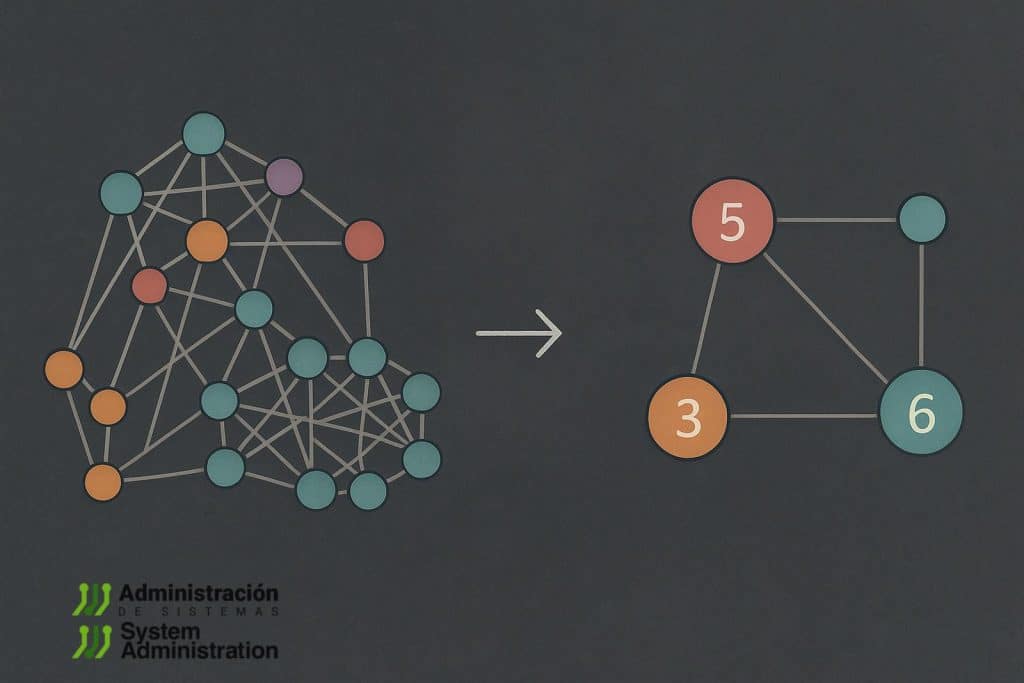
AI coding assistants have become much better at reading files, searching for symbols, and explaining snippets of code. But they still face a familiar problem: as a project grows, context becomes fragmented. A model may understand a specific function, class, or module, but it struggles to reconstruct the full architecture, the design decisions, the relationship between documentation and code, or the reason a certain component exists.
Graphify tries to solve exactly that limitation. The project, published on GitHub by Safi Shamsi, is presented as a skill for AI coding assistants that can turn a working folder into a queryable knowledge graph. It does not only process code: it can also incorporate SQL schemas, scripts, documentation, papers, images, videos, and audio to build a connected representation of the project. The idea is that Claude Code, Codex, Cursor, Gemini CLI, OpenCode, and other assistants stop navigating through isolated searches and start moving through a persistent structure.
Its most interesting use case is inside Claude Code. Once installed, the developer can type /graphify . in the assistant chat and ask it to build a graph of the current directory. From that point on, the model does not need to reread the entire repository for every question: it can query graph.json, review GRAPH_REPORT.md, open an HTML visualisation, or search for specific paths between concepts, classes, services, and documents.
From a flat repository to a knowledge graph
Graphify starts from a simple idea: a real project is not a collection of isolated files. It is a network of relationships. One class calls another, a service depends on a table, a migration changes a model, an architectural decision appears in a comment, a README explains a limitation, a paper justifies a technique, and a diagram shows a dependency that is not always explicit in the code.
The tool processes that material in several passes. First, it analyses code files deterministically with tree-sitter, without using an LLM. It extracts classes, functions, imports, calls, docstrings, comments, and, in SQL, tables, views, foreign keys, and JOIN relationships. This part runs locally and, according to the documentation, code files are not sent to the model’s semantic extractor in the normal workflow.
It can then transcribe videos and audio locally with faster-whisper. To improve transcription, it uses the most connected concepts in the graph generated so far as guidance. Finally, documents, papers, images, and transcriptions are processed by Claude subagents, which extract concepts, relationships, and justifications as JSON fragments. Everything is merged into a NetworkX graph, clustered with Leiden, and exported in several formats.
That detail matters because it separates Graphify from embedding search or a classic RAG system. Clustering is not based on a separate vector database, but on the topology of the graph. Communities are formed according to relationship density; if Claude detects a semantic similarity, that relationship is already stored as an edge in the graph. The structure of the project becomes the navigation signal.
| Element | What Graphify generates |
|---|---|
| Code | Classes, functions, calls, imports, comments, and relationships |
| SQL | Tables, views, foreign keys, and query relationships |
| Documentation | Concepts, references, decisions, and links between documents |
| Images and diagrams | Entities and visual relationships extracted by the model |
| Audio and video | Local transcription and concepts connected to the graph |
| Output | graph.html, GRAPH_REPORT.md, graph.json, and incremental cache |
The result appears in a graphify-out/ folder. The graph.html file allows the graph to be explored in a browser; GRAPH_REPORT.md summarises central nodes, unexpected connections, and suggested questions; graph.json preserves the full graph for future queries; and the cache avoids reprocessing files that have not changed.
How it works inside Claude Code
The recommended installation uses uv or pipx, because the official PyPI package is called graphifyy, although the console command is graphify. After installation, graphify install registers the skill in the compatible assistant. In Claude Code, the basic flow is to install it and type /graphify . from the project chat.
uv tool install graphifyy
graphify install
Inside Claude Code:
/graphify .That command builds the graph for the current directory. It can also point to a specific folder, for example /graphify ./docs or /graphify ./raw, if the goal is to index documentation, notes, papers, or a subset of the repository.
The most powerful integration comes with the “always-on” mode. After building the graph, you can run:
graphify claude installThis command adds instructions to CLAUDE.md and configures a PreToolUse hook for Claude Code. According to the documentation, that hook triggers before search or file-read calls and nudges the assistant to query the graph first, instead of starting with grep, Glob, or manual file reading. In practice, Claude receives guidance to review GRAPH_REPORT.md and orient itself through central nodes, communities, and connections before scanning the repository as a flat set of files.
This changes the experience quite a lot. Instead of asking Claude “find where authentication is handled” and waiting for it to read several files, the developer can ask it to consult the graph. Graphify provides specific commands for questions, paths, and explanations:
/graphify query "what connects authentication to the database"
/graphify path "UserService" "DatabasePool"
/graphify explain "RateLimiter"Code language: JavaScript (javascript)
query is used for open questions about the graph. path searches for the route between two specific nodes. explain returns everything Graphify knows about an entity. The advantage is that the assistant can answer with relationships, edge types, confidence scores, and source locations, not just text matches.
Useful options for real projects
Graphify has one particularly practical option for active repositories: --update. It re-extracts only modified files and merges the changes with the existing graph. For teams, this matters because the first analysis can cost time and tokens, while later runs rely on the SHA256 cache.
/graphify . --updateWhen the files have not changed but the way communities are grouped needs to be recalculated, --cluster-only can be used:
/graphify . --cluster-only
/graphify . --cluster-only --resolution 1.5
The first variant recalculates communities on the existing graph. The second allows for more granular communities. For large graphs, the HTML visualisation can also be skipped with --no-viz, which is useful when graph.html becomes too heavy for the browser.
/graphify . --no-vizFor documentation that is easier for humans or agents to navigate, there are two interesting outputs. --wiki generates a Markdown wiki based on graph communities, and --obsidian creates an Obsidian vault. More advanced workflows can also export to SVG, GraphML, Neo4j, or FalkorDB.
/graphify ./raw --wiki
/graphify ./raw --obsidian
/graphify ./raw --graphml
/graphify ./raw --neo4j
The tool can also add external sources, such as an arXiv paper or a video:
/graphify add https://arxiv.org/abs/1706.03762
/graphify add <video-url>Code language: HTML, XML (xml)
This is useful when a team works with code and external technical documentation at the same time. A machine learning repository, for instance, can connect code, papers, architecture diagrams, and implementation decisions in a single graph.
Hooks, teams, and MCP
Graphify is not only designed for a one-off run. It can install Git hooks to keep the graph updated after commits or branch changes:
graphify hook installThe documentation recommends that one person on the team run /graphify . and commit graphify-out/ to the repository, so everyone else can start from the same map. After that, hooks allow AST rebuilds after commits without API cost and help merge graph.json when multiple developers work in parallel.
Another more advanced option is to serve the graph via MCP. Graphify can launch a local or HTTP server so that one or more assistants can query tools such as query_graph, get_node, get_neighbors, shortest_path, list_prs, get_pr_impact, or triage_prs. In a team environment, this allows several clients to point to the same graph instead of maintaining misaligned local copies.
python -m graphify.serve graphify-out/graph.json
python -m graphify.serve graphify-out/graph.json --transport http --port 8080
If exposed over HTTP outside localhost, the documentation itself recommends using --api-key. This is a small but relevant detail: a project graph can reveal a lot about architecture, internal names, dependencies, and technical decisions.
Privacy and limitations
Graphify has a reasonable privacy model, but it should not be oversimplified. Code is processed locally with tree-sitter, and a corpus made only of code can be extracted without an API. Videos and audio are transcribed locally with faster-whisper. Documents, PDFs, and images may be sent to the model configured in the assistant for semantic extraction.
That means teams with strict data residency requirements must configure the backend carefully. Graphify can work with Anthropic, OpenAI, Gemini, DeepSeek, Azure OpenAI, Bedrock, Kimi, Ollama, and other providers. For sensitive scenarios, the documentation recommends using --backend ollama for local processing, or explicitly selecting the right provider.
graphify extract ./docs --backend ollama
graphify extract ./docs --backend claude
graphify extract ./docs --backend bedrock
It is also important to understand that Graphify does not make the assistant infallible. The tool labels relationships as EXTRACTED, INFERRED, or AMBIGUOUS. The first category comes directly from the source; inferred relationships have a confidence score; ambiguous ones are flagged for review. This is good practice because it avoids mixing findings and assumptions without warning.
For projects with secrets, generated dependencies, or huge folders, it is worth creating a .graphifyignore, using syntax similar to .gitignore, to exclude node_modules, dist, generated code, or any material that should not enter the graph. The tool respects .gitignore and allows stronger exclusions with .graphifyignore.
# .graphifyignore
node_modules/
dist/
*.generated.py
.env
secrets/Code language: PHP (php)
Why it may matter to development teams
Graphify’s value is not in replacing Sourcegraph, a code search tool, or a vector database. Its strength is different: giving programming assistants a structural memory of the project. That can help with onboarding, architecture review, technical debt analysis, migrations, audits, complex pull requests, and explaining systems that have grown over years.
A new developer can ask which nodes concentrate the most dependencies. An architect can search for unexpected connections between modules. A security team can request paths between user input and persistence. A technical lead can review which parts of the project share a community with a pull request change. A data team can connect code, SQL, and documentation in one representation.
Its use inside Claude Code makes it especially natural because it does not require leaving the chat. The developer builds the graph, asks questions, and lets the assistant navigate relationships instead of improvising searches. The difference is not only convenience; it is context cost. Graphify’s documentation cites its own benchmark on a mixed corpus of repositories, papers, and images, where graph queries used 71.5 times fewer tokens than reading raw files. That is a project-provided figure and depends on the corpus, but it illustrates the goal well: pay the cost of building the map once and reuse it across many queries.
Graphify fits into a broader trend: coding assistants need persistent memory, structure, and specialised tools. Reading files on the fly will remain necessary, but it is not enough to understand large systems. As coding agents become more autonomous, they will need reliable maps of the terrain. Graphify proposes one based on graphs, confidence labels, and direct integration into the developer workflow.
It is not a tool for every case. In a small repository, it can add clarity, but not huge context savings. In a sensitive project, teams must review which documents are sent to external models. In a large monorepo, exclusions, cache, visualisation, and backend configuration will need tuning. But for teams already using Claude Code or similar assistants every day, the idea is powerful: before asking the model to read half the project, give it a map of the project.
Frequently asked questions
What is Graphify?
Graphify is an open source skill for AI programming assistants that turns folders of code, documentation, SQL, images, papers, audio, or video into a queryable knowledge graph.
How is it used inside Claude Code?
After installing the graphifyy package and registering the skill with graphify install, you type /graphify . in Claude Code to build the project graph. Then you can use commands such as /graphify query, /graphify path, and /graphify explain.
What does graphify claude install do?
It installs instructions in CLAUDE.md and a PreToolUse hook so Claude Code checks the graph before searching or reading files directly for architecture or code navigation questions.
Is code sent to an external model?
According to the documentation, code files are processed locally with tree-sitter. Documents, PDFs, and images may be sent to the configured model for semantic extraction, unless a local backend such as Ollama is used.
What does it add compared with normal repository search?
Search finds text. Graphify tries to represent relationships: calls, imports, dependencies, decisions, concepts, communities, and paths between nodes. That can help the assistant understand the structure of the system, not just find matches.