
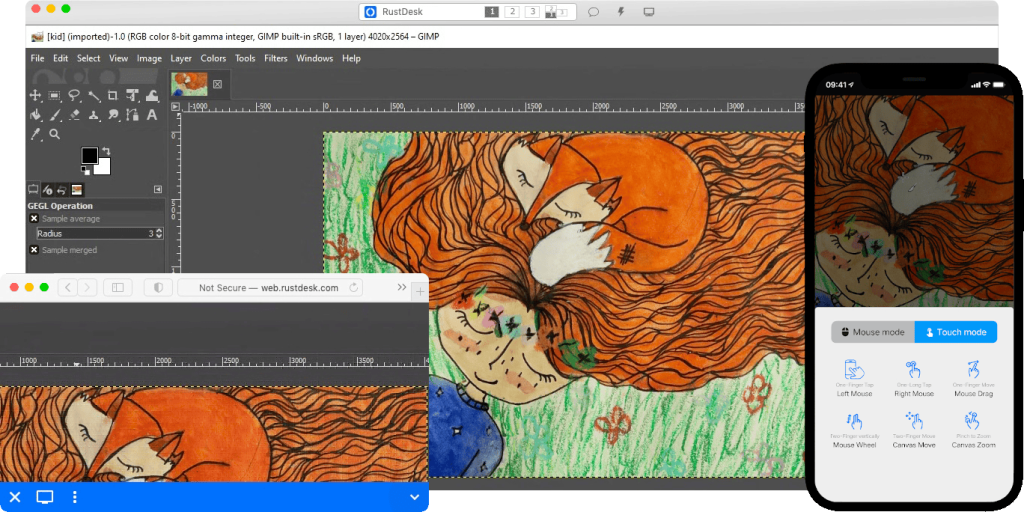
Deploying your own remote access infrastructure with RustDesk Self-Hosted makes it possible to replace or complement commercial services such as AnyDesk or TeamViewer while keeping control over the servers involved in remote connections. A relatively simple architecture can combine Ubuntu Server, Docker, RustDesk Server, FortiGate, FortiManager, and DDNS to provide Internet-based remote access without requiring technicians to establish a VPN connection first.
RustDesk Self-Hosted in 20 seconds
- RustDesk allows organizations to deploy their own identification and relay servers using HBBS and HBBR.
- Both services can run as Docker containers on a Linux server.
- FortiGate exposes only the required ports through VIPs, DNAT, and specific firewall policies.
- A DDNS-backed FQDN avoids relying directly on a potentially changing public IP address.
- RustDesk clients must be configured to use the private server and its corresponding public key.
The advantage of a self-hosted approach is not simply installing another remote desktop application. The main difference is controlling the infrastructure used to locate endpoints and, when a direct connection cannot be established, relay traffic between them.
The example architecture starts with an Ubuntu Server using the private IP address 10.20.30.20, protected by a FortiGate firewall. RustDesk Server components run on Linux using Docker. From the Internet, clients connect through a hostname such as rustdesk.company.com, while FortiGate translates the incoming connections to the internal server.
How RustDesk Self-Hosted works
Before deploying the platform, it is important to understand the two main RustDesk Server components.
HBBS is the ID and signaling server. It helps registered clients find each other and negotiate connections.
HBBR operates as the relay server. It becomes relevant when two endpoints cannot establish a suitable direct connection and traffic needs to pass through an intermediate server.
With a private deployment, both services remain under the organization’s control.
A basic architecture would look like this:
Remote client | Internet |rustdesk.company.com | FortiGate VIP / DNAT / Firewall |Ubuntu Server10.20.30.20 | Docker / \ HBBS HBBR
The organization’s endpoints are then configured to use this infrastructure instead of relying on RustDesk’s public servers.
Step 1: Prepare Ubuntu Server and Docker
The first component required is a Linux server. Ubuntu Server can run on either a physical or virtual machine, provided that it has appropriate connectivity to the Internet and to the networks containing the systems that need to be managed.
Start by updating the operating system:
sudo apt updatesudo apt upgrade -y
Docker can then be installed following the supported procedure for the Ubuntu version in use.
Once installed, verify that it is working:
docker --versiondocker ps
It is also advisable to assign a fixed internal IP address to the server. In this example:
10.20.30.20
This prevents a DHCP address change from leaving the firewall’s NAT rules pointing to the wrong system.
Step 2: Deploy HBBS and HBBR with Docker
RustDesk provides its own server software for self-hosted deployments and allows HBBS and HBBR to run separately.
Docker Compose provides a convenient way to maintain the configuration while using a persistent directory for data.
For example:
services: hbbs: image: rustdesk/rustdesk-server:latest command: hbbs volumes: - ./data:/root network_mode: "host" depends_on: - hbbr restart: unless-stopped hbbr: image: rustdesk/rustdesk-server:latest command: hbbr volumes: - ./data:/root network_mode: "host" restart: unless-stopped
Start the containers with:
docker compose up -d
Then verify that both containers are running:
docker ps
Logs can be inspected with:
docker logs -f hbbs
or:
docker logs -f hbbr
In production environments, it is preferable to pin a specific image version rather than permanently relying on latest. This prevents an update from unexpectedly changing a remote access server that is already being used to manage internal systems.
Ubuntu, Docker, and RustDesk Server should also be kept updated through a controlled maintenance process.
Step 3: Understand the ports before configuring FortiGate
This part deserves particular attention because copying NAT rules from an old screenshot or tutorial can result in unnecessary ports being exposed or required functionality being unavailable.
RustDesk Server uses several ports around the 21114-21119 range, depending on the components and features enabled. HBBS primarily handles identification and signaling services, while HBBR requires its relay port.
Before creating firewall rules, administrators should therefore consult the documentation for the specific RustDesk Server version being deployed and check which services are actually listening:
ss -tulpn
Docker can also provide useful information:
docker ps
The recommended principle for an Internet-facing firewall remains simple: only expose what the deployment actually requires.
Step 4: Publish RustDesk through FortiGate
Once the server is running internally, the more sensitive part begins: making it accessible from the Internet.
A Virtual IP (VIP) can be created on FortiGate to translate the public IP address and the corresponding ports to:
10.20.30.20
Conceptually, the traffic flow looks like this:
Internet |Public IP |FortiGate |VIP + DNAT |10.20.30.20 |HBBS / HBBR
The required TCP and UDP service objects can then be created, followed by a firewall policy from the WAN interface to the network where RustDesk is hosted.
Creating a generic rule such as:
ANY -> 10.20.30.20
should be avoided.
Restricting the policy to the services that are actually required reduces the exposed attack surface and makes subsequent log analysis and troubleshooting easier.
If the organization uses FortiManager, these objects, policies, and configuration changes can be centrally managed and deployed to the corresponding FortiGate appliances.
Step 5: Use an FQDN and DDNS
An address such as:
rustdesk.company.com
is preferable to manually configuring a public IP address on every client.
If the Internet connection does not have a static public IP, Dynamic DNS (DDNS) can be used to update the DNS record whenever the ISP assigns a different address.
In this example, FortiDDNS is used.
The connection flow then becomes:
RustDesk Client |rustdesk.company.com | DNS/DDNS |Current public IP | FortiGate |10.20.30.20
If the public address subsequently changes, clients can continue connecting through the same hostname.
Step 6: Configure RustDesk clients
Running private servers is of little use if the endpoints continue using RustDesk’s default public infrastructure.
Each RustDesk client needs to be configured to point to the private server:
ID Server:rustdesk.company.comRelay Server:rustdesk.company.com
Clients must also use the corresponding server public key.
Key management should not be treated as a minor configuration detail. Clients need to verify that they are communicating with the RustDesk infrastructure intended by the organization.
For deployments involving many endpoints, automating this configuration can be preferable to asking every user to manually enter server addresses and keys.
Step 7: Verify that it actually works from the Internet
Testing exclusively from the local network proves very little. Validation should be performed from an external connection.
For example, exposed TCP ports can be checked using nc:
nc-zv rustdesk.company.com 21115
For UDP:
nc-zvu rustdesk.company.com 21116
Again, these tests should be adapted to the ports required by the deployed RustDesk version and configuration.
While establishing a session, administrators can monitor the logs:
docker logs -f hbbs
docker logs -f hbbr
When something does not behave as expected, tcpdump remains one of the most useful troubleshooting tools:
sudo tcpdump -ni any host CLIENT_IP
Traffic can also be filtered by port:
sudo tcpdump -ni any port 21117
This helps answer one of the most basic troubleshooting questions: is the packet actually reaching the server?
If traffic reaches FortiGate but never arrives at Ubuntu, the issue is likely related to NAT, routing, or firewall policies. If packets reach Ubuntu but the service does not respond, Docker, listening ports, and the RustDesk configuration should be checked.
Step 8: Validate a complete remote session
The final test should reproduce the real-world scenario:
External technician ↓ Internet ↓ DNS ↓ FortiGate VIP / DNAT ↓ RustDesk Server HBBS / HBBR ↓ Managed endpoint
The technician should be able to locate the target device and establish a session using the private infrastructure.
Operating without a VPN is technically possible, but this does not make RustDesk equivalent to a VPN or mean that such an architecture is suitable for every organization. A remote access service is being deliberately exposed to the Internet and should therefore be incorporated into the company’s security, patching, monitoring, and access-control policies.
Security: Self-hosted does not automatically mean secure
Hosting RustDesk internally gives an organization more control over the infrastructure, but that control also brings additional responsibilities.
The server should be segmented from other internal systems, kept up to date, and expose only the ports that are strictly necessary. Access should also be logged, while firewall policies should be periodically reviewed and administrative privileges restricted.
Enterprise environments should additionally evaluate authentication mechanisms, user and device controls, access restrictions, and the capabilities available in the chosen RustDesk edition.
Organizations also need to define who is authorized to provide remote support, which systems they can access, and how sessions are approved. Security does not end with an encrypted connection.
There is another important difference compared with consuming a SaaS platform: with a self-hosted deployment, availability also becomes the organization’s responsibility. If the server fails, remote access may become unavailable precisely when it is needed most.
An enterprise deployment may therefore require monitoring, configuration backups, recovery procedures and, depending on its criticality, redundancy.
Why consider RustDesk instead of AnyDesk or TeamViewer?
RustDesk Self-Hosted can be particularly attractive to organizations that want greater control over the infrastructure supporting their remote access sessions.
The architecture allows administrators to decide where HBBS and HBBR run, which networks host them, which ports are exposed, and how the platform integrates with the corporate firewall.
The infrastructure can also be deployed in an organization’s own data center, on a dedicated server, in a private cloud, or on a virtual machine under its control.
That does not automatically make RustDesk a direct replacement for every commercial remote access platform. Before migrating, organizations should compare capabilities such as centralized administration, identity management, auditing, support, high availability, access policies, compliance, and device management.
For system administrators, however, the project offers an additional benefit. It provides a practical end-to-end exercise involving Linux, Docker, DNS, NAT, TCP/UDP, firewalls, routing, logs, and packet captures. When the remote desktop finally appears on screen, considerably more infrastructure is working behind the scenes than the RustDesk interface suggests.
Frequently Asked Questions
Can RustDesk Self-Hosted be used without a VPN?
Yes. The required services can be published through a firewall, allowing clients to connect from the Internet to a private RustDesk server. However, the exposed service must be properly secured, monitored, and maintained.
What are HBBS and HBBR used for?
HBBS provides client identification and signaling functionality. HBBR acts as the relay server when endpoints need their connection to be routed through an intermediate server.
Can RustDesk Server run with Docker?
Yes. RustDesk Server can be deployed using containers, allowing HBBS and HBBR to run on a Linux server while keeping their data and keys persistent.
Can RustDesk Self-Hosted replace AnyDesk?
It can cover many remote access and support scenarios, but an enterprise migration should first compare the security, administration, auditing, support, and availability capabilities required by the organization.