
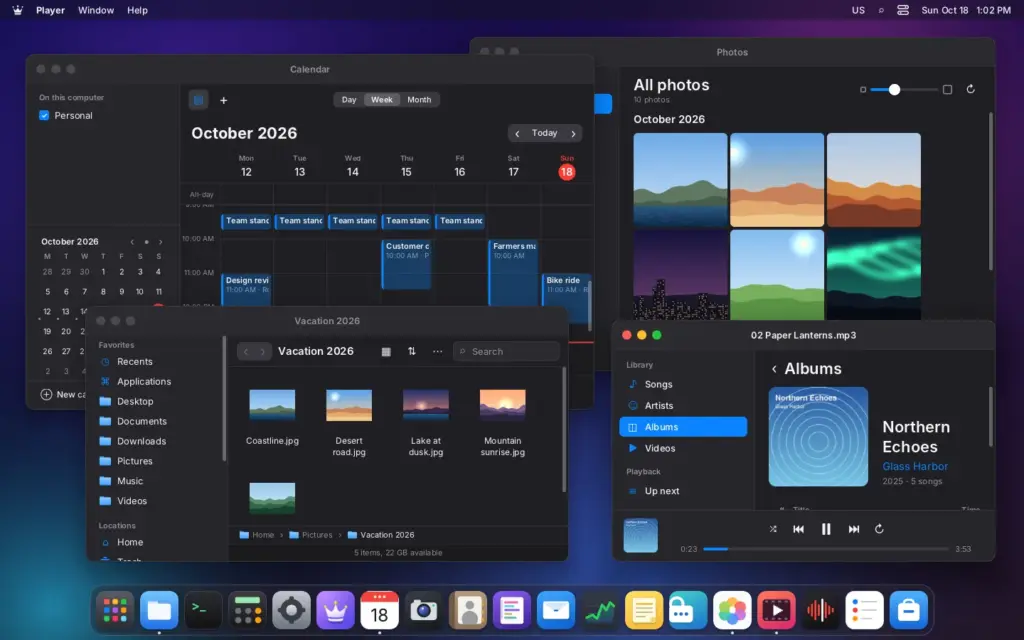
LordOS is a free GNU/Linux distribution based on Debian 13 that replaces the usual graphics stack with its own: a display server and Wayland compositor written in C, its own interface engine and a set of privacy-focused native apps. It is developed by the Argentine company iPERFEX, is currently in beta at version 0.8.4, and is released under the MIT license for 64-bit PCs and the Raspberry Pi 5.
LordOS, the Linux distribution with its own desktop, in 30 seconds
- LordOS is based on Debian 13 and replaces X11, GNOME or KDE with its own display server written in C.
- It ships a per-app firewall with a live connection map, plus native password manager and mail apps.
- Its installable apps are sandboxed with Landlock and seccomp, but regular Linux apps are not.
- It runs on amd64 PCs, on the Raspberry Pi 5 and on top of an existing Debian 13 install.
- It is a free, MIT-licensed beta that its authors do not yet recommend for daily use.
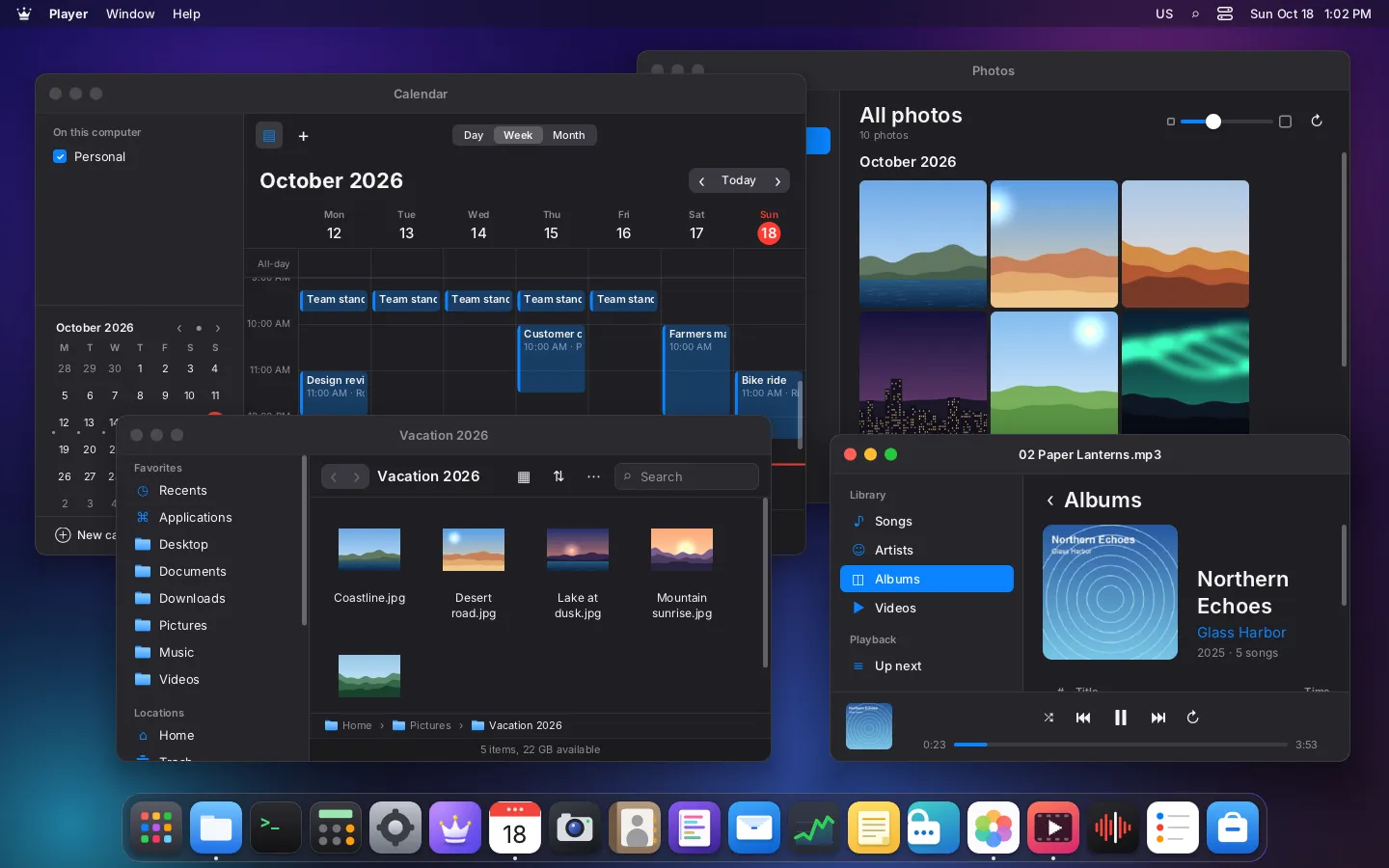
This is not another theme on top of GNOME or KDE. According to its technical paper, lord-server is the display server, Wayland compositor and UI engine, talks to the kernel directly through DRM/KMS and evdev, and uses no X11, wlroots, libinput, GTK or Qt. The interface is written in React and runs on the QuickJS JavaScript engine, while layout, painting and text are native C code with no browser engine underneath. The project is led by Pablo Miranda and Federico Pereira at iPERFEX.
Sandboxing and a firewall you can see
LordOS describes itself as private by design. Installable apps in its .lpk format, along with the Passwords app, run isolated with Landlock, seccomp-bpf, no capabilities and a memory-limited cgroup v2 scope, and must ask before using the camera, microphone, files or network. Without the network permission, seccomp blocks internet sockets and Landlock prevents TCP connect and bind.
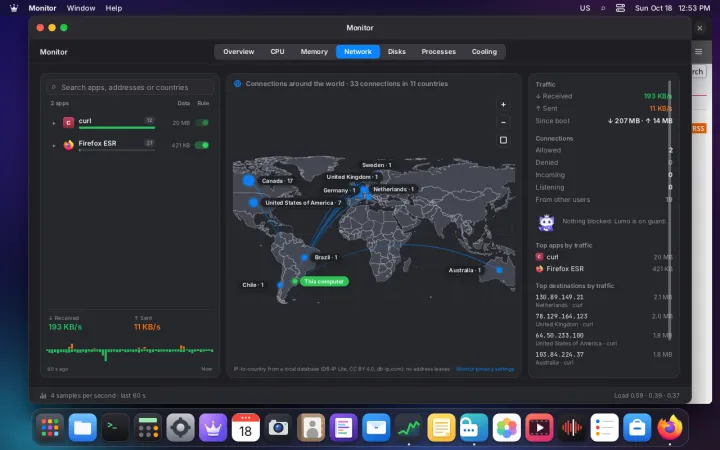
The per-app firewall is enforced in the kernel by eBPF cgroup programs, with rules by domain, IP address, port, local network or internet. The Monitor app plots every connection on a live world map, where traffic can be allowed or blocked per app. The technical paper puts the cost of the kernel decision at about 0.5 microseconds per UDP connect.
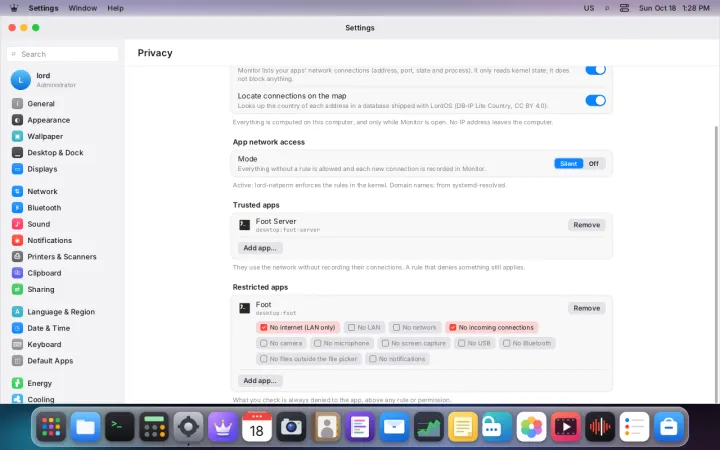
The fine print matters, and the project documents it openly. Bundled apps are part of the desktop and are not sandboxed, and regular Linux apps such as Firefox, Chromium or any GTK or Qt program run with the user’s permissions. When started from the app launcher they get per-app firewall rules and optional restrictions, such as blocking file access through namespaces and Landlock, but apps launched any other way get none of that. LordOS does not use Flatpak or bubblewrap.
Native apps and resource usage
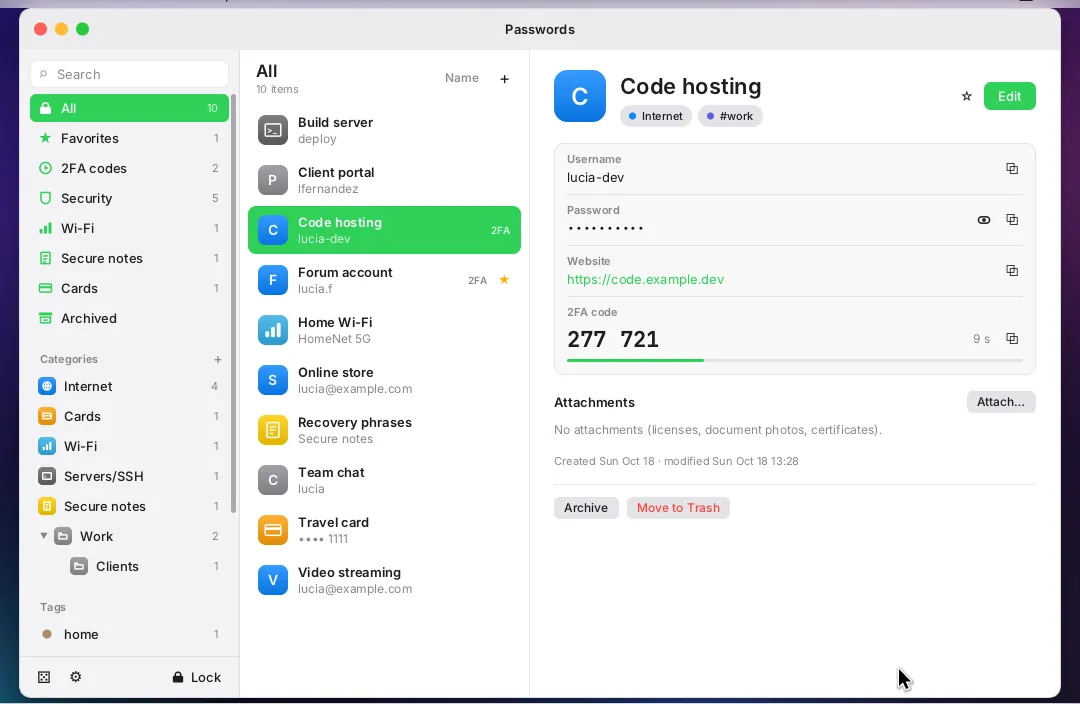
The system ships its own app set: Mail, Calendar, Contacts and Reminders, with remote images blocked until the user allows them; Files, Photos, Player, Notes, Camera, Backup, Disks, Logs and a store that installs Debian packages. The password manager stores passwords, 2FA codes and cards, unlocks with a password or a USB key, and encrypts the vault with XChaCha20-Poly1305 and Argon2id. Its window is also hidden from screenshots and screen sharing.
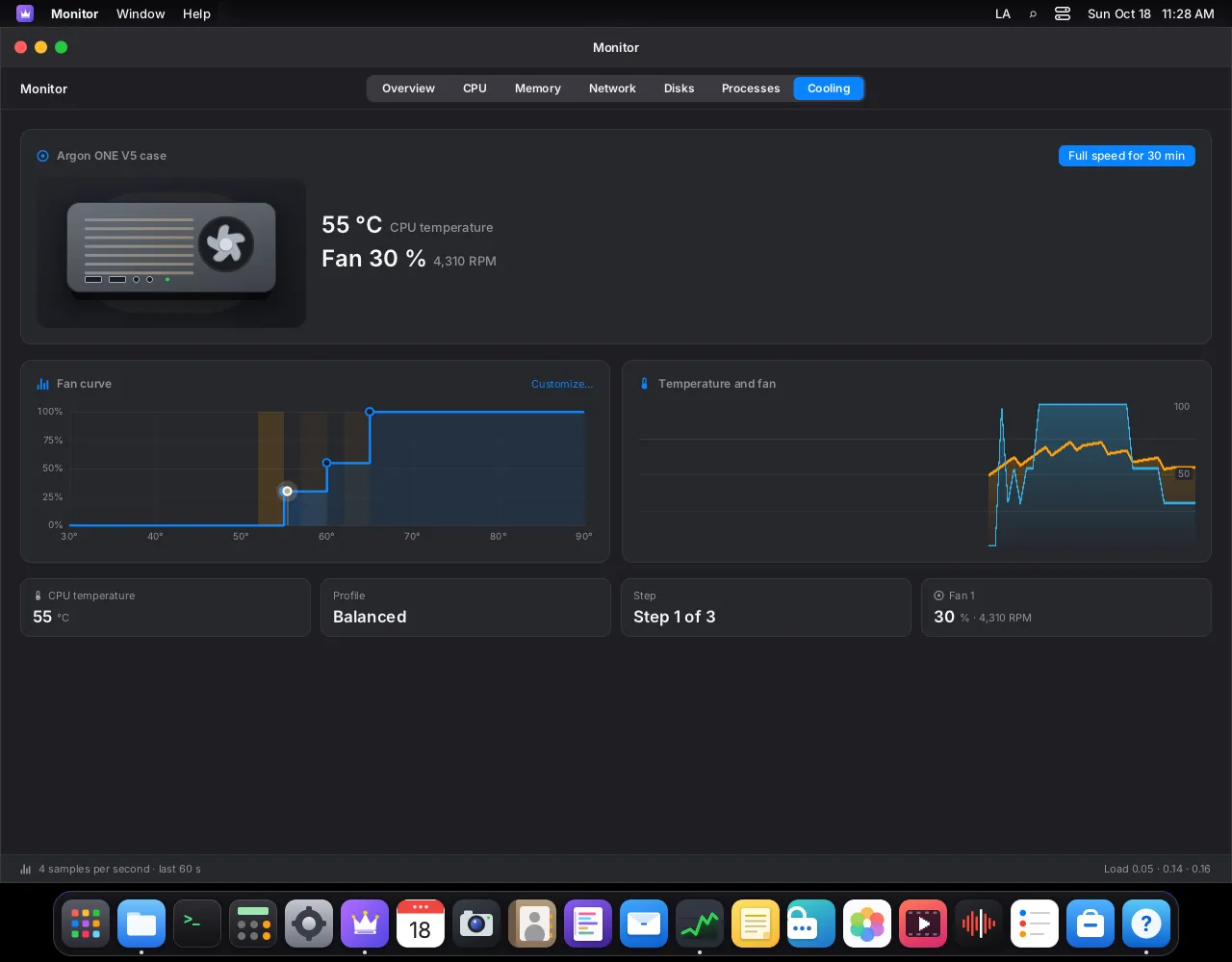
For administrators, the Monitor app stands out: it shows CPU, memory, network and disks, and on supported hardware it displays temperatures, lets users tune fan curves and offers a max-speed button. On resources, the repository says the whole system idles at 465 to 487 MB of RAM, of which the display server with the entire desktop accounts for 32 to 36 MB, and boots in about 16 seconds. Those figures were mostly measured in virtual machines.
How to try it and what to watch for
There are three ways in: a live and installable ISO for 64-bit PCs, a Raspberry Pi 5 image for SD card or NVMe with its own kernel and fan control, and an installer that adds the LordOS desktop to an existing Debian 13 system on amd64 or arm64. The latter accepts a --remote-desktop option for headless servers or VPS instances.
curl -fsSL https://lordos.org/install.sh | shCode language: JavaScript (javascript)As with any script piped into a shell, the prudent move is to download it and read it first. Releases are published on GitHub with a SHA256SUMS file signed with an Ed25519 key, and the project offers LordOS Imager for Mac, Windows and Linux, which verifies the signature before writing the image. Because it sits on Debian, the kernel, drivers, Mesa and PipeWire come from Debian mirrors with Debian security updates, and according to its FAQ the system sends no telemetry.
The authors are upfront about the limits. The FAQ says LordOS is not yet recommended for daily use, that some parts are untested on real hardware, including NVIDIA cards, whose proprietary driver is not supported, and that accessibility tools such as a screen reader and high-contrast theme are still missing. Until 1.0, only the latest beta gets fixes. LordOS is free and funded through voluntary donations. For admins who run Debian, it is an interesting project to try in a VM or on a spare Raspberry Pi 5, not yet a replacement for a work desktop.
Frequently asked questions
What is LordOS?
A free GNU/Linux distribution based on Debian 13, developed by the Argentine company iPERFEX, with its own display server, Wayland compositor and native apps.
Is LordOS open source?
Yes. Its code is MIT-licensed and available on GitHub; third-party components and Debian packages keep their own licenses.
What hardware does LordOS run on?
64-bit PCs (amd64), the Raspberry Pi 5, and existing Debian 13 systems on amd64 or arm64. There are no 32-bit images.
Is LordOS ready for daily use?
Not yet. It is in beta, and its authors recommend trying it live or on a spare machine, with backups.
Sources: