

The technical side of switching office suites is the easy part. Installing LibreOffice on a thousand desktops takes an afternoon with an MSI and a policy; the hard part is everything around the document: templates, macros written fifteen years ago, spreadsheets that feed other systems, suppliers that only send Office files and, above all, people. This third and final article in the series for system administrators explains how to plan a migration away from Microsoft Office, what to inventory, how to choose a file format and what the projects that succeeded and those that did not have to teach. The historical background of this rivalry, from the format wars to digital sovereignty, is covered in Redes Sociales’ history and comparison of office suites (in Spanish).
Migrating from Microsoft Office to LibreOffice in 30 seconds
- Before installing anything, inventory documents, templates, macros, integrations and external exchanges.
- Complex VBA macros are the biggest technical obstacle and usually need rewriting.
- Choosing between ODF and Office formats is a policy decision, not just a technical one.
- A pilot with real documents and training up front prevents most failures.
- Munich, Schleswig-Holstein and Denmark show that politics weighs as much as technology.
The previous articles covered deploying and configuring LibreOffice on desktops and offering collaborative editing on your own servers. This one brings both together into a migration plan.
Start with why: measurable goals
Migrations that fail often start with a fuzzy goal, such as “stop depending on Microsoft”, that nobody can measure. Make it concrete: cut license spending by a given amount, comply with an open-formats policy, keep documents on your own servers for data-protection reasons or prepare for the end of support of an Office version. Office 2021, for instance, stopped receiving security updates on October 13, 2026, which forced many organizations to choose between a Microsoft 365 subscription, an Office 2024 license or an alternative.
You also need to decide the scope. Replacing Office on every desktop is not the same as replacing it only where usage is basic while keeping licenses for people who depend on advanced Excel features. The second option is more common than it sounds: according to Italo Vignoli of The Document Foundation, around half of LibreOffice users in large organizations also use another suite depending on the task, and market researcher 6sense estimates that 64% of organizations use both Microsoft 365 and Google Workspace.
Building the business case honestly
License savings are the obvious line in the spreadsheet, but an honest cost comparison includes much more. On the cost side of a migration: staff time for inventory and testing, rewriting critical macros and templates, training, extra help-desk load during the first months, and possibly an enterprise support contract. On the savings side: subscriptions or licenses no longer needed, fewer license audits, and less exposure to vendor price changes. Some benefits are hard to price but real, such as keeping documents in an open, vendor-neutral format or processing them entirely on your own infrastructure.
Present the numbers over several years, not one. The first year of a migration almost always costs more than staying put; the savings appear afterward. Being upfront about that in the proposal protects the project when the first-year bill arrives and someone asks why the cheaper option is costing more.
The inventory: what to find before migrating
The inventory is the phase that saves the most time later. Look for five things:
- Documents with macros. .docm, .xlsm and .xlam files, plus legacy .doc and .xls files containing VBA code.
- Corporate templates. Letterheads, invoices, reports and slide decks everyone uses and that must look perfect.
- Critical spreadsheets. Those that feed other processes, use external data connections, complex pivot tables or recent Excel functions.
- Integrations. Mail merge with Outlook, third-party add-ins, ERP exports that produce Excel files, digital signatures or document management systems that open Word.
- External exchange. Which suppliers, customers or agencies send and require documents in Office formats.
For macros, a search of your file shares gives a first picture:
find /srv/shares -type f \( -iname '*.docm' -o -iname '*.xlsm' \
  -o -iname '*.xlam' -o -iname '*.dotm' \) -printf '%TY-%Tm-%Td %p\n' | sort -rCode language: JavaScript (javascript)
Sorting by modification date helps separate what is in use from what has not been touched in years. To see what the macros do without opening the files, tools such as olevba, from the Python oletools package, extract and summarize VBA code, including from legacy binary formats. The usual finding is that many macros are abandoned, a few are critical and one or two do things nobody remembered.
Macros: the biggest technical hurdle
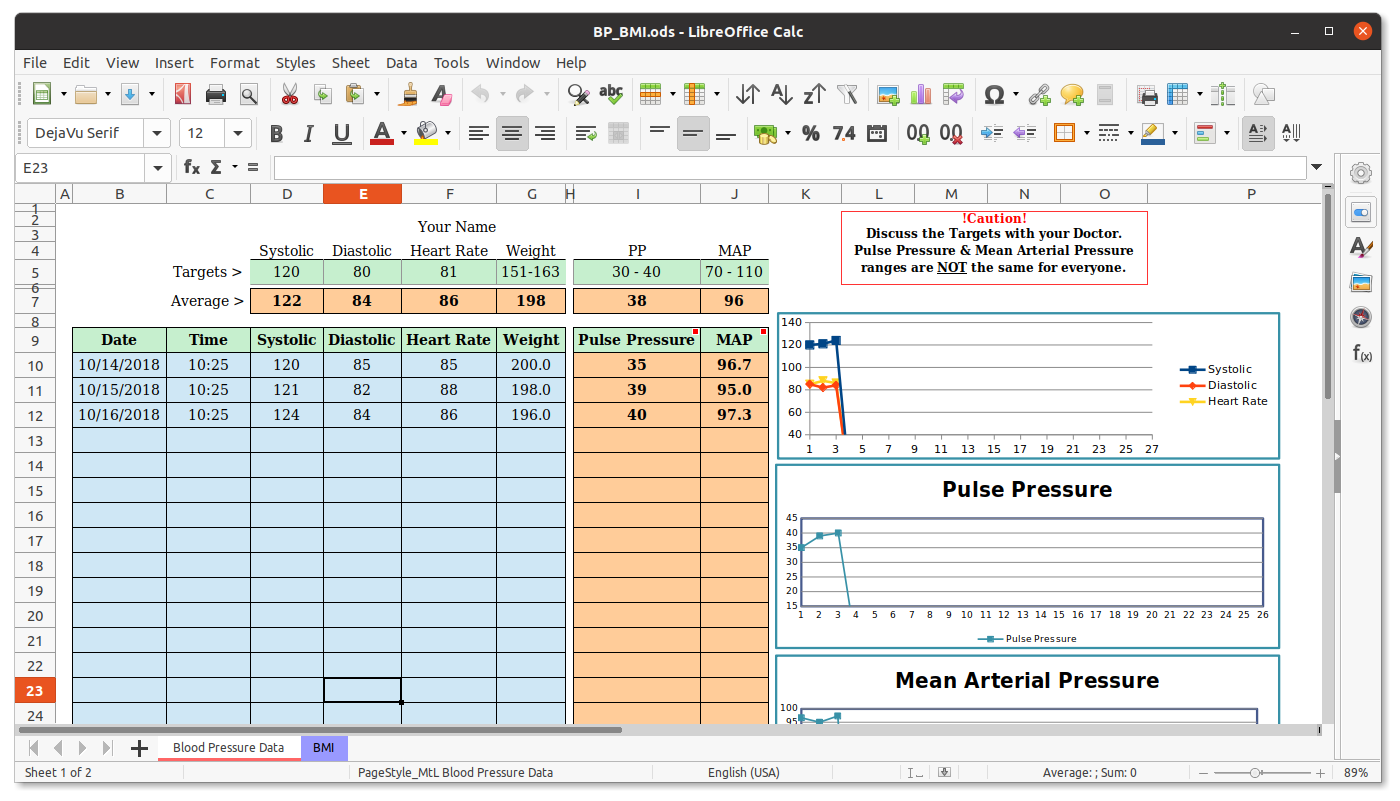
LibreOffice has its own macro language, LibreOffice Basic, syntactically similar to VBA but with a different object model. It also supports macros in Python. To ease the transition, Calc includes a compatibility mode that runs part of Excel’s VBA code: enable it in the VBA properties under load/save options, or in the module itself with Option VBASupport 1. It works with simple macros that manipulate cells and sheets; macros that rely on complex forms, Windows API calls, Outlook automation or third-party add-ins will not run as-is.
A sensible strategy is to sort macros into three groups: those that work in compatibility mode after testing; those to rewrite in Basic or Python, prioritizing the critical ones; and those better moved out of the office suite into a script or a small application, often the best fix for business processes that have grown inside a spreadsheet. For the most complex ones, keeping a few Office licenses temporarily can be cheaper than rewriting in a hurry.
ODF or OOXML: a policy decision
Choosing the default format is one of the most important decisions in the migration. ODF (OpenDocument Format) is LibreOffice’s native format and has been ISO/IEC 26300 since 2006, maintained by the OASIS consortium. OOXML, the format behind .docx, .xlsx and .pptx files, has been ISO/IEC 29500 since 2008, though it comes in two flavors, Transitional and Strict, and Office saves Transitional by default, which keeps compatibility with legacy behaviors. The Document Foundation’s criticism is that, while OOXML is a standard, Microsoft owns its reference implementation and in practice controls how documents render.
Both choices make sense in different situations:
- ODF by default. Consistent with an open-formats and long-term preservation policy, and LibreOffice handles it with full fidelity. The usual choice for public bodies with interoperability rules. Current versions of Microsoft Office can open and save ODF, though not always with the same fidelity.
- OOXML by default. Reduces friction if you exchange many editable documents with third parties on Office, at the cost of relying on LibreOffice’s import and export quality, which is good but not perfect with very complex documents.
A mixed policy works well: ODF for internal and archival documents, PDF for anything sent for reading only, and Office formats only when a third party requires them for editing. What you want to avoid is an unmanaged mix, with the same document bouncing between formats and losing details on each trip.
Convert the archive, or not
You do not need to convert every old document. LibreOffice opens Office formats, so the usual approach is to convert only what will keep being edited often, starting with templates. If you do decide on bulk conversion, the command line lets you script it, always keeping the originals:
find /srv/templates -iname '*.dotx' -print0 | while IFS= read -r -d '' f; do
  soffice --headless --convert-to ott --outdir "/srv/templates-odf/$(dirname "${f#/srv/templates/}")" "$f"
doneCode language: PHP (php)
Templates deserve manual work: rebuilding them in LibreOffice with well-defined styles beats automatic conversion, because a clean template prevents problems in every document created from it. And fonts, as covered in the first article, must be sorted out before converting anything.
The pilot and the people
A well-run pilot is the best investment in the whole migration. Some guidelines:
- Pick a representative department, not the most enthusiastic one: if it works with ordinary users, it will work with everyone.
- Work with real documents for several weeks, not prepared samples.
- Measure: tickets opened, time to resolution, documents with formatting issues and user satisfaction.
- Train before, not after. Short sessions focused on the differences people notice most: styles, the menu or tabbed toolbar, PDF export, mail merge and where common options live.
- Appoint champions in each department to answer simple questions and liaise with IT.
- Have a fallback plan for specific cases, such as keeping Office on a few machines while a critical macro is rewritten.
Resistance to change is real and not always irrational: if someone has used Word for twenty years, every difference costs them time. Explaining why the migration is happening, offering close support in the first weeks and fixing reported problems quickly matter more than any feature list.
Lessons from real-world projects
The best-known case is Munich. In the early 2000s the city decided to move its desktops to Linux and OpenOffice through the LiMux project, eventually migrating around 15,000 machines, and in 2017 its city council voted to return to Windows. The causes have been debated at length: compatibility problems with third-party documents, user complaints, political changes in city government and commercial pressure. Its main lesson is that a migration needs stable political backing and a solid answer for exchanging documents with the outside world.
The Document Foundation points to more recent examples tied to the digital-sovereignty debate: the German state of Schleswig-Holstein, which announced in 2024 that it would move its administrations to LibreOffice and later to Linux, and the Austrian armed forces. In the other direction, Denmark’s Ministry of Digitalization halted its pilot with Collabora as an alternative to Microsoft Office in 2026 without completing an evaluation. Vignoli argues that many migrations in the 2000s proved reversible because of Microsoft’s commercial power and political influence; that is his reading, partisan but backed by lobbying transparency data from Brussels.
Three lessons recur across these cases. First, the decision has to survive changes in leadership, so anchor it in measurable goals and a written format policy. Second, exchange with third parties is the weak spot and needs its own plan. Third, software is only part of it: training, support and communication decide more than the choice of suite.
Final checklist
- Goal and scope defined and approved by management.
- Multi-year cost and savings estimate, including training and support.
- Inventory of macros, templates, critical spreadsheets, integrations and external exchange.
- Written format policy: what is saved as ODF, what as PDF and what in Office formats.
- Metric-compatible and corporate fonts installed on desktops and servers.
- Templates rebuilt and tested.
- Macros classified: compatible, to rewrite or to move out of the suite.
- Centralized configuration and automated deployment tested.
- Pilot with metrics, training and champions.
- Rollout in waves, with a fallback plan for specific cases.
- Update cycle defined: two version jumps a year or an enterprise edition.
That closes the series. Open-source office software is not the answer for every desk or every organization, but today it is a mature option, with tools for both desktop and server, and an argument that carries more weight every year: that documents and software stay under the control of the people who use them.
Frequently asked questions
Do Excel macros work in LibreOffice?
Simple ones often do, through Calc’s VBA compatibility mode. Those relying on complex forms, the Windows API or third-party add-ins usually need rewriting.
Do I need to convert all old documents to ODF?
No. LibreOffice opens Office formats; converting templates and frequently edited documents is enough, keeping the originals.
Which file format should be the default?
ODF for an open-formats policy; Office formats if you exchange many editable documents with third parties. A mixed policy with PDF for read-only documents usually works well.
Why did Munich’s migration fail?
Commonly cited reasons include compatibility problems with third parties, user complaints, political changes and commercial pressure. In 2017 the city council voted to return to Windows.
Sources: