
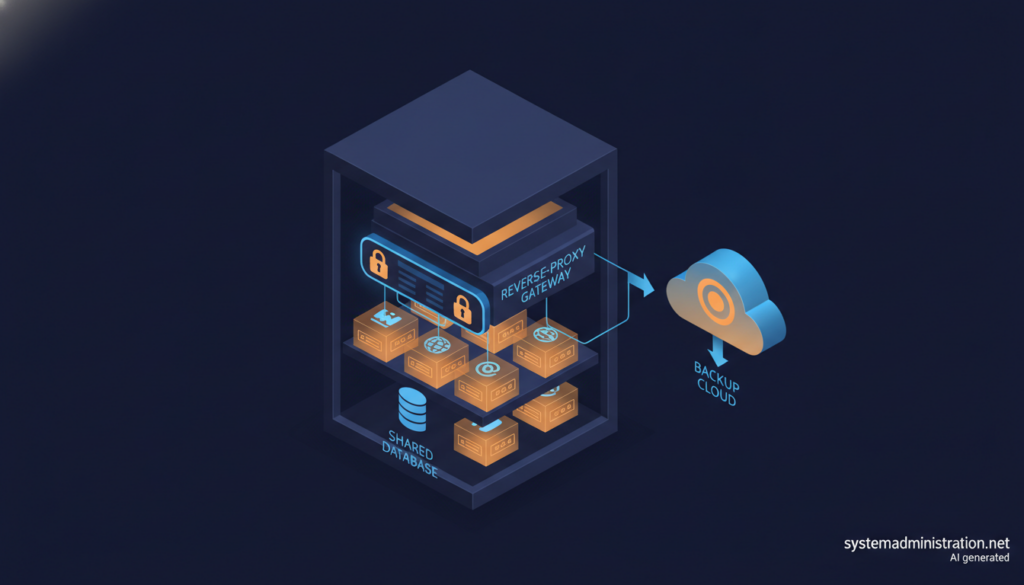
WPL7 is an open-source panel, licensed under AGPL-3.0, that turns a self-managed Ubuntu server into a WordPress-only hosting platform, with every site in its own Docker container and network. Published on GitHub in early October 2026, the project is at version 0.3.2 and still in beta, according to an analysis by Cloud Privado that compares it with CloudPanel, HestiaCP, Coolify and other panels.
Key points on the WPL7 WordPress hosting panel in 30 seconds
- WPL7 is free, AGPL-3.0 licensed and is designed to manage WordPress sites only.
- Each site runs in its own container behind Traefik, sharing one MariaDB instance per server.
- It needs a fresh Ubuntu 26.04 x86-64 server with at least 2 GB of RAM.
- One panel can manage several servers, provisioned over SSH.
- It is still a young project: a single-maintainer beta at version 0.3.2, with an API that may change.
The repository is signed by a developer who goes by Andy (andyfo). It was created on 4 October 2026, the first public beta followed on 8 October and the latest stable release, 0.3.2, came out on 21 October. The project says only the latest version is supported and that the API may change. The software is free, with no license keys and no per-site or per-server fees. The WPL7 website separately offers a managed installation for €440 and priority support for €84 a month or €840 a year, both excluding VAT.
Architecture: one container per site
The design relies on familiar building blocks. Traefik v3 acts as the reverse proxy on ports 80 and 443, handles Let's Encrypt certificates and routes traffic from Docker labels. Each site uses the official WordPress image with Apache and PHP, to which the panel adds msmtp and WP-CLI, and can choose PHP 8.2 to 8.5. A single MariaDB 11.4 instance serves the whole server, with one database and user per site. Outgoing mail goes through Postfix with DKIM signing and separate credentials for each site. The panel, written mostly in TypeScript with a React interface and an SQLite database, has access to the Docker socket and the /srv directory.
Each site gets its own internal network, so a compromised install cannot reach its neighbours or the panel directly. Each network uses a /24 range, which Cloud Privado says is comfortable up to a few dozen sites; beyond about 100 per server the range has to be expanded and iptables tables grow. WordPress cron is disabled and the panel runs due events every five minutes.
Requirements are strict: a fresh Ubuntu 26.04 x86-64 install (the installer stops on ARM and Debian is not supported), at least 2 GB of RAM, with 2 GB of swap below 4 GB, a public IPv4 address and ports 80 and 443 open. Two DNS A records are needed, one for the panel and a wildcard for the development domain. WPL7 takes over the machine, installing Docker, UFW and an nftables table. Installation is a single piped command; Cloud Privado recommends downloading install.sh first, reading it, pinning the version and applying a hardening baseline, along the lines of the Linux server audit checklist published on this site.
Managing many sites
New sites start on a development domain and a button moves them to the client’s domain, with up to ten domains per site. The panel includes one-click wp-admin access, a browser file manager, per-site FTP and SFTP, cookieless visit statistics and a migration plugin. A single table lists every plugin, theme and WordPress version across all sites, flags known vulnerabilities and supports batch updates, with an optional pre-update backup and a post-update health check. License “recipes” activate premium plugins such as ACF PRO or Breakdance on new sites.
One panel can manage several servers. Additional servers run the same stack without the panel and are provisioned over SSH with a pinned host fingerprint. Each site lives only on its own server and can be moved to another, although restoring it on a different machine requires an external backup. Let's Encrypt caps new certificates at five per week across the fleet.
Backups are stored as plain files (a database dump, a tar archive of the files, a manifest and SHA-256 checksums verified before each restore), run daily at 03:00 and keep the last ten. They can be shipped with rclone to S3-compatible storage, SFTP, FTP or WebDAV, with optional encryption that is off by default. The panel also exposes a REST API with three permission levels and an MCP server, off by default, so that assistants such as Claude, ChatGPT or Cursor can operate it. Cloud Privado warns that an assistant with full access can delete and restore production sites.
Security, and the limits the project admits
Traefik applies per-site filters for requests no legitimate visitor would send, rate-limits login attempts and mounts files read-only inside the container. An IP with 20 failed attempts in 10 minutes is blocked on the firewall of every server. Files are compared daily with wordpress.org checksums and scanned with AMWScan; suspicious files can be quarantined, although the default is report-only. Containers run without NET_RAW, with no-new-privileges and with limits of 2 cores, 512 MB of memory and 512 processes per site.
The project also lists what it does not do: it does not inspect POST bodies, does not scan the database for malware and has no checksums for premium plugins. The kernel, MariaDB, the disk and the IP reputation are shared by every site, so a container escape or a MariaDB compromise affects the whole server. And the panel is effectively root: it holds the Docker socket and a root SSH key for the whole fleet, and every account is a full administrator, with optional two-factor authentication. That rules out giving end clients access.
In its comparison, Cloud Privado sees HestiaCP as the natural choice for classic hosting with mailboxes, Coolify and Dokploy as generic platforms with far larger communities but no plugin inventory, and SpinupWP, RunCloud, Ploi or GridPane as the closest in features, except that their control plane lives in the vendor’s cloud. Its conclusion is that WPL7 suits agencies and freelancers running from a handful to a few dozen sites who know Docker and Traefik, and is less suited to critical production while it remains a single-maintainer beta.
Frequently asked questions
What is WPL7?
An open-source (AGPL-3.0) panel for hosting WordPress-only sites on a self-managed Ubuntu server, with one Docker container per site.
How much does WPL7 cost?
The software is free. An optional managed installation costs €440 and priority support €84 a month, excluding VAT.
What are the requirements?
A fresh Ubuntu 26.04 x86-64 server, at least 2 GB of RAM, a public IPv4 address and ports 80 and 443 open.
Is it ready for production?
The project is in beta, at version 0.3.2, with a single maintainer, and its API may change.
Sources: