
Local cloud development has always lived with an uncomfortable tension. Using real AWS accounts for every test can be expensive, slow and difficult to isolate in continuous integration. Emulating services locally reduces costs and speeds up the development cycle, but it requires a tool that behaves enough like AWS to avoid turning tests into fiction. That is where Floci is starting to attract attention.
Floci, developed under the floci-io organization, presents itself as a free, open-source local AWS emulator under the MIT license. Its proposal is straightforward: no account, no authentication token and no paywalled basic features. You start a Docker container and point SDKs, CLI tools or tests to port 4566, the same port traditionally used by LocalStack.
The reaction to LocalStack’s change
The interest in Floci cannot be understood without LocalStack’s recent shift. For years, LocalStack was one of the reference tools for testing AWS-based applications locally. It allowed teams to simulate AWS services, reduce the use of development accounts and run integration tests without always depending on remote infrastructure. But in 2026, the company moved its product towards a unified image that requires an account and authentication token to access the latest versions.
LocalStack explained that, from March 23, 2026, LocalStack for AWS would be distributed as a single consolidated image, with authenticated access through a LocalStack account and a LOCALSTACK_AUTH_TOKEN, including in CI environments. The company still maintains free plans for some use cases, but the previous Community Edition model is being left behind. For some teams, the change may be manageable. For others, especially open-source projects, simple pipelines or developers who want to avoid external dependencies, it introduces new friction.
Floci appears right in that gap. Its message is almost a point-by-point response: lightweight image, fast startup, no account, no mandatory telemetry, no token and MIT license. The documentation itself describes it as a drop-in replacement for LocalStack Community: it keeps port 4566, accepts test credentials, maintains compatibility with AWS SDK and CLI calls, and translates common LocalStack environment variables into their Floci equivalents.
That practical approach may matter more than any marketing claim. If a team can change the Docker image and keep most of its scripts, tests and SDK calls working, the migration barrier becomes much lower. The latest-compat variant also includes Python 3, AWS CLI and boto3 for cases where initialization scripts depend on those tools.
A lightweight architecture with real services where it matters
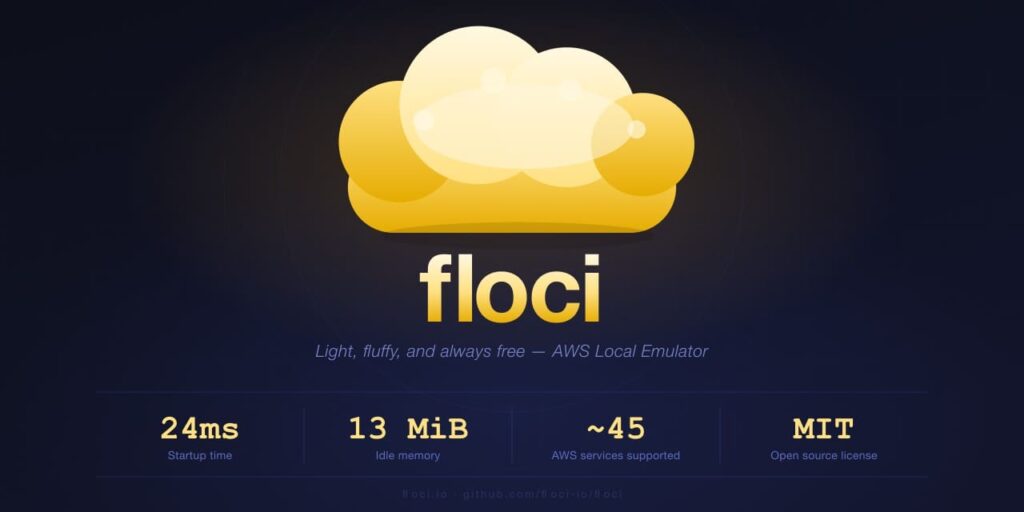
Floci is built with Quarkus Native and GraalVM, which allows it to offer a native binary and a small footprint. The project claims a startup time of around 24 milliseconds, about 13 MiB of idle memory and a Docker image of roughly 90 MB. These are especially attractive numbers for CI pipelines, where every startup second and every megabyte of memory count.
The tool is not limited to simulating simple endpoints. According to its repository, it supports 46 AWS services, including S3, DynamoDB, SQS, SNS, Lambda, IAM, STS, KMS, Cognito, Kinesis, EventBridge, Step Functions, CloudFormation, API Gateway, ElastiCache, RDS, MSK, Athena, Glue, ECS, EC2, EKS, CodeBuild, CodeDeploy, Auto Scaling, Route 53, Transfer Family and Textract, although not all with the same level of depth. Some services are stubs intended for local development, such as Bedrock Runtime or Textract, while others run real components through Docker.
That part is important. Floci uses real containers when in-process emulation would fall short. Lambda runs on AWS public runtime images. RDS uses real PostgreSQL, MySQL or MariaDB. MSK relies on Redpanda. EKS can start k3s. OpenSearch uses the corresponding engine, and CodeBuild runs builds inside containers. This design tries to balance speed and fidelity: simpler services are emulated in process; services that depend heavily on the real engine are delegated to Docker.
It also includes persistence modes. By default, it runs in memory, which is useful for ephemeral tests and CI. For local development, it offers persistent, hybrid and wal modes, with different durability levels. It also supports multi-account isolation: if the AWS_ACCESS_KEY_ID is exactly 12 digits, Floci uses it as the account ID and separates resources created by each account.
| Aspect | Floci | LocalStack after the 2026 change |
|---|---|---|
| Authentication for current image | No token required | Requires account and token for latest versions |
| License | MIT | More restrictive commercial model |
| Default port | 4566 | 4566 |
| SDK/CLI compatibility | AWS SDK and CLI pointing to local endpoint | AWS SDK and CLI pointing to local endpoint |
| Approach | Lightweight, open source, no feature gates | Commercial product with plans and authenticated access |
| Simple CI use | No token management | Requires token management in the pipeline |
| Services using real Docker | Lambda, RDS, MSK, EC2, EKS, OpenSearch, CodeBuild and others | Depends on edition and contracted capabilities |
What it can bring to cloud teams
Floci may fit well for teams developing AWS-based applications that want fast tests without opening temporary accounts or maintaining cloud environments for every branch. It can also be useful for training projects, SDK testing, local development with Spring Boot, Node.js, Python, Go or Rust, and validation with Terraform, OpenTofu or AWS CDK.
The project claims more than 1,850 automated compatibility tests across six SDKs and three infrastructure-as-code tools. That figure does not guarantee complete parity with AWS, but it does show a clear intention: not to be a superficial mock, but a development platform capable of checking real workflows with common SDKs.
It is worth keeping expectations grounded. No local emulator fully replaces AWS. There are subtle differences in permissions, timings, limits, events, latency, consistency, errors, quotas and managed service behavior. A test passing locally does not remove the need to validate in real environments before production. Floci should be seen as a tool to speed up development and CI, not as a perfect replica of the cloud.
Maturity also needs to be evaluated. LocalStack has been in the market for years, with a broad user base, extensive documentation and enterprise adoption. Floci is newer and still has to prove its stability in large projects, long-term compatibility and ability to keep up with AWS changes. Its advantage lies in its lightweight nature, open license and lack of access barriers. Its challenge will be sustaining that pace without sacrificing quality.
The broader debate goes beyond one specific tool. Many teams are tired of critical local development pieces depending on accounts, tokens, usage limits or packaging changes that can break pipelines. In that context, projects like Floci bring back a very valuable idea: the local testing environment should be easy to start, easy to destroy and free enough not to become yet another service to manage.
Floci will not replace LocalStack overnight in every team. But it does introduce pressure in a space where many developers were asking for a truly open alternative. For projects that need to emulate AWS services at no cost, without authentication and with a small footprint, it can become a very serious option.
Frequently asked questions
What is Floci?
Floci is a local AWS services emulator, open source and MIT-licensed, designed for development, testing and continuous integration without using a real AWS account.
Does Floci fully replace AWS?
No. It is useful for local development and testing, but it does not reproduce 100% of AWS production behaviors, limits and conditions.
Is it compatible with LocalStack?
Floci presents itself as a drop-in replacement for LocalStack Community: it uses port 4566, accepts common SDKs and CLI tools, and translates several LocalStack environment variables.
Which services does Floci support?
The project claims support for 46 AWS services, with different levels of implementation. Some are emulated in process, while others use real Docker containers.