
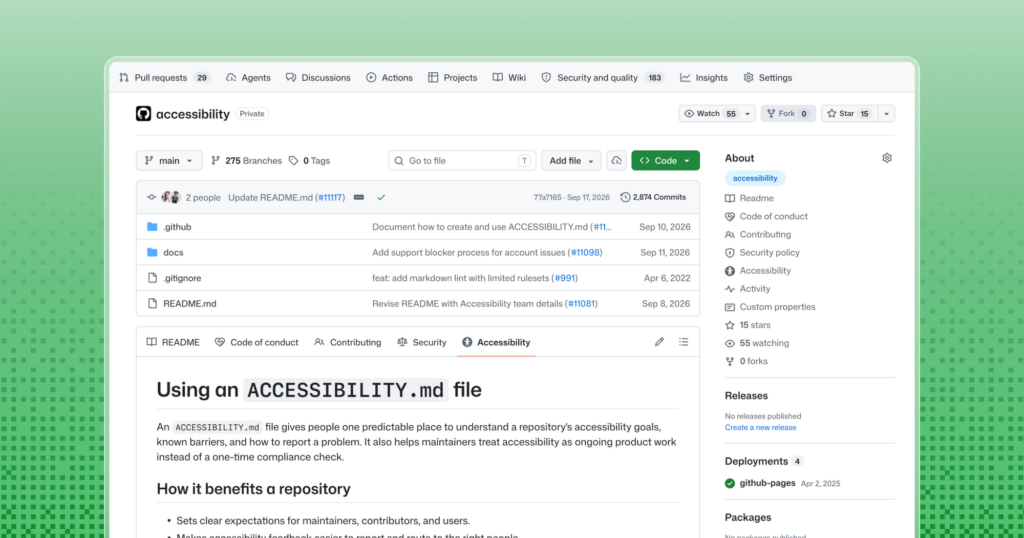
Since 5 November 2026, GitHub recognises a new standard repository file, ACCESSIBILITY.md, and displays it on the project overview with an Accessibility tab and a sidebar link, in the same way it already handles the README, licence or security policy. The aim is to give every project one fixed place to describe its accessibility status, the environments it supports and how to report barriers.
Key points on ACCESSIBILITY.md in 30 seconds
- GitHub shows ACCESSIBILITY.md in its own tab on the repository overview page.
- The file is detected in the root,
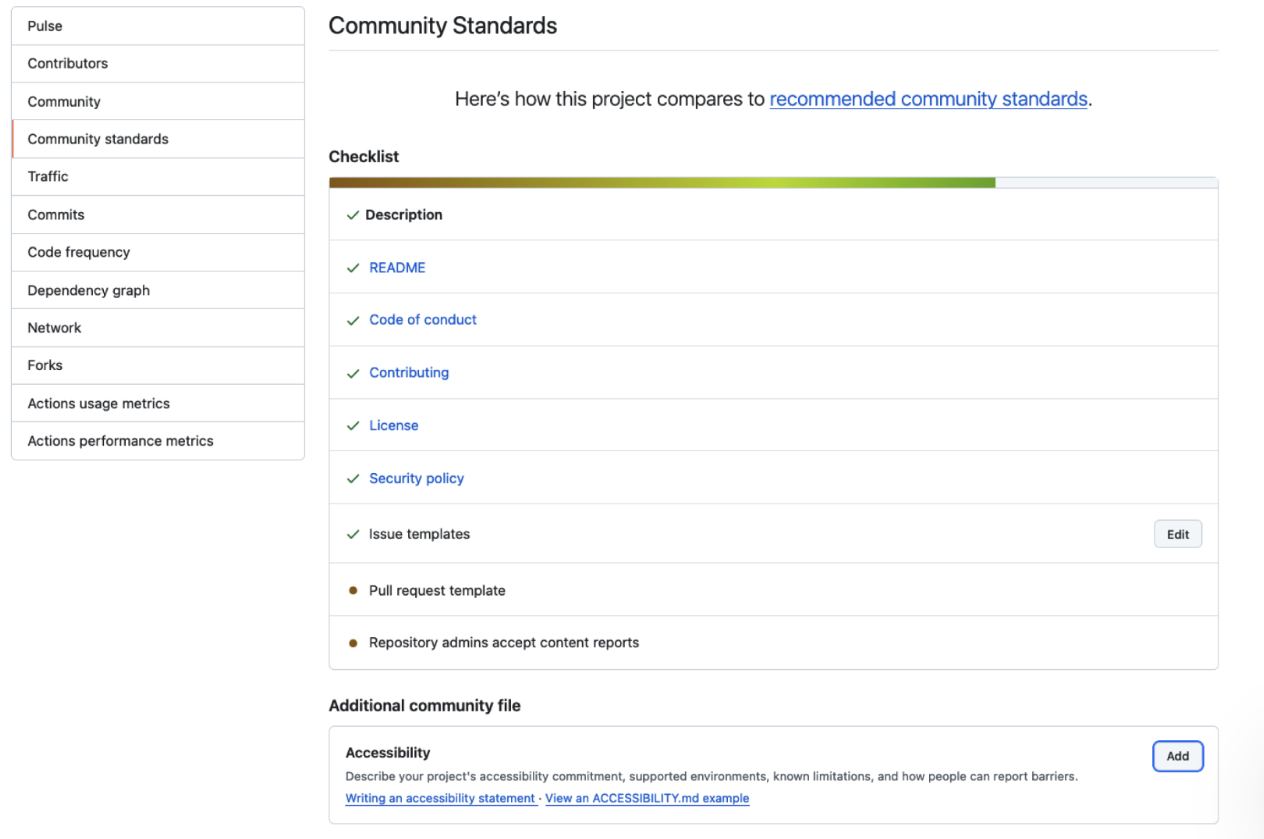
.github/ordocs/, and can be inherited from the organisation’s.githubrepository. - Public repositories can create it from a template under Insights, in Community Standards.
- New repositories get an
accessibilityissue label by default.
The announcement, written by Jan Maarten, a designer and accessibility specialist at GitHub, treats the file like the other community health files. GitHub looks for ACCESSIBILITY.md in the repository root, in the .github/ directory or in docs/. If a repository has none, it can inherit the one from its organisation’s special .github repository, so a company with dozens of projects can publish a shared statement and customise it only where needed.
How to create it and what to include
For public repositories, the quickest route is Insights > Community Standards, which now shows an accessibility card with a button to add or propose a statement from a short starter document. The template contains prompts that each project replaces with its own information, and GitHub documents the process in its guide to adding an accessibility statement.
GitHub suggests the file should cover the project’s priorities and goals; what is expected from contributors, with guidance for both people and coding agents; how to report an accessibility barrier; how reports are handled, with optional severity levels; supported environments, including platforms, browsers, input methods and assistive technologies; known limitations with workarounds and links to tracked fixes; who owns and maintains the statement; and how to give feedback. One recommendation is explicit: do not require reporters to disclose a disability or provide screenshots or recordings.
As examples, GitHub points to its own CLI, which documents settings, known barriers and a screen-reader-friendly way to list pull requests; the GitHub Annotation Toolkit, which acknowledges a limitation in its Figma library and states it has not had keyboard-only or screen-reader testing; and the Open Source Accessibility Toolkit.
A WCAG target is not a certification
The most useful part of the announcement is a warning. A project can name a version and level of the WCAG (Web Content Accessibility Guidelines) as a target, but GitHub stresses that “a target does not establish verified conformance”. A conformance claim needs an evaluation that states scope, date, method and evaluator. That distinction matters for teams working with public bodies or customers subject to regulation, such as the European Accessibility Act, which has applied since June 2025, although GitHub’s announcement does not mention any specific regulation.
For platform and operations teams, the file has a practical use: it keeps in one place what has and has not been tested, instead of scattering that information across issues, wikis and chat threads. It is also a sensible place to give instructions to AI assistants that generate interface code. GitHub does not say whether private repositories get the same template in Community Standards; the announcement only mentions public ones.
Frequently asked questions
Where should ACCESSIBILITY.md go?
In the repository root, in .github/ or in docs/. It can also be inherited from the organisation’s .github repository.
How do I create it on GitHub?
For public repositories, go to Insights > Community Standards, which offers a template to add or propose the statement.
Does naming WCAG in the file certify accessibility?
No. GitHub says a WCAG target is not verified conformance; that requires an evaluation stating scope, date, method and evaluator.
Sources: