
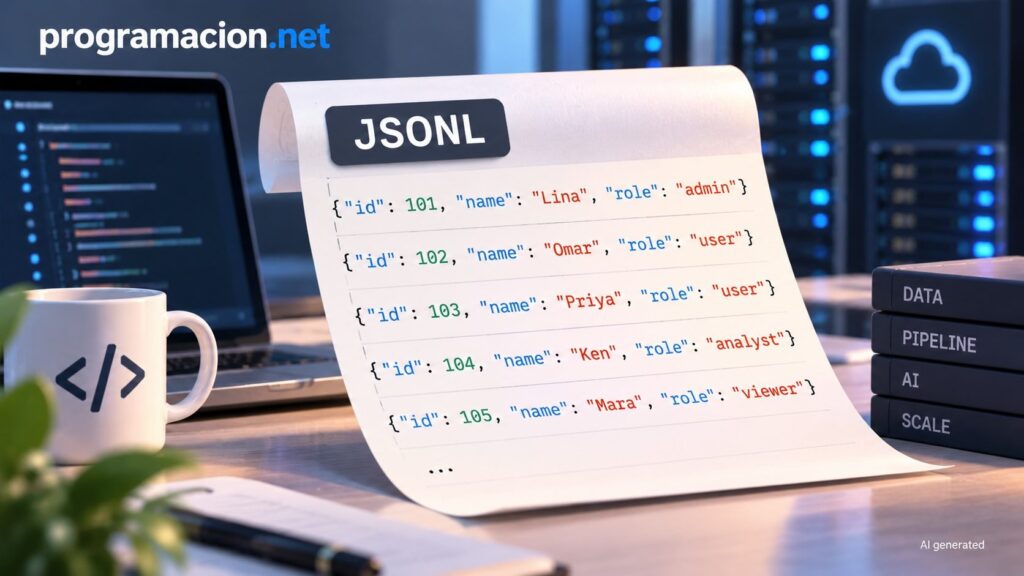
JSONL, short for JSON Lines, organizes data as independent JSON objects, one per line. That small structural difference makes it easier to process large files incrementally. The format is particularly useful for logs, event streams, machine learning datasets, and ETL processes where loading all the data into memory is not practical.
The key points about JSONL in 20 seconds
- Each line contains a complete, independent JSON object.
- It allows records to be read and processed without loading the entire file into memory.
- It fits naturally with logs, event streams, machine learning data, and ETL pipelines.
- Tools such as pandas, Spark, Hadoop, and jq can work with the format.
- Standard JSON remains more suitable for configuration files, APIs, and small or hierarchical datasets.
The difference from conventional JSON is small in appearance, but it changes how an application can read the data. A traditional JSON document has a single root structure, usually an object or an array containing all the records. JSONL separates those records so that each line becomes an independent unit.
For example, a JSON file could contain an array with hundreds or millions of objects. With a parser that uses a full-document approach, the program needs to build that structure before it can begin working with the records. With JSONL, it can read one line, convert it into an object, process it, and continue with the next.
The format does not require a new JSON syntax. The objects still use valid JSON. What changes is how multiple objects are organized within the file.
The difference between JSON and JSONL is how the data is organized
A conventional JSON file could group several records like this:
{
  "records": [
    {"id": 1, "name": "John", "status": "active"},
    {"id": 2, "name": "David", "status": "inactive"},
    {"id": 3, "name": "Wendy", "status": "active"}
  ]
}Code language: JSON / JSON with Comments (json)
With JSONL, each record occupies its own line:
{"id": 1, "name": "John", "status": "active"}
{"id": 2, "name": "David", "status": "inactive"}
{"id": 3, "name": "Wendy", "status": "active"}Code language: JSON / JSON with Comments (json)
That structure allows applications to use standard file-reading operations to go through the records one at a time. If the file is 50 MB, for example, line-based processing does not need to keep the entire 50 MB in memory. It needs enough memory for the line currently being processed and the data structures created by the application.
This does not mean that JSONL replaces streaming JSON parsers. Tools such as ijson for Python or stream-json for Node.js can process complex JSON structures incrementally without loading the entire document. The difference is that these parsers preserve a hierarchical structure, while JSONL uses independent records and makes line-based processing straightforward.
This is particularly useful when data keeps growing or arrives progressively. Log files are a simple example: each new event can be appended as a new record without rebuilding an entire JSON array.
It can also help when different parts of a system need to consume records independently. The separation between lines makes the format easier to split and process in parallel, especially with tools designed for distributed data processing.
Logs, AI and data pipelines are among its main uses
Log files are one of the clearest use cases. An application can append events as they occur, while another process can read them progressively. The structure also fits telemetry, error records, and other data that accumulates over time.
Machine learning data pipelines are another important scenario. Training datasets can contain very large numbers of examples, and JSONL makes it possible to process records incrementally. The original article cites support for JSONL in the Hugging Face datasets library as an example.
Large-scale data processing systems can also benefit from the format. Apache Spark and Hadoop can divide JSONL files along line boundaries, which simplifies distributed processing. A JSON document containing nested structures requires more care when determining where it can be split without breaking its structure.
ETL processes, meaning extract, transform, and load, can benefit in a similar way. Independent records can be added, transformed, or processed separately, while tools that already recognize JSONL avoid forcing each project to design its own format.
The format also appears in messaging and streaming scenarios. When each event represents an independent unit, separating records by lines fits naturally with incremental processing. The original article also mentions APIs that deliver results progressively, although it points out that OpenAI uses Server-Sent Events (SSE), a different mechanism in which each event can contain a JSON object.
Another advantage is standardization. It is possible to create a file containing JSON objects separated by newlines without calling it JSONL, but using a recognized format means developers can rely on tools that already know how to interpret it. The article mentions pandas, Spark, Hadoop, and jq among the available options.
For a development team, the .jsonl extension also communicates how the file is structured. That avoids having to document an internal convention that already has established equivalents in the wider ecosystem.
JSON still has clear advantages in other scenarios
The usefulness of JSONL does not mean conventional JSON has become obsolete. Web applications and REST APIs continue to use JSON extensively. Clients and servers have direct support, while JavaScript includes the JSON.parse() and JSON.stringify() functions.
Configuration files are another case where a single JSON document can be more natural. If the configuration is small and hierarchical, keeping it as one object makes it possible to load the entire structure and access its different levels.
The same applies to small and medium-sized datasets that comfortably fit in memory. In those cases, separating every record onto its own line may provide little benefit and introduce an additional processing model.
The decision therefore depends on the structure of the data and how it will be consumed. When an application needs to handle an entire document and maintain hierarchical relationships, JSON fits that model. When there are many independent records that need to arrive or be processed progressively, JSONL provides a structure better suited to that task.
JSONL and NDJSON are practically equivalent
Another name that frequently appears is NDJSON, short for Newline-Delimited JSON. The original article treats JSONL and NDJSON as practically equivalent formats, both based on independent JSON objects separated by newlines.
The main difference is usually the terminology and file extension. A .jsonl file is commonly identified as JSON Lines, while .ndjson identifies Newline-Delimited JSON. In both cases, the central idea is that each line contains a complete JSON object.
For developers, the distinction matters less than checking which format a particular tool expects. The filename extension can provide a useful indication, but actual compatibility depends on the system reading the file.
The article also asks why JSONL does not receive more attention compared with other data-processing technologies. Its main characteristic is precisely that it adds very little complexity: it uses JSON, keeps each record independent, and takes advantage of tools that already exist.
That simplicity is part of its usefulness. For an application generating logs or processing large numbers of records, it may not be necessary to introduce specialized infrastructure simply to begin processing data incrementally. A line-based format can be enough to solve part of the problem.
The practical question is whether the data is bounded and needs to be handled as a single structure, or whether it is large, continuously growing, and suitable for record-by-record processing. In the latter scenario, JSONL can prevent the total size of the file from determining the memory requirements of the process.
Frequently asked questions
What is JSONL?
JSONL stands for JSON Lines. It is a format in which each line contains a complete, independent JSON object.
What is the difference between JSON and JSONL?
JSON represents a single document with a root structure, while JSONL organizes multiple independent JSON objects, usually one per line. This structure makes it possible to process records incrementally.
What is JSONL used for?
It is particularly useful for logs, event streams, machine learning datasets, large-scale data processing, and ETL pipelines.
Are JSONL and NDJSON the same?
The article treats JSONL and NDJSON as practically equivalent formats, both based on JSON objects delimited by newlines. The usual difference is the terminology and file extension.
Sources:
- Level Up Coding / GitConnected, “JSONL: The Format We Didn’t Know We Needed”, Dave Taubler, 04/09/2026.
- JSONL Tools, “JSONL vs JSON: Key Differences, Examples, and Use Cases”.
- Scrapfly Blog, “JSONL vs JSON”.
- JSONL Tools, “JSONL vs NDJSON: Same Format, Different Names”.
- JSONL Help, JSONL tools and utilities.