
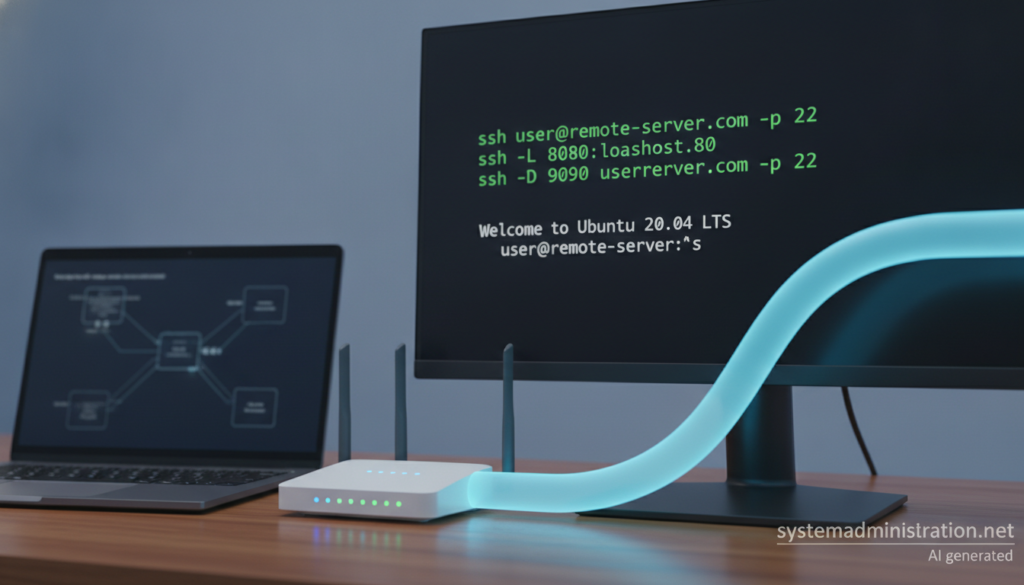
Getting trusted HTTPS on a local environment and letting an outside service reach a machine behind a router are two different problems with different tools, and open-source software covers almost every case. This guide collects the minimal commands and configs for each option, starting with the ones that expose nothing to the internet.
Local HTTPS and tunnels key points in 20 seconds
- mkcert or Caddy’s internal CA remove browser warnings locally.
- Let’s Encrypt with DNS-01 gives a public certificate to an internal host.
- SSH -R, frp, zrok and bore expose a port using your own infrastructure.
- Every tunnel should publish one port, require auth and be closed afterwards.
The first question is always the same: do you need the browser to trust you, or do you need the internet to reach you? The answer picks the tool.
Trusted certificates without opening ports
mkcert creates a development CA, installs it in your trust stores and issues certificates from it:
mkcert -install
mkcert dev.example.com localhost 127.0.0.1
mkcert -CAROOT   # shows where the CA livesCode language: CSS (css)
The rootCA-key.pem file in that folder can mint certificates your machine will accept for any domain, so never share it. For other devices, copy only rootCA.pem.
Caddy does the same with its internal CA and doubles as a reverse proxy. This is the whole Caddyfile for an app on port 3000, with the name pointed at 127.0.0.1 in /etc/hosts:
dev.example.com {
    tls internal
    reverse_proxy localhost:3000
}
To see what these tools automate, generate one certificate by hand with OpenSSL. The subjectAltName extension is essential: current browsers reject certificates without it, whatever the Common Name says.
openssl req -x509 -newkey rsa:2048 -sha256 -days 365 -nodes
  -keyout dev.key -out dev.crt -subj "/CN=dev.example.com"
  -addext "subjectAltName=DNS:dev.example.com,DNS:localhost,IP:127.0.0.1"
openssl x509 -in dev.crt -noout -text | grep -A1 "Subject Alternative Name"Code language: JavaScript (javascript)
For a real public certificate on an internal host, Let’s Encrypt’s DNS-01 challenge works with no inbound connection. With Certbot and your DNS provider’s plugin, renewal runs unattended. To avoid leaving a token that can edit your whole zone on that box, delegate _acme-challenge by CNAME to a separate zone with narrow permissions.
Tunnels on your own infrastructure
If you already have a reachable server, OpenSSH remote forwarding is the simplest tunnel:
ssh -NT -R 8080:localhost:3000 user@serverCode language: CSS (css)Port 8080 binds to the server’s loopback by default, because GatewayPorts defaults to no in sshd_config. The safest approach is to leave it there and publish it through an authenticated reverse proxy; if you must bind elsewhere, GatewayPorts clientspecified beats yes.
frp splits server (frps) and client (frpc) and handles HTTP, HTTPS, TCP and UDP. A minimal TOML setup with the same token on both sides:
# frps.toml (on the VPS)
bindPort = 7000
vhostHTTPPort = 8080
auth.method = "token"
auth.token = "REPLACE_WITH_A_LONG_TOKEN"

# frpc.toml (on your machine)
serverAddr = "vps.example.com"
serverPort = 7000
auth.method = "token"
auth.token = "REPLACE_WITH_A_LONG_TOKEN"

[[proxies]]
name = "web"
type = "http"
localIP = "127.0.0.1"
localPort = 3000
customDomains = ["dev.example.com"]Code language: PHP (php)zrok, built on OpenZiti, shares publicly or privately, self-hosted or via its hosted service. A private share, reachable only by another zrok user, avoids leaving anything open to the whole internet:
zrok enable <ACCOUNT_TOKEN>
zrok share private localhost:3000Code language: HTML, XML (xml)
bore is a minimal TCP tunnel in Rust: no TLS or hostname routing, but easy to audit. Always run the server with a secret:
bore server --secret LONG_SECRET                # on the VPS
bore local 3000 --to vps.example.com --secret LONG_SECRETCode language: CSS (css)
sish is another open-source option, offering HTTP(S), WebSocket and TCP tunnels with plain SSH on the client side.
Managed services and ground rules
When running your own endpoint is not worth it, managed services are quicker. Cloudflare Tunnel uses the open-source cloudflared daemon with an outbound connection, but the hostname is public with no auth by default, so put Cloudflare Access in front and end the ingress list with http_status:404. Tailscale Serve keeps a service inside your tailnet, while Funnel opens it to the internet. Proprietary ngrok earns its place with a request inspector that captures and replays webhooks.
Whichever you use, the same rules apply: one port and one service per tunnel, authentication in front whenever possible, no databases or admin panels exposed, tokens revoked and tunnels closed afterwards, and the public-facing server kept patched. These tools are for reaching your own machines; using them to bypass a corporate firewall is a security problem and almost certainly a policy one.
Frequently asked questions
Why does my browser reject a self-signed certificate even when the name matches?
Because it is not in any trust store and, often, because it lacks the subjectAltName extension that current browsers require.
Why doesn’t my ssh -R tunnel answer from outside?
The remote port binds to the server’s loopback by default. Change GatewayPorts in sshd_config or publish that port through a reverse proxy.
Which open-source tunnel should I use for HTTP with my own domain?
frp is the most complete option for HTTP with custom domains on a VPS. zrok is a good alternative if you want private sharing.
Sources: