
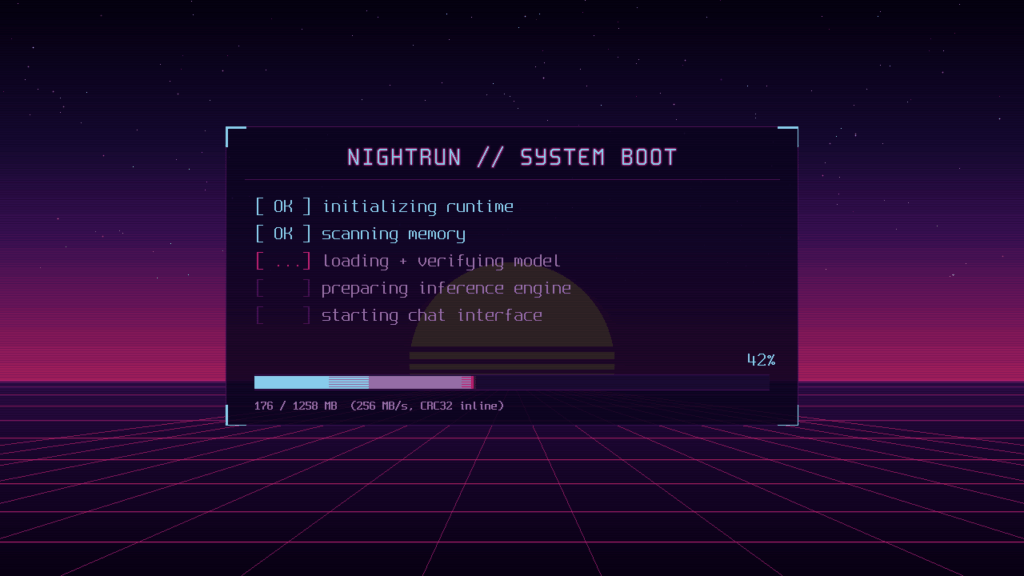
NightRun presents a particularly interesting experiment for sysadmins and developers: booting a computer directly into a language model without loading Linux, Windows, or a conventional operating system. The UEFI firmware starts an application written in Rust, the model is copied entirely into RAM, storage is sealed against further reads, and CPU inference begins. There is no shell, systemd, containers, browser, user processes, or even a network stack.
NightRun’s technical highlights in 20 seconds
- NightRun is a
no_stdEFI application written in Rust that remains on UEFI Boot Services. - It runs Llama 3.2, Qwen3, and dense Granite 4.1 models directly on the CPU.
- Quantized models are loaded entirely into RAM before the chat starts.
- There is no conventional kernel, active filesystem during inference, or TCP/IP stack.
- Greedy generation is validated token by token against llama.cpp.
For a sysadmin accustomed to deploying Ollama through Docker, a virtual machine, or a Linux service, the difference is substantial. With NightRun, there is no host operating system running the AI runtime. The runtime is effectively almost all the software left running on top of the firmware.
That removes software layers, but it also removes many conveniences normally taken for granted. There is no SSH access, no journalctl for checking logs, no apt for installing packages, and no service to restart. There is also no CUDA, ROCm, or HTTP API for applications to connect to.
It is an AI appliance deliberately restricted to a single job.
UEFI provides the hardware layer, but NightRun is not pure bare metal
The architecture needs one important clarification. NightRun does not run directly on the hardware after completely abandoning the firmware.
The project remains within UEFI Boot Services for the entire session and never calls ExitBootServices().
This allows it to solve several difficult problems without developing half an operating system.
UEFI provides the Graphics Output Protocol (GOP) for framebuffer access, services for handling USB keyboard input, and storage access during model loading. Firmware multiprocessing services are also used to bring the available CPU cores online.
The simplified architecture looks like this:
UEFI firmware
      │
      ▼
BOOTX64.EFI / BOOTAA64.EFI
      │
      ▼
NightRun
 ├── framebuffer + UI
 ├── keyboard
 ├── multicore worker pool
 ├── model loader
 ├── tokenizer
 ├── KV cache
 ├── inference engine
 └── sampling
      │
      ▼
Model entirely resident in RAM
There is no Linux layer between UEFI and NightRun.
UEFI does, however, continue to provide some services, so describing NightRun as running “without a conventional operating system” is technically more accurate than calling it pure bare metal.
This design avoids having to write custom drivers for xHCI, USB HID, storage, graphics, and the numerous hardware peculiarities found across PC platforms.
The cores dedicated to computation also follow an internal restriction: worker cores do not call firmware services. They perform computation using atomic primitives.
The model goes into RAM and storage drops out of the execution path
NightRun makes another unusual design choice that will be particularly interesting to sysadmins.
It does not use the USB drive as active storage while generating tokens.
During boot, the model is read in 16 MB chunks while NightRun simultaneously calculates CRC-32 checksums. Once loading finishes, the entire model resides in memory.
The runtime then seals storage access at the software level. Any subsequent attempt to read from storage deliberately triggers a failure.
Memory is prepared in advance:
| Region | Contents |
|---|---|
| Model blob | Weights, tokenizer, and metadata |
| KV cache | FP16 keys/values for all layers |
| Prefill workspace | Activations for batched processing |
| Decode scratch | Activations, logits, and buffers |
| UI buffers | Framebuffer and interface |
Tensors are accessed through zero-copy views over the memory block containing the model.
NightRun does not keep requesting memory during generation either. An arena is sized during boot to contain the KV cache and temporary memory. According to the project documentation, the token-generation loop performs no heap allocations.
This creates predictable behavior, but it also introduces a hard requirement: if the model and its supporting structures do not fit in memory, it simply cannot run.
The documentation lists roughly 4 GB of RAM for Llama 3.2 1B, 6 GB for Llama 3.2 3B and Granite 4.1 3B, and 8 GB for Qwen3 4B.
From GGUF to .nrm: NightRun has its own runtime format
NightRun does not simply load any GGUF file found in a directory.
The project includes nrconvert, a tool that inspects the GGUF, checks its architecture, tensor types, and tokenizer, and then converts it into NightRun’s own .nrm format.
The process looks roughly like this:
GGUF
  │
  ├── architecture inspection
  ├── tensor validation
  ├── tokenizer validation
  ▼
nrconvert
  │
  ▼
.nrm
  │
  ├── header
  ├── tokenizer
  ├── tensor table
  ├── 64-byte aligned tensors
  └── CRC-32
  ▼
USB / SD image
The format includes a fixed header containing model dimensions, RoPE parameters, architecture features, and the metadata required to run the tokenizer and conversation template.
Tensors are 64-byte aligned and consumed directly once the file has been loaded.
There is no general decompression stage that expands all weights into FP32.
NightRun supports Q8_0, Q4_K, and Q6_K, along with selected F32 tensors. This means it can preserve the mixture of quantization formats found in models such as Q4_K_M.
AVX2 and NEON instead of CUDA
Another major difference for anyone used to deploying LLMs is that NightRun currently does not use a GPU.
On x86_64 it provides kernels written for AVX2, FMA, and F16C. On ARM it uses NEON and includes an sdot path for compatible CPUs.
Inference is divided into two phases.
Prefill processes the prompt in batches of up to 64 tokens. A 129-token prompt, for example, is processed as 64 + 64 + 1.
Decode then generates one token at a time.
NightRun tries to reduce memory traffic by operating directly on quantized weights. In CPU inference, memory bandwidth can quickly become the limiting factor, particularly during decode.
The project’s published results illustrate the difference:
| Model | Prefill | Decode | Environment |
|---|---|---|---|
| Llama 3.2 1B Q8_0 | 52–56 tok/s | ~20 tok/s | QEMU/KVM, 8 cores, AVX2 |
| Granite 4.1 3B Q4_K_M | 23–27 tok/s | ~14 tok/s | QEMU/KVM, 8 cores, AVX2 |
| Qwen3 4B Q4_K_M | ~23 tok/s | ~11 tok/s | QEMU/KVM, 8 cores, AVX2 |
| Granite 4.1 3B Q4_K_M | 6.2 tok/s | 3 tok/s | Raspberry Pi 5 |
These are measurements published by the project rather than independent benchmarks, and QEMU results can vary depending on host load. NightRun also does not claim to outperform llama.cpp overall.
Its developers actually put prefill performance around 1.15 to 1.4 times behind llama.cpp in some equivalent comparisons.
The interesting optimization here is not about winning a benchmark. It is about achieving usable performance without depending on the usual operating-system stack.
Comparing against llama.cpp is part of the test suite
For developers, one of the most interesting parts of the repository may be its validation strategy.
NightRun maintains scalar reference kernels and checks its AVX2 and NEON implementations against them.
There is another test at a higher level: greedy generation must match llama.cpp token for token for supported model families.
The project also checks that:
batched prefill == sequential processingfor both logits and KV-cache contents.
The tokenizer has its own tests. Test cases are generated from the official Hugging Face tokenizers, while chat templates are checked against apply_chat_template.
This matters more than it might appear. Two engines can implement their matrix multiplications correctly and still produce different output because they tokenize the prompt or build the conversation differently.
The project documents bugs found through these comparisons, including differences in its implementation of Qwen’s RoPE behavior.
A truly isolated PC is different from a laptop with Wi-Fi disabled
From a sysadmin perspective, the networking decision may be NightRun’s most provocative feature.
NightRun does not have a TCP/IP stack.
This is not an interface being administratively disabled with:
ip link set eth0 downCode language: JavaScript (javascript)Nor is it a firewall rule:
iptables -P OUTPUT DROPAnd it is not a VM connected to an isolated virtual network.
The runtime simply does not implement the software infrastructure required to communicate over IP.
That does not automatically make NightRun suitable for every sensitive workload. UEFI remains part of the trust chain, as do NightRun itself, the downloaded model, removable media, and the computer used to prepare the image.
But it does remove a considerable amount of active software from the attack surface.
It also changes the operational model. There are no remote updates, cloud dependencies, telemetry agents, or services listening on ports because there is no network for them to use.
The trade-off: no SSH, Docker, API, or conventional observability either
That isolation comes at a cost.
For a traditional production environment, some limitations are substantial:
| Common feature | NightRun |
|---|---|
| SSH | No |
| REST API | No |
| Docker/Kubernetes | No |
| TCP/IP | No |
| GPU | No |
| Package manager | No |
| Remote updates | No |
| Prometheus/OpenTelemetry | No |
| systemd logs | No |
| Local shell | No |
| Chat interface | Yes |
| Multicore CPU execution | Yes |
NightRun does not try to hide this. Its documentation describes it as a single-purpose chat appliance, not a general-purpose operating system.
That substantially limits its practical use cases, but it also makes the project more interesting from a systems-engineering perspective.
The USB image is built from Linux, and the installer tries not to destroy the wrong disk
Initial preparation does require a Linux system.
The guided process can be summarized as:
git clone https://github.com/hardrave/NIGHTRUN.git
cd NIGHTRUN
./install.shCode language: PHP (php)
The installer lets users select x86_64 or Raspberry Pi 5, download a validated model or provide a local GGUF, convert it, generate the image, and write it to USB or microSD.
Because writing the complete image destroys the existing contents of the target device, the installer includes several safeguards. It excludes disks associated with /, /boot, /home, and swap, rechecks the physical identity of the drive before writing, and requires an explicit confirmation such as:
FLASH /dev/sdXIt then reads the written region back and compares its SHA-256 against the original image.
On the target machine, the USB drive can then be selected from UEFI, although Secure Boot must be disabled because the images are not signed.
NightRun is also an experiment in AI-assisted systems programming
There is another unusual aspect for developers: according to its creators, most of NightRun was written using Claude Code with the Fable 5 model.
The repository is particularly interesting because of the type of code involved.
This is not a conventional web application. It contains Rust no_std, UEFI integration, SIMD, binary formats, tokenization, manual memory management, transformer inference, framebuffer rendering, and code capable of writing directly to storage devices.
That is precisely why the project relies on tests against reference implementations rather than assuming generated code works simply because it compiles.
NightRun remains experimental. x86_64 compatibility depends on the peculiarities of individual firmware implementations, only three model families are currently supported, there is no GPU acceleration, and the model must fit entirely in RAM.
For sysadmins and developers, however, it is interesting precisely because it pushes an increasingly common idea to its logical extreme.
Running an LLM “locally” usually means installing Ollama, downloading a GGUF, and making sure no requests leave the machine. NightRun changes the question: if the machine exists only to run a model, how much software can be removed between the firmware and the weights?
Its current answer is fairly radical: the entire Linux stack.