
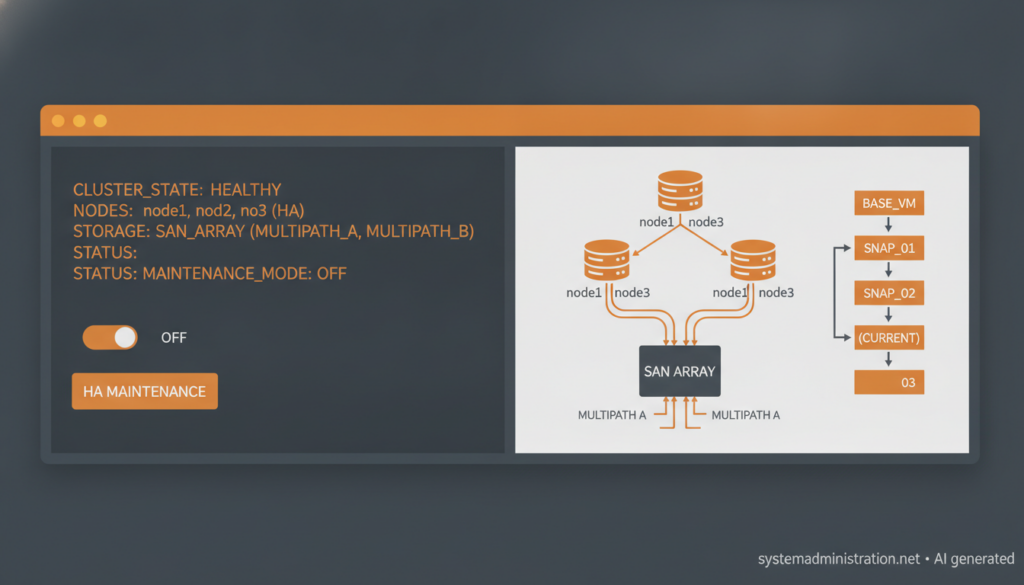
Proxmox Virtual Environment 9.3 has been available since November 25, 2026. For administrators, the headline is that shared SAN storage can finally be managed from the web interface: cluster-wide multipath for iSCSI, Fibre Channel and NVMe over Fabrics, guided shared LVM setup and production-ready snapshots on thick-provisioned LVM. On top of that come HA maintenance mode in the GUI and API, dedicated VRFs for Simple SDN zones and Ceph Tentacle 20.2 as the stable release.
Proxmox VE 9.3 in 30 seconds
- Cluster-wide SAN view with per-LUN path status and a wizard for multipath and shared LVM.
- Snapshots as volume chains on thick LVM, including SAN-backed LVM, now out of technology preview.
- HA maintenance mode from the HA panel or through a new API endpoint.
- Debian 13.8 base, kernel 7.0 (7.3 opt-in), QEMU 11.1, LXC 7.0, ZFS 2.4 and Ceph Tentacle 20.2.
- Proxmox VE 8 has been out of support since August 2026.
The release follows by a few days Proxmox’s opt-in 7.3 kernel, the first built directly on the kernel.org stable branch. In 9.3 the default remains 7.0, so the upgrade does not change kernels on its own.
SAN, multipath and snapshots: what changes in storage
Until now, running shared LVM on an array in Proxmox VE meant configuring multipath-tools by hand on every node, checking with multipath -ll that all paths were active and creating the volume group from the console. According to Proxmox’s press release, 9.3 adds a view under Datacenter > SAN that shows the real-time path state of every LUN across all nodes, a per-node panel with local LUNs, paths, usage and active iSCSI sessions, and a wizard that sets up multipath and provisions shared LVM on iSCSI, Fibre Channel and NVMe over Fabrics.
Console checks are still useful to cross-check the GUI or to troubleshoot:
multipath -ll
iscsiadm -m session
pvs
vgs
The second change is the one VMware migrants with shared arrays have been waiting for. Thick-provisioned LVM, the kind used on shared LUNs, did not support VM snapshots. Proxmox introduced snapshots as volume chains as a technology preview, and 9.3 gives them full production support, including shared LVM on iSCSI and Fibre Channel. They are enabled per storage, in the advanced settings, with the «Allow Snapshots as Volume-Chain» option.
Before enabling it in production, test on a non-critical storage how long snapshot chains affect disk performance for the guests involved, and check that your backup tool handles them well. Third-party storage plugins can now also be managed from the web: their forms are generated from each plugin’s property schema, and passwords and keys are masked.
HA, guest identities, SDN and logs
HA maintenance mode, which moves a node’s workloads away before you work on it, could until now only be toggled with ha-manager:
ha-manager crm-command node-maintenance enable pve-node2
ha-manager status
ha-manager crm-command node-maintenance disable pve-node2
The command is still there, but 9.3 adds a «Node Maintenance» menu in the HA status panel and a new API endpoint, so it can be built into automated upgrade workflows without running commands over SSH on every node.
Every guest gets a unique identity that survives migrations, backups and restores, even if its VMID changes or it is restored to another cluster. For inventories and backup tools, it solves the problem of tracking the same machine when its VMID is reused or changes.
In SDN, Simple zones can have a dedicated VRF with its own routing table and static routes, which separates routing for several networks without moving to EVPN zones. WireGuard fabrics show interface and peer status in the web UI. Notifications get a nested rule editor with weekday and time-range selectors, and there is a filterable system log, a new API access log and an APT history view with past package transactions, handy for knowing what changed before an incident. The installer, in its graphical, text and automated versions, can now configure the management network on a bond, a VLAN or both.
How to upgrade and in what order
From 9.2, the upgrade runs through APT or the web interface, and Proxmox recommends the enterprise repository. The announcement itself urges caution: «Please test carefully in a staging environment before upgrading production clusters.» In a cluster, the sensible approach is node by node, putting each one in HA maintenance before upgrading:
pveversion -v
apt update
apt full-upgrade
pveversion
Anyone still on Proxmox VE 8 has a bigger problem. According to the announcement’s FAQ, that release reached end of life in August 2026 and has not received security fixes since, so the move to 9 should be planned as soon as possible using the official 8-to-9 upgrade guide. With Ceph Reef the order matters: first upgrade Ceph to Squid on Proxmox VE 8.4, then upgrade Proxmox VE to 9.3, and finally move Ceph to Tentacle or Umbrella. Check the storage cluster before and after each step:
ceph -s
ceph versions
Ceph Umbrella 21.2 ships as a technology preview, with an optimized erasure-coding I/O path, hardened CephX authentication with a new default cipher and online daemon key rotation. For production, the stable release is Tentacle 20.2.
Frequently asked questions
How do I upgrade from Proxmox VE 9.2 to 9.3?
With apt update and apt full-upgrade, or from the web interface. In clusters, go node by node after testing in a staging environment.
How do I enable snapshots on thick LVM?
In the LVM storage’s advanced settings, with the «Allow Snapshots as Volume-Chain» option. It also works on shared LVM over iSCSI and Fibre Channel.
Which Ceph version does Proxmox VE 9.3 use?
Ceph Tentacle 20.2 as stable and Umbrella 21.2 as a technology preview.
Does Proxmox VE 8 still get security updates?
No. According to Proxmox, it reached end of life in August 2026.
Sources: