
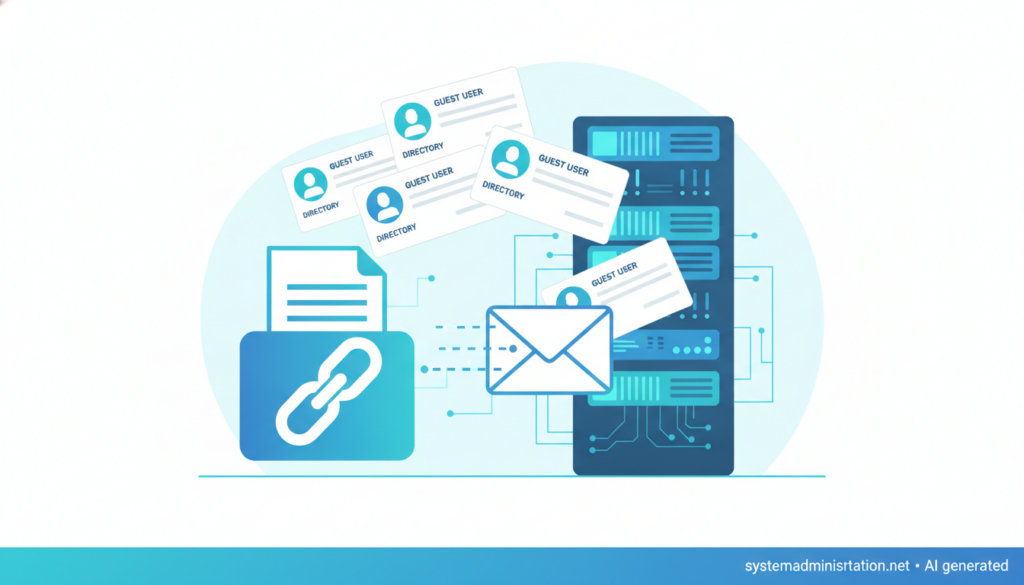
Microsoft is retiring the SharePoint Online one-time passcode (SPO OTP) in commercial Microsoft 365 tenants. The rollout began in mid-October 2026 and, according to Message Center post MC1243549, is expected to complete by the end of November. From then on, external collaborators who used that passcode to open content shared through Specific people links, and who have no matching Microsoft Entra B2B guest account, get an access denied error.
The key points of the SharePoint OTP retirement in 30 seconds
- SharePoint’s own external authentication, which worked outside the Entra ID directory, is going away.
- Entra B2B email one-time passcode stays: external users still get a code, but as directory guests.
- Only Specific people links shared before the change break, and only for recipients without a guest account.
- Anyone links are not affected.
- Commercial tenants cannot postpone or opt out.
The change has two phases. Between May and July 2026, Microsoft enabled SharePoint and OneDrive integration with Entra B2B for all new external sharing, so every new invitation already creates a guest object in the directory. Phase two, under way now, switches off the old mechanism. The date has moved more than once: the original notice, published on March 4, pointed to July, and the October 1 update set the start for mid-October with completion expected by the end of November in production.
What goes away and what stays
The name is misleading, because external users will still receive a code by email. What is being retired is SPO OTP, a system that let an external person exist only inside SharePoint, with no guest account in Entra ID. Those users did not show up in the directory, so Conditional Access policies and access reviews never reached them. Microsoft’s documentation is explicit: «Microsoft Entra B2B email one-time passcode authentication remains supported.»
With Entra B2B, a passcode is valid for 30 minutes and a guest session expires after 24 hours, after which the user gets a new code when opening the resource again. MC1243549 adds that authentication and guest lifecycle events move from SharePoint logs to Entra audit logs, and that Conditional Access, Identity Protection and guest governance policies apply to every external user.
Microsoft’s FAQ is firm on two points. Commercial tenants cannot opt out or disable Entra B2B integration, and they cannot pick a date, because the rollout system selects them automatically. The EnableAzureADB2BIntegration setting no longer controls sharing behavior, even if Get-SPOTenant still reports False in some tenants. The October 1 update excludes GCC, GCC High and DoD from both phases; Microsoft says it will publish separate dates for those clouds.
Which links break and how to restore access
The impact is narrow. It affects Specific people links shared before phase one reached the tenant, whose recipient signed in with SPO OTP and has no matching Entra B2B guest account. Matching means the same email address the link was sent to. External users who already have that account keep access to everything shared earlier, and Microsoft says no duplicate guest accounts are created when one already exists.
Anyone links, the anonymous ones, are out of scope: question 10 of Microsoft’s FAQ says the retirement does not affect them. That does not make them the safe alternative, since anyone who receives a forwarded URL can open it and nothing records who did.
Microsoft describes two ways to restore access. An administrator can create the Entra B2B guest account using the email address tied to the original link. Alternatively, a user with sharing permissions can share or reshare at least one file, folder or site with that person, which creates the guest account automatically. Once the account exists, previously shared links work again without resharing each item.
To find affected users, Microsoft points to the external sharing report of each site and its «User E-mail» column. Since the report is per site, large tenants will want to script it. To cross-check those reports against the guests that already exist in the directory, Microsoft Graph PowerShell gives a quick inventory:
Connect-MgGraph -Scopes "User.Read.All"
Get-MgUser -Filter "userType eq 'Guest'" -All -Property Mail,DisplayName,CreatedDateTime |
  Select-Object Mail,DisplayName,CreatedDateTime |
  Export-Csv entra-guests.csv -NoTypeInformationCode language: JavaScript (javascript)
Addresses that appear in SharePoint sharing reports but not in that CSV are the likely candidates for an access denied error. For regular external partners (accountants, auditors, clients with open projects), creating the guest ahead of time is the practical fix.
What to review in Entra ID
Entra ID now decides whether an external user gets in, so its settings matter more than SharePoint’s. First, confirm that email one-time passcode for guests is enabled under Entra ID > External Identities > All identity providers, on the Built-in tab. Microsoft says it is on by default for new tenants and for existing tenants that have not explicitly turned it off. If it is off, guests without a work account are prompted to create a Microsoft account.
Turning it off later also has consequences. According to the Entra documentation, guests who have already redeemed a passcode will not be able to sign in until their redemption status is reset so they can use another method.
Second, check guest invite restrictions. If Entra external collaboration settings only let admins invite guests, users will not be able to share externally even where SharePoint allows it. Microsoft’s notice suggests reviewing who can invite and assigning the Guest Inviter role where needed. Entra B2B allow and block lists for domains also apply to Teams and Microsoft 365 Groups, so moving SharePoint domain restrictions into Entra deserves its own review.
Third, Conditional Access. Policies that include guests will now apply to a larger external population. Microsoft also notes that authentication strength policies cannot currently be applied to email one-time passcode accounts, and recommends the «Require MFA» grant control instead.
Finally, Microsoft asks admins to warn internal users that some external collaborators may see access denied on older links, and that resharing a single file with that person is the fastest fix within their reach.
Frequently asked questions
Is Microsoft removing email one-time passcodes for guests?
No. Only the SharePoint Online OTP is being retired. Microsoft Entra B2B email one-time passcode remains available and is the default method for guests without a work, school or Microsoft account.
Do Anyone links stop working?
No. Microsoft says the retirement does not affect anonymous links. Only Specific people links whose recipient lacks an Entra B2B guest account fail.
Do I need to reshare every file with a guest who gets access denied?
No. Creating their Entra B2B guest account with the same email address, or sharing a single file, folder or site with them, restores access to everything shared before.
Can I postpone the change in my tenant?
Not in commercial tenants. Microsoft selects them automatically and does not allow choosing a date or disabling Entra B2B integration. GCC, GCC High and DoD will get their own schedule.
Sources:
- Microsoft Learn: FAQ on retiring SPO OTP and the transition to Entra B2B
- Microsoft Learn: SharePoint and OneDrive integration with Microsoft Entra B2B
- Microsoft Learn: Email one-time passcode authentication for B2B guest users
- Microsoft 365 Message Center: MC1243549
- Microsoft Learn: SharePoint sharing reports