
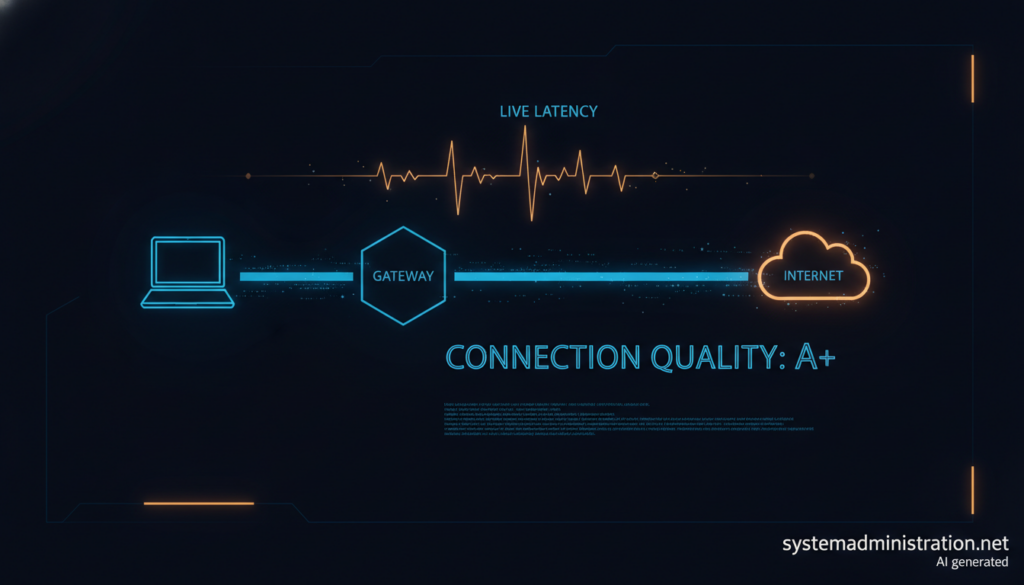
sping is an open-source network diagnostic tool, written in Rust and released under the MIT license, that keeps the simplicity of ping and adds what is usually missing when something breaks: link quality, local network context, gateway and internet checks, TCP probes and a live view of several targets at once. Antonio Cotos develops it under the LambdaBytes account, it runs on Linux, macOS and Windows, and the latest tagged release is 1.8.0.
sping in 30 seconds
- It measures RTT, jitter, loss and TTL and grades the link from A to D over the last 20 probes.
- It tells you whether the target, the gateway or the internet uplink is the problem.
- TCP probes help when ICMP is filtered, and multi-target and batch modes cover several hosts.
- NDJSON output and ping-style exit codes make it scriptable; on most Linux distributions it needs no root.
Its author puts the motivation simply: ping answers whether a host replies, but not the next question, which is why the connection is bad. A failed ping does not even prove a service is down, since many networks filter ICMP. sping tries to fill that gap without becoming a monitoring platform: it is a native binary you run in a terminal.
What it measures
sping sends ICMP echo over IPv4 and IPv6 and reports round-trip time, jitter, loss, mdev and TTL, with an estimated hop count. From the last 20 probes it computes a 0 to 100 score, mapped to a letter (A excellent, B good, C fair, D poor), plus a trend: stable, improving or degrading. It detects latency spikes adaptively and times outages until the target recovers.
The most useful part for operators is context. sping shows the interface, source address, default gateway and target class (same LAN, routed internal, public, the gateway itself, link-local or loopback). It probes the gateway and an internet reference in the background (1.1.1.1 by default, or any address set with --wan-probe) and correlates the results into messages such as “target unreachable, internet still OK”. It also separates a destination-unreachable reply, including who sent it, from a plain timeout.
There are four views: compact (the default), extended with p50, p95 and p99 latency, classic ping-style scrolling output, and JSON. When output is not a terminal, compact and extended fall back to classic.
Everyday usage
# Single target, compact view
sping 8.8.8.8

# Several targets in a live table
sping 1.1.1.1 8.8.8.8 example.com

# Check a TCP port when ICMP is filtered
sping example.com --tcp 443

# NDJSON output for scripts
sping example.com --view json -c 10

# Hosts from a file, probed in parallel
sping --batch hosts.txt -o results.jsonCode language: CSS (css)
The TCP probe times the handshake and needs no ICMP permission. Read its results carefully: an open port and a refused port both count as a reply, and a refusal can come from a firewall on the path, so it proves the path works, not that the service is up. Each probe opens and closes a connection, which leaves TIME_WAIT entries on the host.
Other handy options include the experimental --diagnose, which, when a target goes silent, tries the other address family, TCP ports 443 and 80 and a bounded traceroute, and --ip, which lists every interface address and, with --external, asks a STUN server for your public address. Exit codes follow ping conventions: 0 when replies arrive, 1 when none do and 2 on error.
Installation and Linux permissions
sping is available through Homebrew on macOS, Scoop on Windows, cargo install sping anywhere with Rust 1.88 or later, a .deb package for Debian and Ubuntu, and prebuilt binaries on GitHub, including static musl builds for x86_64 and aarch64. The glibc builds need glibc 2.34 or later, meaning Debian 12, Ubuntu 22.04 or newer.
cargo install sping
sudo dpkg -i sping_1.8.0-1_amd64.deb   # _arm64.deb on aarch64Code language: CSS (css)
On Linux it uses unprivileged ICMP datagram sockets, which depend on the net.ipv4.ping_group_range sysctl. Most distributions allow them by default; Debian does from release 13, but not on Debian 12. The RAW-socket fallback and interface binding with -I need CAP_NET_RAW, which can be granted to the binary without running it as root:
sudo setcap cap_net_raw+ep /usr/bin/spingWidening ping_group_range to every group, as the documentation suggests, lets any local user send ICMP, so think twice on shared servers. Known limitations include IPv4-only gateway detection, -I working only on Linux, and musl builds being unable to resolve mDNS .local names.
FAQ
How is sping different from ping?
It adds quality scoring, network context, gateway and internet checks, TCP probes, multi-target views and JSON output, while keeping ping’s exit codes.
Does sping need root on Linux?
Not on most distributions, because it uses unprivileged ICMP sockets. CAP_NET_RAW is only needed for the RAW fallback and for -I interface binding.
Can I use it in monitoring scripts?
Yes. The JSON view emits NDJSON with a documented, stable contract, and –batch probes lists of hosts in parallel.
Sources: