
Tart is a command-line toolset for building, running and managing macOS and Linux virtual machines (VMs) on Apple Silicon Macs, built for continuous integration and automation. Cirrus Labs created it in 2022, and since the company joined OpenAI’s Agent Infrastructure team in April 2026, its repository lives at github.com/openai/tart, under the Functional Source License 1.1 and with no licensing fees. For anyone running Mac fleets to build iOS and macOS apps, it is one of the most widely used pieces of the stack.
Tart in 30 seconds
- Tart virtualizes macOS and Linux on Apple Silicon through Apple’s Virtualization.framework, with near-native performance.
- VMs are pushed to and pulled from any OCI-compatible registry, such as GitHub Container Registry.
- OpenAI now maintains the repository after acquiring Cirrus Labs; the license is FSL-1.1 with no fees.
- The latest release is 2.41.1, from October 2026, and the project has about 7,900 stars.
The project is about 92% Swift, has 60 contributors and 189 releases. According to its README, companies such as Atlassian, Figma, Mullvad and Expo use it.
Install and images
Tart needs an Apple Silicon Mac running macOS 13 Ventura or later. After the ownership change, the Homebrew formula lives in OpenAI’s tap:
brew install openai/tools/tart
tart clone ghcr.io/cirruslabs/macos-tahoe-base:latest tahoe-base
tart run tahoe-baseCode language: PHP (php)
Prebuilt images remain under ghcr.io/cirruslabs: macOS 12 Monterey through macOS 26 Tahoe in vanilla, base and xcode flavors, plus Ubuntu, Debian and Fedora. The Tahoe base image is about 25 GB. All of them use admin/admin for GUI, console and SSH, which you should change or isolate in any networked deployment. Linux images ship with a 20 GB disk, so resize after cloning:
tart clone ghcr.io/cirruslabs/ubuntu:latest ubuntu
tart set ubuntu --disk-size 50
tart run ubuntu
ssh admin@$(tart ip ubuntu)Code language: JavaScript (javascript)
To build your own macOS image, start from an Apple IPSW (tart create --from-ipsw=latest tahoe-vanilla) and walk through Setup Assistant. The docs recommend an admin user, auto-login, Remote Login enabled, no lock screen or screen saver, and passwordless sudo. The Tart Packer plugin, which builds the official images, automates all of it. For Linux, run tart create --linux and boot the installer ISO with --disk. VMs default to 2 CPUs, 4 GB of RAM and a 1024×768 display, adjustable with tart set.
OCI registries, storage and disks
What sets Tart apart is that it treats VMs like container images: it pushes and pulls them to any OCI-compatible registry, although it only runs images created by Tart, not Docker images.
tart login acme.io
tart push my-vm acme.io/team/macos:latest acme.io/team/macos:v1.0.0
tart pull acme.io/team/macos:latest
Credentials are stored in the macOS Keychain, but Tart also honors Docker credential helpers and the TART_REGISTRY_USERNAME, TART_REGISTRY_PASSWORD and TART_REGISTRY_HOSTNAME environment variables, handy for injecting secrets from your CI. Everything lives in ~/.tart/: local VMs in vms/ and pulled images in cache/OCIs/. Before each pull or clone, Tart checks free space and evicts the least recently used cache entries, capped at 100 GB per clone by default and adjustable with --prune-limit; set TART_NO_AUTO_PRUNE to turn it off.
On macOS 27, tart clone --stacked creates VMs that keep the remote image as an immutable base and store writes in a private ASIF overlay, so VMs from the same lineage share cached disk files. Growing a macOS guest disk takes more work than on Linux: boot into recovery, delete the recovery partition and resize the APFS container, or let Packer do it.
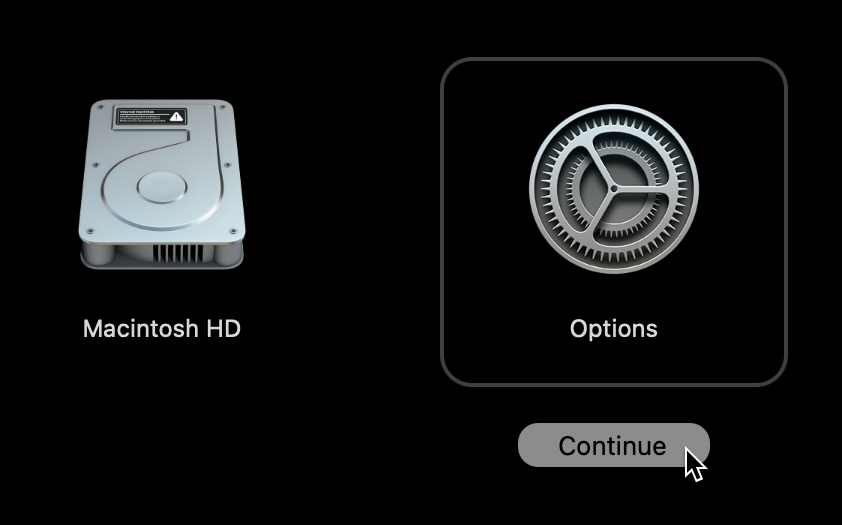
tart run --recovery. Screenshot from the Tart documentation.# In the recovery-mode Terminal
diskutil list physical
diskutil eraseVolume free free disk0s3
yes | diskutil repairDisk disk0
diskutil apfs resizeContainer disk0s2 0Code language: PHP (php)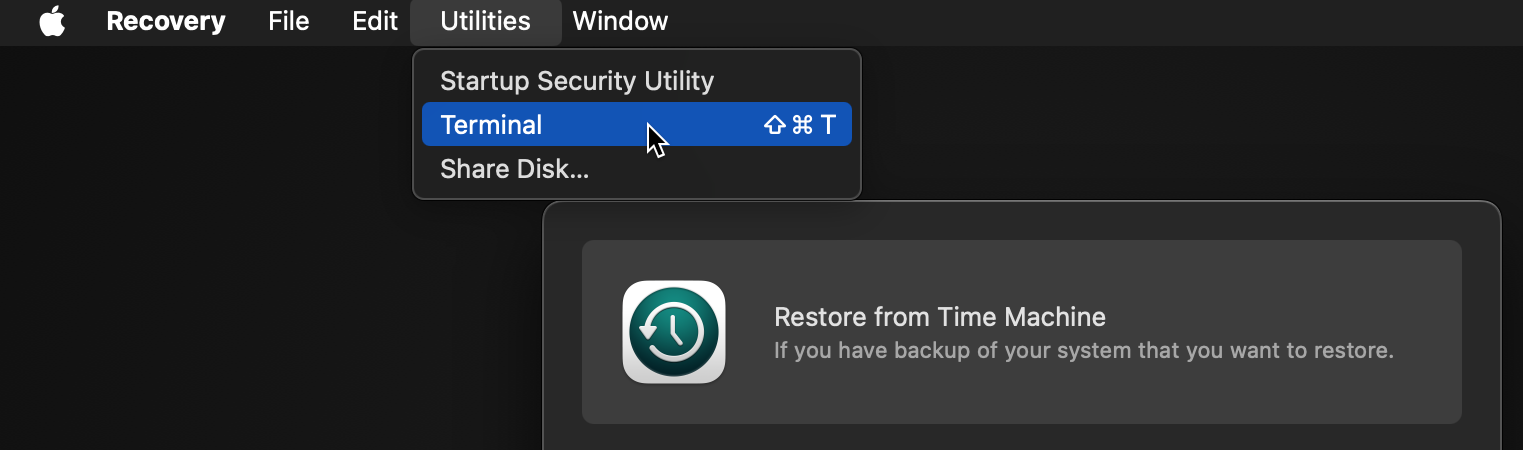
Networking, shared folders and headless hosts
VMs use NAT by default. With --net-bridged they join the physical network, and you resolve the IP with tart ip --resolver=arp. With --net-softnet, Softnet isolates the VM further and blocks access to the host, a good fit for CI jobs running untrusted code. Host folders are mounted with --dir=name:~/path[:ro]; macOS guests see them under /Volumes/My Shared Files, while Linux guests need a manual virtiofs mount.
The project FAQ covers several production gotchas:
- DHCP exhaustion: the macOS DHCP server leases addresses for 24 hours, which runs out beyond roughly 253 VMs a day. Cut it to 10 minutes with
sudo defaults write /Library/Preferences/SystemConfiguration/com.apple.InternetSharing.default.plist bootpd -dict DHCPLeaseTimeSecs -int 600; Softnet avoids the issue automatically. - Headless Macs: since macOS 15, Virtualization.framework needs an unlocked
login.keychainto start VMs. Log in through the GUI once, or create and unlock the keychain withsecurity. - Tart over SSH:
login,pullorpushfail when the keychain is locked; usesecurity unlock-keychainor the registry environment variables. - Ubuntu and
tart ip: if the guest sends a DHCP client identifier that isn’t its MAC, Tart can’t find its IP; setdhcp-identifier: macin Netplan. - Nested virtualization: only on M3 or later with macOS 15, only for Linux guests, via
--nested.
To scale across hosts there is Orchard, the orchestrator for Tart VMs, which the docs compare to Anka Controller. According to the project, Tart builds on the same technology as Anka 3.0 but distributes images over OCI instead of a proprietary registry. Recent releases also include tart exec, which runs commands in the guest through a guest agent.
License and life under OpenAI
Tart now ships under the Functional Source License 1.1 with an Apache 2.0 future license (FSL-1.1-ALv2), copyright OpenAI. It allows using, modifying and redistributing the software for any purpose except offering a commercial product or service that substitutes for it, and each version converts to Apache 2.0 over time. Previously, commercial use at scale required a paid license; after the deal, Cirrus Labs dropped those fees and relicensed Tart, Vetu and Orchard. Cirrus CI shut down on June 1, 2026.
The risk for teams depending on Tart is maintenance: the original team now works on other OpenAI projects and there is no public roadmap for Tart. So far the repository remains active, with releases in October and outside contributions, and base images are still published under ghcr.io/cirruslabs. Pin versions, mirror critical images into your own registry and keep an eye on the Homebrew tap.
FAQ
How do I install Tart now?
With Homebrew from OpenAI’s tap: brew install openai/tools/tart. It used to live in cirruslabs/cli.
Can my company use Tart for free?
Yes, for internal use. The FSL-1.1 license only forbids offering a commercial product that competes with Tart.
Why won’t VMs start on a headless Mac?
Since macOS 15, Virtualization.framework needs an unlocked login.keychain. Log in through the GUI once, or create and unlock it with the security command.
Can Tart run Docker images?
No. Tart uses OCI registries, but it only runs VM images built and pushed with Tart.
Sources: