
Zammad is an open-source helpdesk and customer support system, licensed under AGPLv3, that brings requests arriving by email, chat, phone and social media into a single web interface, and it can be deployed on your own server with Docker Compose in a handful of commands. The code belongs to the Zammad Foundation, which is independent of Zammad GmbH, the company that develops it with the community and sells the hosted version.
Zammad key facts in 20 seconds
- Open-source helpdesk unifying email, chat, phone and social media.
- Installs with Docker Compose 2.23.1 or newer.
- Needs at least 4 GB of RAM and a vm.max_map_count tweak.
- Elasticsearch is optional but strongly recommended.
Zammad, written in Ruby on Rails with more than 6,000 GitHub stars, is one of the open-source options support teams look at instead of Zendesk or Freshdesk. The split between foundation and company has a practical effect: the project states that the software is and will stay open source, while Zammad GmbH funds itself with its cloud service, which has a free trial and which it recommends to anyone who would rather not deal with installation, backups and upgrades.
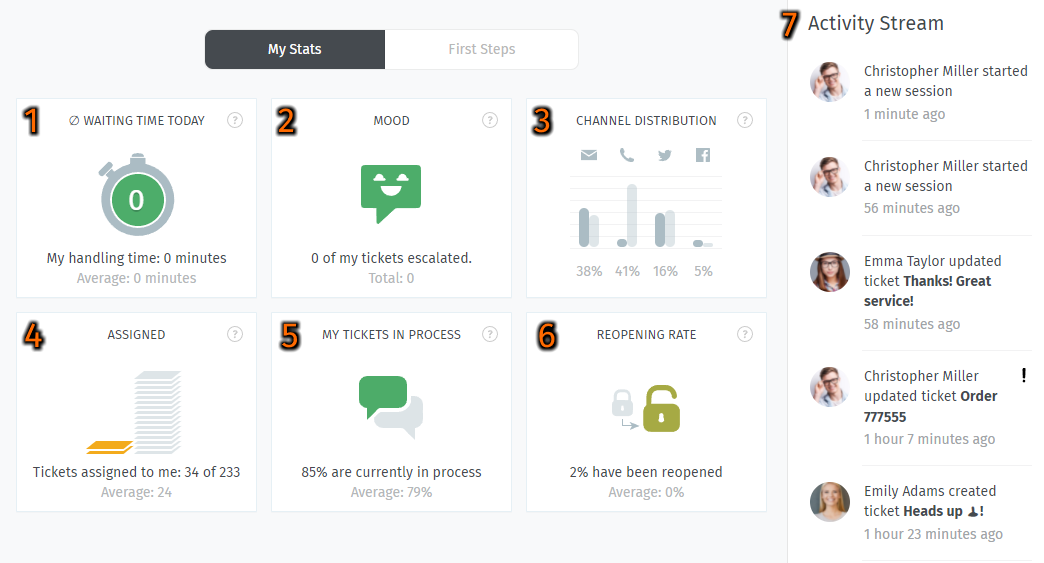
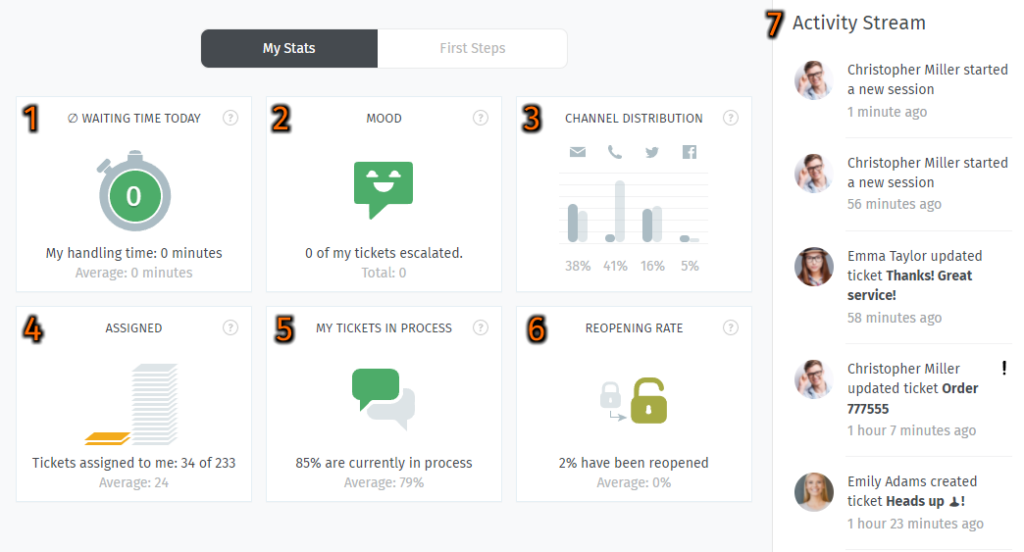
Each agent’s dashboard shows their waiting time for the day, how many tickets were escalated, the split by channel, assigned tickets, those in progress and the reopening rate, next to an activity stream with the latest changes. Zammad also offers a REST API to integrate it with other applications.
Requirements before you install
The official documentation asks for at least 4 GB of RAM for the containers. You need Docker Compose 2.23.1 or newer, because the stack inlines the PostgreSQL initialisation script using a feature introduced in that release; older versions shipped by some distributions fail with a parse error. Docker Swarm is not supported: for an orchestrated deployment, Zammad points to its Helm chart for Kubernetes.
Elasticsearch, used for search, needs a kernel setting on the host. The official command applies it at runtime; to keep it after a reboot, store it in /etc/sysctl.d:
docker compose version     # must be 2.23.1 or later
sudo sysctl -w vm.max_map_count=262144

# Persist across reboots
echo "vm.max_map_count=262144" | sudo tee /etc/sysctl.d/99-zammad.confCode language: PHP (php)
Installing with Docker Compose or Portainer
Deployment starts from the official zammad-docker-compose repository:
git clone https://github.com/zammad/zammad-docker-compose.git
cd zammad-docker-compose
docker compose up -dCode language: PHP (php)
Once the stack is up, Zammad answers on port 8080 of the host, for example at http://localhost:8080/, where a wizard walks you through creating the administrator. The documentation recommends running git pull regularly to pick up updates and reading each release’s notes before upgrading. If you prefer a GUI, the stack can be created in Portainer by pointing it at the repository and the refs/heads/master reference. One important caveat: Zammad does not support Docker- or Portainer-specific problems, only the application itself.
To publish it on the internet it must sit behind HTTPS without modifying the stack. The two documented routes are a reverse proxy such as Nginx Proxy Manager, with Let’s Encrypt certificates, or a Cloudflare tunnel that terminates SSL.
Elasticsearch, database and backups
Elasticsearch is enabled by default. It can be dropped for very small teams, tight budgets or during a cluster upgrade by setting ELASTICSEARCH_ENABLED=false and loading the disable-elasticsearch-service.yml scenario, although Zammad considers it a strongly recommended dependency.
On recent installs Zammad connects to PostgreSQL with an unprivileged role that only owns its own database, matching the package-based installation. Older installs used the image’s superuser and can migrate through a backup and restore. The stack includes a zammad-backup service that can run a one-off backup:
docker compose run --rm --env BACKUP_ONCE=true zammad-backupCode language: JavaScript (javascript)Frequently asked questions
Is Zammad free?
Yes, the software is open source under AGPLv3 and can be self-hosted at no cost. Zammad GmbH also sells a supported cloud version.
How much memory does it need?
The documentation asks for at least 4 GB of RAM to run the containers with Docker Compose.
Is Elasticsearch mandatory?
No, but it is strongly recommended. It is disabled with ELASTICSEARCH_ENABLED=false and the disable-elasticsearch-service.yml scenario.
Does it run on Docker Swarm or Kubernetes?
Swarm is not supported. For Kubernetes, Zammad maintains an official Helm chart.
Sources: